Automating Repetitive Development Tasks with Custom Scripts
Build automation scripts that remove daily friction: project scaffolding, database seeding, log analysis and deployment checks with Node.js and shell.
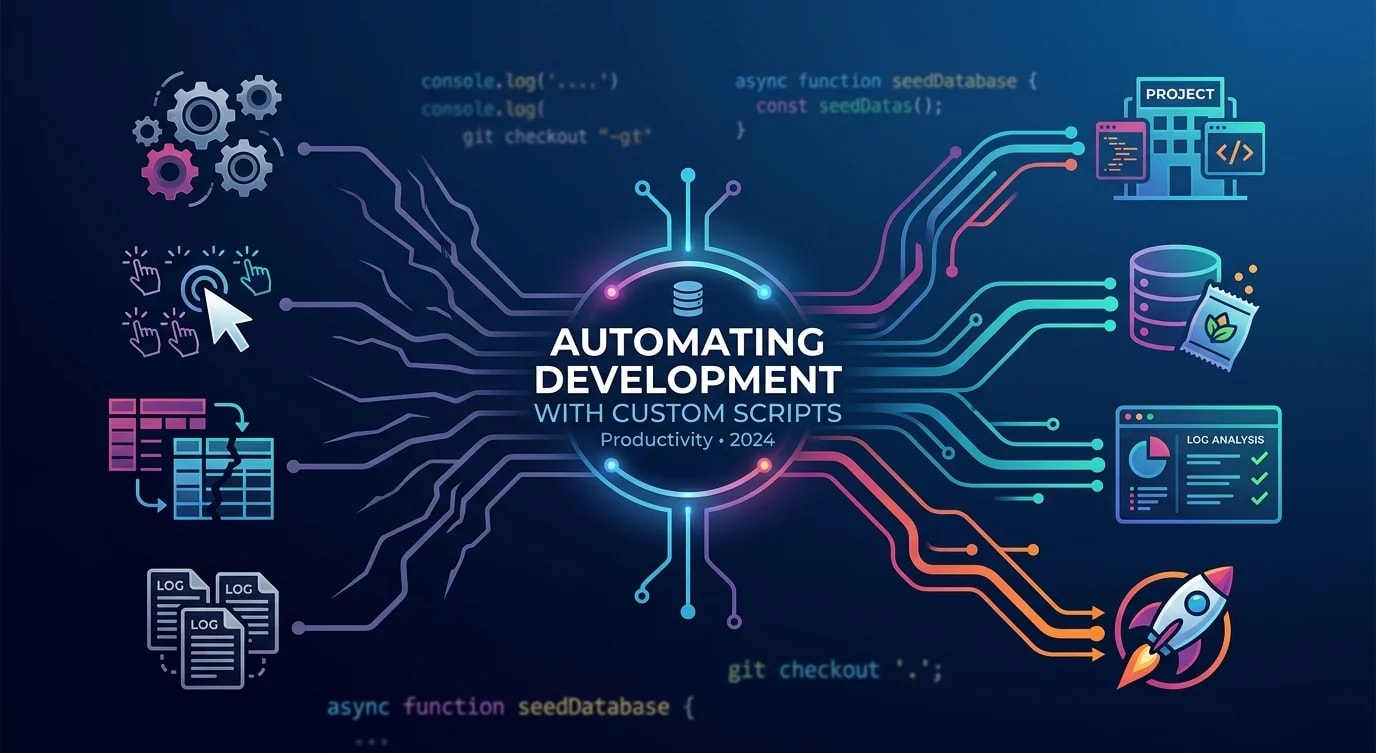
Every developer has tasks they repeat daily—resetting test databases, generating boilerplate, checking deployment status, cleaning up stale branches. Each task takes only a few minutes, but multiplied across a team and a year, those minutes become weeks of lost productivity.
The fix isn't buying another tool—it's writing small, focused scripts that handle the repetitive work. These scripts compound over time, freeing mental energy for actual problem-solving.
Identifying Automation Candidates
The best automation targets share three traits: they're repetitive, error-prone when done manually, and well-defined enough to script.
# ❌ Manual workflow: setting up a new feature branch
git checkout main
git pull origin main
git checkout -b feature/JIRA-1234-add-user-profile
# Forget to pull first? Stale branch.
# Typo in branch name? Inconsistent naming.
# Forget to set upstream? Push fails later.// ✅ Automated: create-feature-branch.ts
import { execSync } from "node:child_process";
import { argv } from "node:process";
const ticketId = argv[2];
const description = argv[3];
if (!ticketId || !description) {
console.error(
"Usage: bun create-branch <TICKET-ID> <description>"
);
process.exit(1);
}
const slug = description
.toLowerCase()
.replace(/[^a-z0-9]+/g, "-")
.replace(/^-|-$/g, "");
const branchName = `feature/${ticketId}-${slug}`;
function run(cmd: string) {
console.log(`→ ${cmd}`);
execSync(cmd, { stdio: "inherit" });
}
run("git fetch origin main");
run("git checkout main");
run("git pull origin main");
run(`git checkout -b ${branchName}`);
run(`git push -u origin ${branchName}`);
console.log(`\n✅ Branch created: ${branchName}`);One command replaces five manual steps. No typos, no forgotten pulls, consistent branch naming across the team.
Database Seeding Scripts
Test databases drift when developers seed them manually. Some records get stale, relationships break, and "works on my machine" becomes the team mantra.
// seed-dev-database.ts
import { Pool } from "pg";

interface SeedConfig {
  users: number;
  ordersPerUser: number;
  productsCount: number;
}

const DEFAULT_CONFIG: SeedConfig = {
  users: 10,
  ordersPerUser: 5,
  productsCount: 50,
};

async function seedDatabase(
  config: SeedConfig = DEFAULT_CONFIG
) {
  const pool = new Pool({
    connectionString: process.env.DATABASE_URL,
  });

  try {
    await pool.query("BEGIN");

    // Clear existing data in dependency order
    await pool.query(
      "DELETE FROM order_items CASCADE"
    );
    await pool.query("DELETE FROM orders CASCADE");
    await pool.query("DELETE FROM products CASCADE");
    await pool.query("DELETE FROM users CASCADE");

    console.log("🗑️  Cleared existing data");

    // Seed products
    const productIds: string[] = [];
    for (let i = 0; i < config.productsCount; i++) {
      const result = await pool.query(
        `INSERT INTO products (name, price, sku)
         VALUES ($1, $2, $3)
         RETURNING id`,
        [
          `Product ${i + 1}`,
          (Math.random() * 100 + 5).toFixed(2),
          `SKU-${String(i).padStart(5, "0")}`,
        ]
      );
      productIds.push(result.rows[0].id);
    }
    console.log(
      `📦 Created ${config.productsCount} products`
    );

    // Seed users and their orders
    for (let u = 0; u < config.users; u++) {
      const userResult = await pool.query(
        `INSERT INTO users (email, name)
         VALUES ($1, $2) RETURNING id`,
        [
          `user${u + 1}@example.com`,
          `Test User ${u + 1}`,
        ]
      );
      const userId = userResult.rows[0].id;

      for (let o = 0; o < config.ordersPerUser; o++) {
        const orderResult = await pool.query(
          `INSERT INTO orders (user_id, status)
           VALUES ($1, $2) RETURNING id`,
          [
            userId,
            ["pending", "confirmed", "shipped"][
              Math.floor(Math.random() * 3)
            ],
          ]
        );

        const itemCount =
          Math.floor(Math.random() * 3) + 1;
        for (let i = 0; i < itemCount; i++) {
          const randomProduct =
            productIds[
              Math.floor(
                Math.random() * productIds.length
              )
            ];
          await pool.query(
            `INSERT INTO order_items
             (order_id, product_id, quantity)
             VALUES ($1, $2, $3)`,
            [
              orderResult.rows[0].id,
              randomProduct,
              Math.floor(Math.random() * 5) + 1,
            ]
          );
        }
      }
    }

    await pool.query("COMMIT");
    console.log(
      `👥 Created ${config.users} users with ` +
        `${config.ordersPerUser} orders each`
    );
    console.log("✅ Database seeded successfully");
  } catch (error) {
    await pool.query("ROLLBACK");
    console.error("❌ Seed failed:", error);
    throw error;
  } finally {
    await pool.end();
  }
}

seedDatabase();
Log Analysis Automation
Production logs hold answers to most debugging questions, but grep alone isn't enough for meaningful analysis.
// analyze-logs.ts
import { readFileSync } from "node:fs";

interface LogEntry {
  timestamp: string;
  level: string;
  message: string;
  duration?: number;
  statusCode?: number;
  path?: string;
}

function parseLogs(filepath: string): LogEntry[] {
  const raw = readFileSync(filepath, "utf-8");
  return raw
    .split("\n")
    .filter(Boolean)
    .map((line) => {
      try {
        return JSON.parse(line) as LogEntry;
      } catch {
        return null;
      }
    })
    .filter((entry): entry is LogEntry => entry !== null);
}

function analyzeSlowEndpoints(
  entries: LogEntry[],
  thresholdMs: number = 1000
) {
  const slow = entries.filter(
    (e) => e.duration && e.duration > thresholdMs
  );

  const byPath = new Map<
    string,
    { count: number; avgDuration: number; max: number }
  >();

  for (const entry of slow) {
    const path = entry.path ?? "unknown";
    const existing = byPath.get(path) ?? {
      count: 0,
      avgDuration: 0,
      max: 0,
    };

    const newCount = existing.count + 1;
    const newAvg =
      (existing.avgDuration * existing.count +
        (entry.duration ?? 0)) /
      newCount;

    byPath.set(path, {
      count: newCount,
      avgDuration: Math.round(newAvg),
      max: Math.max(existing.max, entry.duration ?? 0),
    });
  }

  console.log(
    `\n🐌 Slow endpoints (>${thresholdMs}ms):\n`
  );
  const sorted = [...byPath.entries()].sort(
    (a, b) => b[1].count - a[1].count
  );

  for (const [path, stats] of sorted.slice(0, 10)) {
    console.log(
      `  ${path}: ${stats.count} slow requests, ` +
        `avg ${stats.avgDuration}ms, ` +
        `max ${stats.max}ms`
    );
  }
}

function analyzeErrorRates(entries: LogEntry[]) {
  const errors = entries.filter(
    (e) => e.level === "error"
  );
  const total = entries.length;

  console.log(
    `\n❌ Error rate: ${errors.length}/${total} ` +
      `(${((errors.length / total) * 100).toFixed(1)}%)`
  );

  const errorMessages = new Map<string, number>();
  for (const e of errors) {
    const key = e.message.slice(0, 80);
    errorMessages.set(
      key,
      (errorMessages.get(key) ?? 0) + 1
    );
  }

  console.log("\nTop errors:");
  const topErrors = [...errorMessages.entries()]
    .sort((a, b) => b[1] - a[1])
    .slice(0, 5);

  for (const [msg, count] of topErrors) {
    console.log(`  [${count}x] ${msg}`);
  }
}

const logFile = process.argv[2] ?? "app.log";
const entries = parseLogs(logFile);
console.log(`📊 Analyzed ${entries.length} log entries`);
analyzeSlowEndpoints(entries);
analyzeErrorRates(entries);
Deployment Verification Scripts
After deploying, you need to verify the deployment actually worked. Automate the health checks instead of manually hitting endpoints.
// verify-deployment.ts

interface HealthCheck {
  name: string;
  url: string;
  expectedStatus: number;
  timeout: number;
  validate?: (body: unknown) => boolean;
}

const checks: HealthCheck[] = [
  {
    name: "API Health",
    url: `${process.env.API_URL}/health`,
    expectedStatus: 200,
    timeout: 5000,
    validate: (body: unknown) => {
      const data = body as { status?: string };
      return data.status === "healthy";
    },
  },
  {
    name: "Database Connectivity",
    url: `${process.env.API_URL}/health/db`,
    expectedStatus: 200,
    timeout: 10000,
  },
  {
    name: "Cache Connectivity",
    url: `${process.env.API_URL}/health/cache`,
    expectedStatus: 200,
    timeout: 5000,
  },
  {
    name: "Frontend Loads",
    url: `${process.env.FRONTEND_URL}`,
    expectedStatus: 200,
    timeout: 15000,
  },
];

async function runCheck(
  check: HealthCheck
): Promise<{
  name: string;
  passed: boolean;
  duration: number;
  error?: string;
}> {
  const start = performance.now();
  try {
    const controller = new AbortController();
    const timeoutId = setTimeout(
      () => controller.abort(),
      check.timeout
    );

    const response = await fetch(check.url, {
      signal: controller.signal,
    });
    clearTimeout(timeoutId);

    const duration = Math.round(
      performance.now() - start
    );

    if (response.status !== check.expectedStatus) {
      return {
        name: check.name,
        passed: false,
        duration,
        error: `Expected ${check.expectedStatus}, ` +
          `got ${response.status}`,
      };
    }

    if (check.validate) {
      const body = await response.json();
      if (!check.validate(body)) {
        return {
          name: check.name,
          passed: false,
          duration,
          error: "Validation failed",
        };
      }
    }

    return { name: check.name, passed: true, duration };
  } catch (error) {
    return {
      name: check.name,
      passed: false,
      duration: Math.round(performance.now() - start),
      error:
        error instanceof Error
          ? error.message
          : "Unknown error",
    };
  }
}

async function verifyDeployment() {
  console.log("🔍 Running deployment verification...\n");

  const results = await Promise.all(
    checks.map(runCheck)
  );

  for (const result of results) {
    const icon = result.passed ? "✅" : "❌";
    const timing = `(${result.duration}ms)`;
    console.log(
      `${icon} ${result.name} ${timing}`
    );
    if (result.error) {
      console.log(`   → ${result.error}`);
    }
  }

  const failed = results.filter((r) => !r.passed);
  if (failed.length > 0) {
    console.log(
      `\n🚨 ${failed.length}/${results.length} ` +
        `checks failed`
    );
    process.exit(1);
  }

  console.log("\n✅ All checks passed");
}

verifyDeployment();
Composing Scripts into Workflows
Individual scripts become powerful when composed into workflows. A single bun dev:reset command can reset everything to a clean state.
{
  "scripts": {
    "dev:reset": "bun db:reset && bun db:seed && bun cache:clear",
    "db:reset": "bun scripts/reset-database.ts",
    "db:seed": "bun scripts/seed-dev-database.ts",
    "cache:clear": "bun scripts/clear-dev-cache.ts",
    "branch": "bun scripts/create-feature-branch.ts",
    "logs:analyze": "bun scripts/analyze-logs.ts",
    "deploy:verify": "bun scripts/verify-deployment.ts",
    "cleanup:branches": "bun scripts/prune-merged-branches.ts"
  }
}// prune-merged-branches.ts
import { execSync } from "node:child_process";
function run(cmd: string): string {
return execSync(cmd, { encoding: "utf-8" }).trim();
}
const merged = run(
"git branch --merged main"
)
.split("\n")
.map((b) => b.trim())
.filter(
(b) =>
b && b !== "main" && b !== "* main" && !b.startsWith("*")
);
if (merged.length === 0) {
console.log("✅ No merged branches to clean up");
process.exit(0);
}
console.log(
`🗑️ Deleting ${merged.length} merged branches:\n`
);
for (const branch of merged) {
console.log(` Deleting: ${branch}`);
run(`git branch -d ${branch}`);
}
console.log("\n✅ Cleanup complete");Key Takeaways
Target repetitive, well-defined tasks where manual execution is error-prone—branch creation, database seeding, log analysis, and deployment verification are prime candidates. Keep scripts focused on a single responsibility: one script seeds the database, another verifies deployment, a third analyzes logs—compose them in package.json for multi-step workflows. Include validation and clear output: scripts should verify their own preconditions, report progress with visual indicators, and exit with non-zero codes on failure so CI pipelines can catch problems. Write scripts as TypeScript with proper types rather than fragile bash one-liners—they're easier to maintain, test, and extend as requirements evolve.


