Automatizar tareas repetitivas de desarrollo con scripts
Crea scripts que eliminen la fricción diaria: scaffolding de proyectos, seeding de bases de datos, análisis de logs y verificación de despliegues.
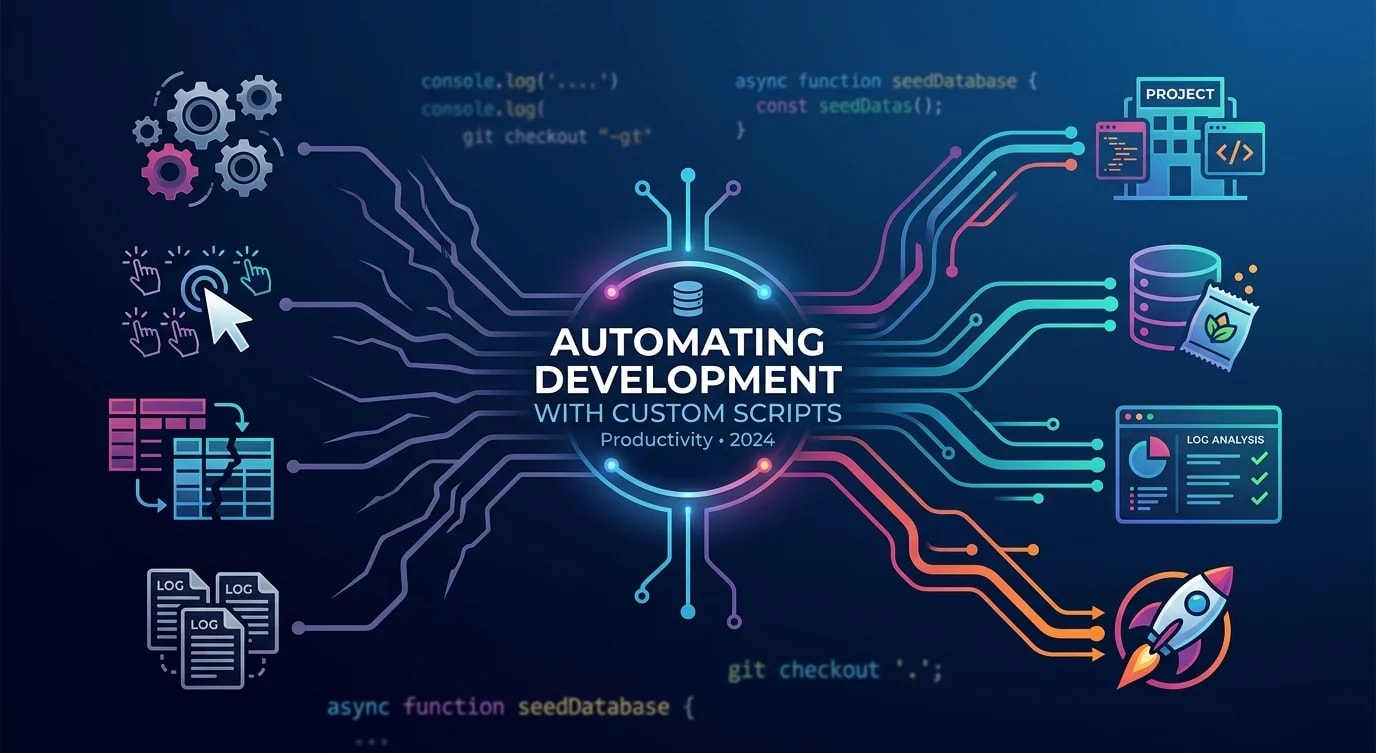
Todo desarrollador tiene tareas que repite a diario: reiniciar bases de datos de prueba, generar boilerplate, comprobar el estado de los despliegues, limpiar ramas obsoletas. Cada tarea solo toma unos minutos, pero multiplicados por un equipo y un año, esos minutos se convierten en semanas de productividad perdida.
La solución no es comprar otra herramienta, sino escribir scripts pequeños y enfocados que se encarguen del trabajo repetitivo. Estos scripts se acumulan con el tiempo y liberan energía mental para resolver problemas de verdad.
Identificar candidatos a la automatización
Los mejores objetivos de automatización comparten tres rasgos: son repetitivos, propensos a errores cuando se hacen a mano y están lo suficientemente bien definidos como para convertirlos en un script.
# ❌ Manual workflow: setting up a new feature branch
git checkout main
git pull origin main
git checkout -b feature/JIRA-1234-add-user-profile
# Forget to pull first? Stale branch.
# Typo in branch name? Inconsistent naming.
# Forget to set upstream? Push fails later.// ✅ Automated: create-feature-branch.ts
import { execSync } from "node:child_process";
import { argv } from "node:process";
const ticketId = argv[2];
const description = argv[3];
if (!ticketId || !description) {
console.error(
"Usage: bun create-branch <TICKET-ID> <description>"
);
process.exit(1);
}
const slug = description
.toLowerCase()
.replace(/[^a-z0-9]+/g, "-")
.replace(/^-|-$/g, "");
const branchName = `feature/${ticketId}-${slug}`;
function run(cmd: string) {
console.log(`→ ${cmd}`);
execSync(cmd, { stdio: "inherit" });
}
run("git fetch origin main");
run("git checkout main");
run("git pull origin main");
run(`git checkout -b ${branchName}`);
run(`git push -u origin ${branchName}`);
console.log(`\n✅ Branch created: ${branchName}`);Un solo comando reemplaza cinco pasos manuales. Sin errores de tipeo, sin pulls olvidados, con una nomenclatura de ramas consistente en todo el equipo.
Scripts de seeding de bases de datos
Las bases de datos de prueba se degradan cuando los desarrolladores las pueblan a mano. Algunos registros quedan desactualizados, las relaciones se rompen y «en mi máquina funciona» se convierte en el mantra del equipo.
// seed-dev-database.ts
import { Pool } from "pg";

interface SeedConfig {
  users: number;
  ordersPerUser: number;
  productsCount: number;
}

const DEFAULT_CONFIG: SeedConfig = {
  users: 10,
  ordersPerUser: 5,
  productsCount: 50,
};

async function seedDatabase(
  config: SeedConfig = DEFAULT_CONFIG
) {
  const pool = new Pool({
    connectionString: process.env.DATABASE_URL,
  });

  try {
    await pool.query("BEGIN");

    // Clear existing data in dependency order
    await pool.query(
      "DELETE FROM order_items CASCADE"
    );
    await pool.query("DELETE FROM orders CASCADE");
    await pool.query("DELETE FROM products CASCADE");
    await pool.query("DELETE FROM users CASCADE");

    console.log("🗑️  Cleared existing data");

    // Seed products
    const productIds: string[] = [];
    for (let i = 0; i < config.productsCount; i++) {
      const result = await pool.query(
        `INSERT INTO products (name, price, sku)
         VALUES ($1, $2, $3)
         RETURNING id`,
        [
          `Product ${i + 1}`,
          (Math.random() * 100 + 5).toFixed(2),
          `SKU-${String(i).padStart(5, "0")}`,
        ]
      );
      productIds.push(result.rows[0].id);
    }
    console.log(
      `📦 Created ${config.productsCount} products`
    );

    // Seed users and their orders
    for (let u = 0; u < config.users; u++) {
      const userResult = await pool.query(
        `INSERT INTO users (email, name)
         VALUES ($1, $2) RETURNING id`,
        [
          `user${u + 1}@example.com`,
          `Test User ${u + 1}`,
        ]
      );
      const userId = userResult.rows[0].id;

      for (let o = 0; o < config.ordersPerUser; o++) {
        const orderResult = await pool.query(
          `INSERT INTO orders (user_id, status)
           VALUES ($1, $2) RETURNING id`,
          [
            userId,
            ["pending", "confirmed", "shipped"][
              Math.floor(Math.random() * 3)
            ],
          ]
        );

        const itemCount =
          Math.floor(Math.random() * 3) + 1;
        for (let i = 0; i < itemCount; i++) {
          const randomProduct =
            productIds[
              Math.floor(
                Math.random() * productIds.length
              )
            ];
          await pool.query(
            `INSERT INTO order_items
             (order_id, product_id, quantity)
             VALUES ($1, $2, $3)`,
            [
              orderResult.rows[0].id,
              randomProduct,
              Math.floor(Math.random() * 5) + 1,
            ]
          );
        }
      }
    }

    await pool.query("COMMIT");
    console.log(
      `👥 Created ${config.users} users with ` +
        `${config.ordersPerUser} orders each`
    );
    console.log("✅ Database seeded successfully");
  } catch (error) {
    await pool.query("ROLLBACK");
    console.error("❌ Seed failed:", error);
    throw error;
  } finally {
    await pool.end();
  }
}

seedDatabase();
Automatización del análisis de logs
Los logs de producción contienen las respuestas a la mayoría de las preguntas de depuración, pero grep por sí solo no basta para un análisis significativo.
// analyze-logs.ts
import { readFileSync } from "node:fs";

interface LogEntry {
  timestamp: string;
  level: string;
  message: string;
  duration?: number;
  statusCode?: number;
  path?: string;
}

function parseLogs(filepath: string): LogEntry[] {
  const raw = readFileSync(filepath, "utf-8");
  return raw
    .split("\n")
    .filter(Boolean)
    .map((line) => {
      try {
        return JSON.parse(line) as LogEntry;
      } catch {
        return null;
      }
    })
    .filter((entry): entry is LogEntry => entry !== null);
}

function analyzeSlowEndpoints(
  entries: LogEntry[],
  thresholdMs: number = 1000
) {
  const slow = entries.filter(
    (e) => e.duration && e.duration > thresholdMs
  );

  const byPath = new Map<
    string,
    { count: number; avgDuration: number; max: number }
  >();

  for (const entry of slow) {
    const path = entry.path ?? "unknown";
    const existing = byPath.get(path) ?? {
      count: 0,
      avgDuration: 0,
      max: 0,
    };

    const newCount = existing.count + 1;
    const newAvg =
      (existing.avgDuration * existing.count +
        (entry.duration ?? 0)) /
      newCount;

    byPath.set(path, {
      count: newCount,
      avgDuration: Math.round(newAvg),
      max: Math.max(existing.max, entry.duration ?? 0),
    });
  }

  console.log(
    `\n🐌 Slow endpoints (>${thresholdMs}ms):\n`
  );
  const sorted = [...byPath.entries()].sort(
    (a, b) => b[1].count - a[1].count
  );

  for (const [path, stats] of sorted.slice(0, 10)) {
    console.log(
      `  ${path}: ${stats.count} slow requests, ` +
        `avg ${stats.avgDuration}ms, ` +
        `max ${stats.max}ms`
    );
  }
}

function analyzeErrorRates(entries: LogEntry[]) {
  const errors = entries.filter(
    (e) => e.level === "error"
  );
  const total = entries.length;

  console.log(
    `\n❌ Error rate: ${errors.length}/${total} ` +
      `(${((errors.length / total) * 100).toFixed(1)}%)`
  );

  const errorMessages = new Map<string, number>();
  for (const e of errors) {
    const key = e.message.slice(0, 80);
    errorMessages.set(
      key,
      (errorMessages.get(key) ?? 0) + 1
    );
  }

  console.log("\nTop errors:");
  const topErrors = [...errorMessages.entries()]
    .sort((a, b) => b[1] - a[1])
    .slice(0, 5);

  for (const [msg, count] of topErrors) {
    console.log(`  [${count}x] ${msg}`);
  }
}

const logFile = process.argv[2] ?? "app.log";
const entries = parseLogs(logFile);
console.log(`📊 Analyzed ${entries.length} log entries`);
analyzeSlowEndpoints(entries);
analyzeErrorRates(entries);
Scripts de verificación de despliegues
Después de un despliegue hay que comprobar que realmente funcionó. Automatiza los health checks en lugar de consultar los endpoints a mano.
// verify-deployment.ts

interface HealthCheck {
  name: string;
  url: string;
  expectedStatus: number;
  timeout: number;
  validate?: (body: unknown) => boolean;
}

const checks: HealthCheck[] = [
  {
    name: "API Health",
    url: `${process.env.API_URL}/health`,
    expectedStatus: 200,
    timeout: 5000,
    validate: (body: unknown) => {
      const data = body as { status?: string };
      return data.status === "healthy";
    },
  },
  {
    name: "Database Connectivity",
    url: `${process.env.API_URL}/health/db`,
    expectedStatus: 200,
    timeout: 10000,
  },
  {
    name: "Cache Connectivity",
    url: `${process.env.API_URL}/health/cache`,
    expectedStatus: 200,
    timeout: 5000,
  },
  {
    name: "Frontend Loads",
    url: `${process.env.FRONTEND_URL}`,
    expectedStatus: 200,
    timeout: 15000,
  },
];

async function runCheck(
  check: HealthCheck
): Promise<{
  name: string;
  passed: boolean;
  duration: number;
  error?: string;
}> {
  const start = performance.now();
  try {
    const controller = new AbortController();
    const timeoutId = setTimeout(
      () => controller.abort(),
      check.timeout
    );

    const response = await fetch(check.url, {
      signal: controller.signal,
    });
    clearTimeout(timeoutId);

    const duration = Math.round(
      performance.now() - start
    );

    if (response.status !== check.expectedStatus) {
      return {
        name: check.name,
        passed: false,
        duration,
        error: `Expected ${check.expectedStatus}, ` +
          `got ${response.status}`,
      };
    }

    if (check.validate) {
      const body = await response.json();
      if (!check.validate(body)) {
        return {
          name: check.name,
          passed: false,
          duration,
          error: "Validation failed",
        };
      }
    }

    return { name: check.name, passed: true, duration };
  } catch (error) {
    return {
      name: check.name,
      passed: false,
      duration: Math.round(performance.now() - start),
      error:
        error instanceof Error
          ? error.message
          : "Unknown error",
    };
  }
}

async function verifyDeployment() {
  console.log("🔍 Running deployment verification...\n");

  const results = await Promise.all(
    checks.map(runCheck)
  );

  for (const result of results) {
    const icon = result.passed ? "✅" : "❌";
    const timing = `(${result.duration}ms)`;
    console.log(
      `${icon} ${result.name} ${timing}`
    );
    if (result.error) {
      console.log(`   → ${result.error}`);
    }
  }

  const failed = results.filter((r) => !r.passed);
  if (failed.length > 0) {
    console.log(
      `\n🚨 ${failed.length}/${results.length} ` +
        `checks failed`
    );
    process.exit(1);
  }

  console.log("\n✅ All checks passed");
}

verifyDeployment();
Componer scripts en flujos de trabajo
Los scripts individuales se vuelven potentes cuando se componen en flujos de trabajo. Un único comando bun dev:reset puede restablecer todo a un estado limpio.
{
  "scripts": {
    "dev:reset": "bun db:reset && bun db:seed && bun cache:clear",
    "db:reset": "bun scripts/reset-database.ts",
    "db:seed": "bun scripts/seed-dev-database.ts",
    "cache:clear": "bun scripts/clear-dev-cache.ts",
    "branch": "bun scripts/create-feature-branch.ts",
    "logs:analyze": "bun scripts/analyze-logs.ts",
    "deploy:verify": "bun scripts/verify-deployment.ts",
    "cleanup:branches": "bun scripts/prune-merged-branches.ts"
  }
}// prune-merged-branches.ts
import { execSync } from "node:child_process";
function run(cmd: string): string {
return execSync(cmd, { encoding: "utf-8" }).trim();
}
const merged = run(
"git branch --merged main"
)
.split("\n")
.map((b) => b.trim())
.filter(
(b) =>
b && b !== "main" && b !== "* main" && !b.startsWith("*")
);
if (merged.length === 0) {
console.log("✅ No merged branches to clean up");
process.exit(0);
}
console.log(
`🗑️ Deleting ${merged.length} merged branches:\n`
);
for (const branch of merged) {
console.log(` Deleting: ${branch}`);
run(`git branch -d ${branch}`);
}
console.log("\n✅ Cleanup complete");Conclusiones clave
Apunta a tareas repetitivas y bien definidas cuya ejecución manual sea propensa a errores: la creación de ramas, el seeding de bases de datos, el análisis de logs y la verificación de despliegues son candidatos ideales. Mantén los scripts centrados en una única responsabilidad: un script puebla la base de datos, otro verifica el despliegue, un tercero analiza los logs, y compónlos en package.json para flujos de trabajo de varios pasos. Incluye validación y una salida clara: los scripts deben verificar sus propias precondiciones, informar el progreso con indicadores visuales y salir con códigos distintos de cero en caso de fallo, para que los pipelines de CI puedan detectar los problemas. Escribe los scripts en TypeScript con tipos adecuados en lugar de one-liners frágiles de bash: son más fáciles de mantener, probar y ampliar a medida que evolucionan los requisitos.


