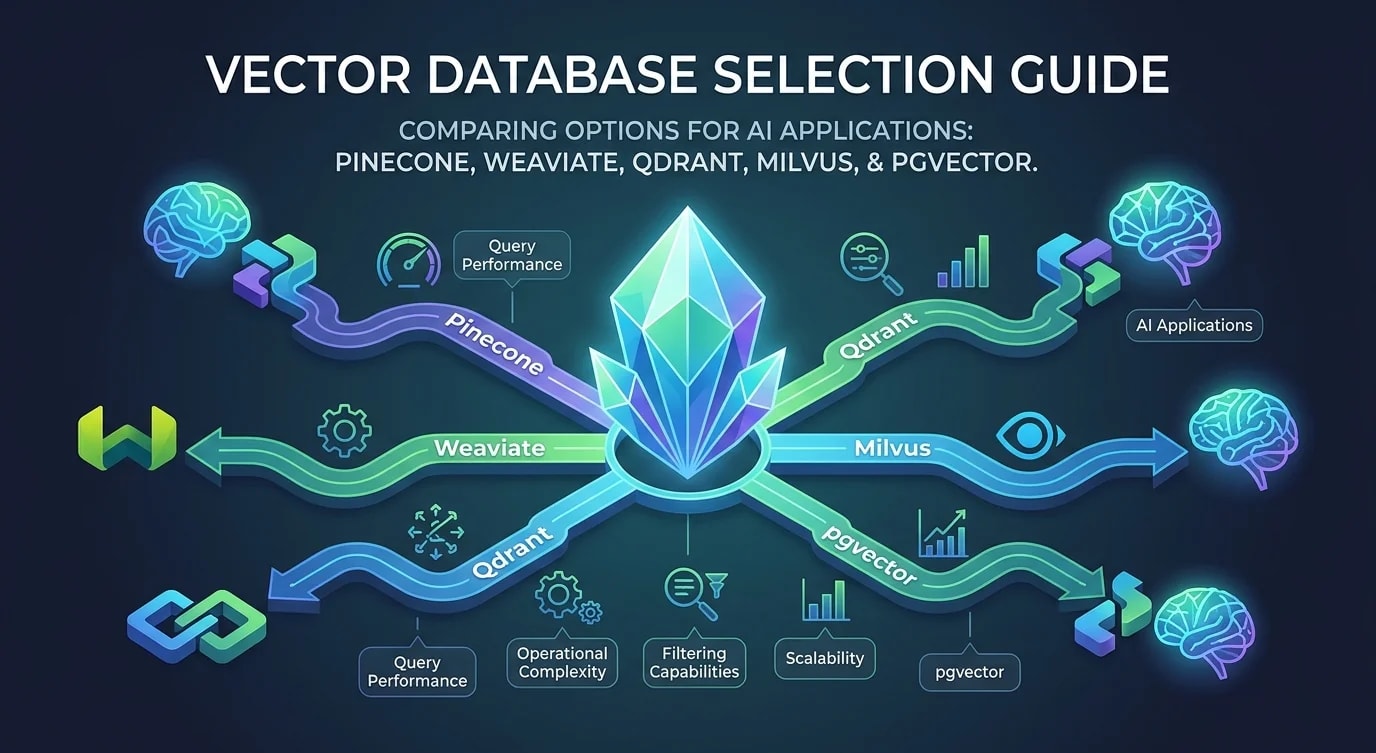
Vector Databases and Similarity Search
A practical guide to vector databases for similarity search: embeddings, indexing strategies, distance metrics, and choosing between the main options.

Vector databases store and query high-dimensional vectors — numerical representations of data like text, images, or user behavior. When you convert a sentence into a 384-dimensional vector using an embedding model, similar sentences produce similar vectors. A vector database finds the nearest vectors to a query vector efficiently, enabling semantic search, recommendation engines, and retrieval-augmented generation (RAG) for LLMs.
Traditional databases match exact values or ranges. Vector databases match meaning. Searching for "how to fix a memory leak" returns results about "debugging out-of-memory errors" and "garbage collection tuning" — even if those documents share zero keywords with the query.
How Vector Search Works
Vector search converts the query into a vector and finds the K nearest vectors in the database using a distance metric.
import numpy as np
from numpy.linalg import norm

# Three distance metrics for vector similarity

def cosine_similarity(a: np.ndarray, b: np.ndarray) -> float:
    """Measures angle between vectors. Range: -1 to 1.
    Most common for text embeddings."""
    return float(np.dot(a, b) / (norm(a) * norm(b)))

def euclidean_distance(a: np.ndarray, b: np.ndarray) -> float:
    """Measures straight-line distance. Range: 0 to infinity.
    Useful when magnitude matters."""
    return float(norm(a - b))

def dot_product(a: np.ndarray, b: np.ndarray) -> float:
    """Combines angle and magnitude. Range: -inf to inf.
    Fastest to compute."""
    return float(np.dot(a, b))

# Example: text embeddings from sentence-transformers
from sentence_transformers import SentenceTransformer

model = SentenceTransformer("all-MiniLM-L6-v2")

docs = [
    "How to optimize database queries",
    "SQL query performance tuning",
    "Introduction to machine learning",
    "Best practices for REST API design",
]

embeddings = model.encode(docs)  # Shape: (4, 384)

query = model.encode("making SQL queries faster")  # Shape: (384,)

# Find most similar documents
similarities = [cosine_similarity(query, emb) for emb in embeddings]
# [0.72, 0.85, 0.12, 0.18]
# "SQL query performance tuning" is most similar (0.85)
Approximate Nearest Neighbor (ANN) Indexing
Exact nearest neighbor search compares the query against every vector in the database — O(n) per query. For millions of vectors, this is too slow. ANN indexes trade a small amount of accuracy for massive speed improvements.
# HNSW (Hierarchical Navigable Small World) — the most popular ANN algorithm
# Used by pgvector, Weaviate, Qdrant, and others

# How HNSW works:
# - Builds a multi-layer graph of vectors
# - Top layers: few vectors, large jumps (coarse search)
# - Bottom layers: many vectors, small jumps (fine search)
# - Search starts at top layer, navigates down to find nearest neighbors
# - Typical recall: 95-99% with 10-100x speedup over brute force

# IVF (Inverted File Index) — cluster-based approach
# Used by FAISS
# - Clusters vectors using k-means
# - At query time, search only the nearest clusters
# - nprobe parameter controls accuracy/speed trade-off// ❌ Brute force search — O(n) for every query
async function searchBruteForce(
query: number[],
allVectors: number[][],
k: number
): Promise<number[]> {
const similarities = allVectors.map((vec, idx) => ({
idx,
score: cosineSimilarity(query, vec),
}));
similarities.sort((a, b) => b.score - a.score);
return similarities.slice(0, k).map((s) => s.idx);
}
// 1M vectors × 384 dimensions = ~1.5 seconds per query
// ✅ ANN search with an index — sublinear query time
// Same 1M vectors with HNSW index: ~5 milliseconds per query
// 95-99% of results match exact searchUsing pgvector with PostgreSQL
For applications that already use PostgreSQL, pgvector adds vector search without introducing a new database. It is the simplest path for teams that do not need a dedicated vector database.
-- Enable the pgvector extension
CREATE EXTENSION IF NOT EXISTS vector;

-- Create a table with a vector column
CREATE TABLE documents (
  id         BIGSERIAL PRIMARY KEY,
  content    TEXT NOT NULL,
  embedding  vector(384) NOT NULL,  -- 384 dimensions
  metadata   JSONB DEFAULT '{}',
  created_at TIMESTAMPTZ DEFAULT NOW()
);

-- Create an HNSW index for fast similarity search
CREATE INDEX idx_documents_embedding
  ON documents
  USING hnsw (embedding vector_cosine_ops)
  WITH (m = 16, ef_construction = 200);

-- Insert a document with its embedding
INSERT INTO documents (content, embedding, metadata)
VALUES (
  'How to optimize PostgreSQL queries for large datasets',
  '[0.023, -0.041, 0.089, ...]'::vector,
  '{"category": "database", "author": "jane"}'
);

-- Search for similar documents
SELECT
  id,
  content,
  1 - (embedding <=> $1::vector) AS similarity
FROM documents
WHERE metadata->>'category' = 'database'
ORDER BY embedding <=> $1::vector
LIMIT 10;// TypeScript: Using pgvector for semantic search
import { Pool } from 'pg';
interface SearchResult {
id: number;
content: string;
similarity: number;
metadata: Record<string, string>;
}
async function semanticSearch(
pool: Pool,
queryEmbedding: number[],
options: {
limit?: number;
minSimilarity?: number;
filter?: Record<string, string>;
} = {}
): Promise<SearchResult[]> {
const { limit = 10, minSimilarity = 0.5, filter } = options;
// Build the embedding string for pgvector
const embeddingStr = `[${queryEmbedding.join(',')}]`;
let whereClause = '';
const params: unknown[] = [embeddingStr, limit];
if (filter) {
const conditions = Object.entries(filter).map(([key, value], i) => {
params.push(value);
return `metadata->>'${key}' = $${i + 3}`;
});
whereClause = `WHERE ${conditions.join(' AND ')}`;
}
const result = await pool.query<SearchResult>(
`SELECT
id,
content,
1 - (embedding <=> $1::vector) AS similarity,
metadata
FROM documents
${whereClause}
ORDER BY embedding <=> $1::vector
LIMIT $2`,
params
);
return result.rows.filter((r) => r.similarity >= minSimilarity);
}Using FAISS for Local Search
FAISS (Facebook AI Similarity Search) is an in-memory vector search library. It is faster than database solutions but does not persist data — you manage storage separately.
import faiss
import numpy as np
from sentence_transformers import SentenceTransformer

model = SentenceTransformer("all-MiniLM-L6-v2")

# Generate embeddings for your documents
documents = [
    "Kubernetes pod scheduling algorithms",
    "Docker container networking basics",
    "PostgreSQL index optimization guide",
    "React hooks performance patterns",
    # ... thousands more documents
]

embeddings = model.encode(documents)
embeddings = np.array(embeddings).astype("float32")

# Normalize for cosine similarity
faiss.normalize_L2(embeddings)

# Build an IVF index for approximate search
dimension = embeddings.shape[1]  # 384
nlist = 100  # Number of clusters

quantizer = faiss.IndexFlatIP(dimension)  # Inner product
index = faiss.IndexIVFFlat(quantizer, dimension, nlist)

# Train the index on the data
index.train(embeddings)
index.add(embeddings)

# Search
query = model.encode(["container orchestration"])
query = np.array(query).astype("float32")
faiss.normalize_L2(query)

index.nprobe = 10  # Search 10 nearest clusters (accuracy/speed trade-off)
distances, indices = index.search(query, k=5)

for i, (dist, idx) in enumerate(zip(distances[0], indices[0])):
    print(f"{i+1}. [{dist:.3f}] {documents[idx]}")

# 1. [0.892] Kubernetes pod scheduling algorithms
# 2. [0.847] Docker container networking basics
# 3. [0.312] PostgreSQL index optimization guide
Choosing the Right Solution
The choice depends on scale, existing infrastructure, and query requirements.
const vectorDbComparison = {
  pgvector: {
    bestFor: 'Teams already using PostgreSQL, <5M vectors',
    pros: [
      'No new infrastructure',
      'SQL filtering + vector search combined',
      'ACID transactions with vector data',
    ],
    cons: [
      'Slower than dedicated vector DBs at scale',
      'Limited to single-node performance',
    ],
  },
  pinecone: {
    bestFor: 'Managed service, production RAG systems',
    pros: [
      'Fully managed, no ops',
      'Fast at any scale',
      'Metadata filtering built-in',
    ],
    cons: [
      'Vendor lock-in',
      'Cost scales with vector count',
    ],
  },
  faiss: {
    bestFor: 'In-memory search, batch processing, research',
    pros: [
      'Fastest query performance',
      'No network latency',
      'GPU acceleration available',
    ],
    cons: [
      'No persistence (manage storage yourself)',
      'In-memory only — limited by RAM',
    ],
  },
  weaviate: {
    bestFor: 'Self-hosted vector DB with rich features',
    pros: [
      'Built-in vectorization modules',
      'Hybrid search (keyword + vector)',
      'Multi-tenancy support',
    ],
    cons: [
      'Operations overhead',
      'More complex than pgvector',
    ],
  },
};# ❌ Using a dedicated vector database for 10k documents
# Over-engineered: pgvector handles this trivially
# Extra infrastructure, extra cost, extra complexity
# ✅ Choosing based on scale and requirements
# < 1M vectors + PostgreSQL already in stack → pgvector
# 1M-100M vectors + managed preference → Pinecone
# Batch processing + low latency → FAISS
# Self-hosted + hybrid search → WeaviateKey Takeaways
- Vector search finds meaning, not keywords — converting text to embeddings enables semantic similarity that keyword search cannot achieve
- Use ANN indexes for scale — brute force is O(n) per query; HNSW gives 95-99% recall with 10-100x speedup
- pgvector is the simplest starting point — if you already use PostgreSQL and have less than 5M vectors, add the extension instead of a new database
- Cosine similarity is the default for text — it measures angle between vectors, ignoring magnitude; most text embedding models are optimized for it
- Normalize vectors before indexing — unnormalized vectors give inconsistent similarity scores; normalize once at insertion time
- Choose based on your existing infrastructure — the best vector database is the one that fits your stack without adding unnecessary operational complexity