Streaming Large Datasets in Node.js with Backpressure
Stop loading entire result sets into memory: how Node.js streams and async generators let you process millions of records without blowing the heap.
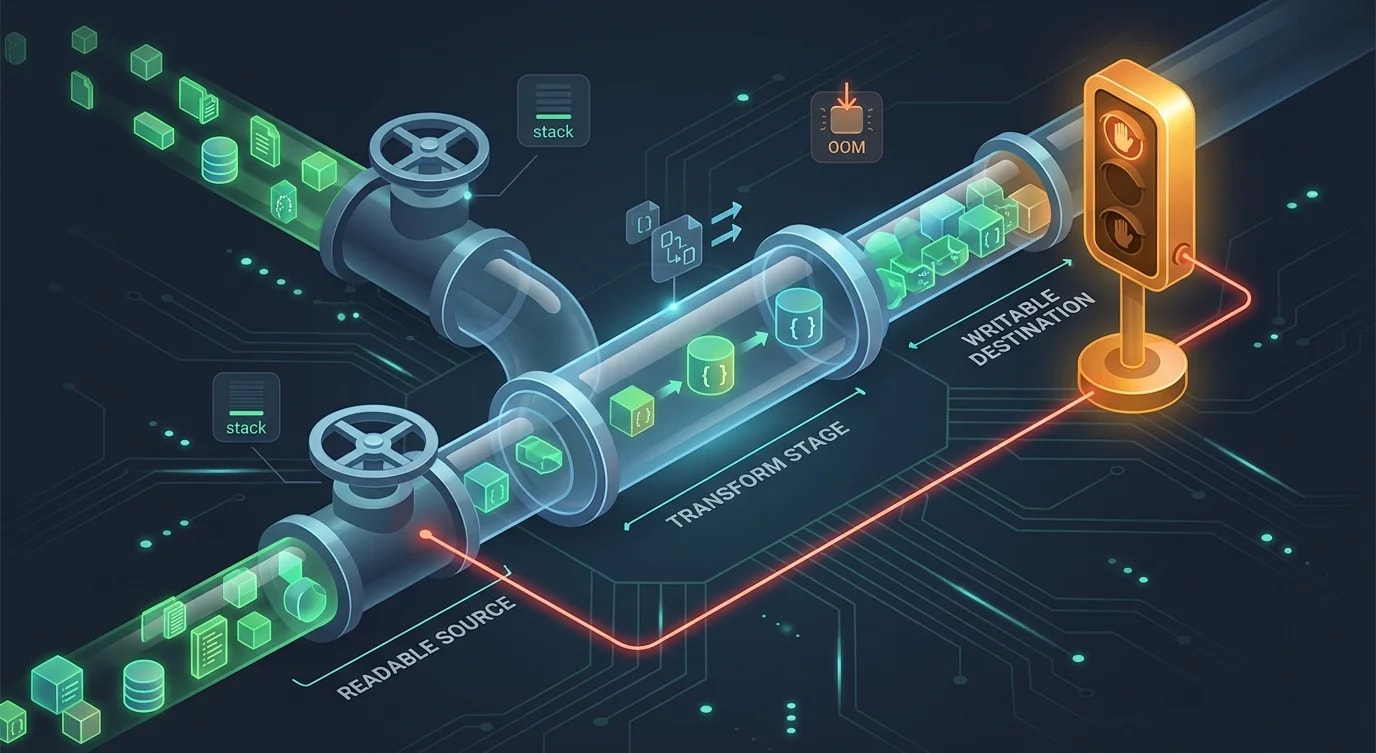
Most APIs that "work fine in development" carry a quiet time bomb: they load entire result sets into memory before doing anything with them. At a thousand rows, this is invisible. At a hundred thousand, response times spike. At a million, the process OOMs and takes down the pod. Streams are the standard fix — but the implementation details, especially backpressure, are where most attempts fall apart.
Why Loading Everything Kills Production
The problematic pattern is everywhere:
// ❌ Loads the entire table into a JS array before the first byte is sent
export async function GET(req: Request) {
  const users = await db.query<User>(
    "SELECT * FROM users WHERE tenant_id = $1",
    [req.tenantId],
  );
  return Response.json(users); // serializes all rows at once — heap spikes with result size
}

// ✅ Streams rows as they arrive — heap usage stays flat regardless of row count
export async function GET(req: Request) {
  const rows = db.queryStream<User>(
    "SELECT * FROM users WHERE tenant_id = $1",
    [req.tenantId],
  );
  return new Response(serializeNDJSON(rows), {
    headers: { "Content-Type": "application/x-ndjson" },
  });
}
The streaming version processes one row at a time. Whether you're sending 500 rows or 5 million, heap usage stays roughly constant. The trade-off is complexity — and that complexity lives mostly in backpressure.
The Node.js Stream Abstraction
Node.js Streams come in four flavors: Readable, Writable, Duplex, and Transform. For large dataset pipelines you mostly work with Readable (data source) and Transform (data shaping) piped into a Writable (HTTP response, file, message queue).
The canonical connection point is stream.pipeline, not .pipe(). The critical difference: pipeline propagates errors and cleans up all participating streams on failure. .pipe() leaves dangling event listeners when something errors mid-stream.
import { pipeline, Transform } from "node:stream";
import { promisify } from "node:util";

const pipelineAsync = promisify(pipeline);

async function exportUsersToResponse(
  queryStream: NodeJS.ReadableStream,
  res: NodeJS.WritableStream,
): Promise<void> {
  const ndJsonTransform = new Transform({
    objectMode: true,
    transform(row: unknown, _encoding, callback) {
      try {
        this.push(JSON.stringify(row) + "\n");
        callback();
      } catch (err) {
        callback(err as Error);
      }
    },
  });

  // All three streams are destroyed together on error or completion
  await pipelineAsync(queryStream, ndJsonTransform, res);
}
Every stream in the pipeline is cleaned up when any stage errors. No manual .destroy() calls spread across your handlers.
Backpressure: The Part Nobody Implements
Backpressure is the mechanism by which a slow consumer signals a fast producer to pause. Skip it and you buffer unbounded data in memory — exactly what you were trying to avoid.
When you call writable.write(chunk), it returns a boolean. false means the internal buffer is full and you should pause the source. Ignoring this return value is the most common streaming bug in production Node.js code.
// ❌ Ignores backpressure — the writable's internal buffer grows without bound
readable.on("data", (chunk) => {
  writable.write(chunk); // return value silently discarded
});

// ✅ Respects backpressure — pauses the source when the consumer's buffer is full
readable.on("data", (chunk) => {
  const canContinue = writable.write(chunk);
  if (!canContinue) {
    readable.pause();
    writable.once("drain", () => readable.resume());
  }
});
stream.pipeline and .pipe() handle this automatically when streams are connected through them. The danger zone is when you pull from a readable manually — via "data" events or .read() — and push to a writable yourself. That's where backpressure gets dropped.
Async Generators: A Cleaner Mental Model
The Streams API is powerful but verbose. Async generators offer a more ergonomic interface for the same concept. Node.js Readable streams implement AsyncIterable natively, so you can iterate them directly with for await...of.
async function* transformRows<T, R>(
  source: AsyncIterable<T>,
  transform: (row: T) => R | Promise<R>,
): AsyncGenerator<R> {
  for await (const row of source) {
    yield await transform(row);
  }
}

async function* serializeToNDJSON<T>(source: AsyncIterable<T>): AsyncGenerator<string> {
  for await (const item of source) {
    yield JSON.stringify(item) + "\n";
  }
}
These compose without ceremony:
async function streamExport(tenantId: string, res: ServerResponse): Promise<void> {
  const rows = db.queryStream<RawUser>(
    "SELECT id, email, name, created_at FROM users WHERE tenant_id = $1 ORDER BY created_at",
    [tenantId],
  );

  const normalized = transformRows(rows, normalizeUser);
  const serialized = serializeToNDJSON(normalized);

  try {
    for await (const chunk of serialized) {
      const ok = res.write(chunk);
      if (!ok) {
        // Await drain before pulling more from the generator
        await new Promise<void>((resolve) => res.once("drain", resolve));
      }
    }
  } finally {
    res.end();
  }
}
The for await...of loop naturally pauses whenever you await inside it — backpressure comes for free as long as you await writes when the buffer fills.
Async generators don't propagate stream errors automatically. Always wrap your consumer in try/finally and destroy the upstream source on error — database cursors and file handles leak silently if the readable is abandoned mid-iteration.
Practical: Streaming a CSV Export
A complete CSV export handler shows all the pieces together in production-quality form:
import { Transform, pipeline } from "node:stream";
import { promisify } from "node:util";

const pipelineAsync = promisify(pipeline);

class CsvTransform extends Transform {
  private headerWritten = false;

  constructor(private readonly headers: string[]) {
    super({ objectMode: true });
  }

  override _transform(
    row: Record<string, unknown>,
    _encoding: BufferEncoding,
    callback: (err?: Error | null) => void,
  ): void {
    try {
      if (!this.headerWritten) {
        this.push(this.headers.join(",") + "\r\n");
        this.headerWritten = true;
      }

      const values = this.headers.map((h) => {
        const raw = String(row[h] ?? "").replace(/"/g, '""');
        return raw.includes(",") || raw.includes('"') || raw.includes("\n")
          ? `"${raw}"`
          : raw;
      });

      this.push(values.join(",") + "\r\n");
      callback();
    } catch (err) {
      callback(err as Error);
    }
  }
}

export async function handleCsvExport(
  tenantId: string,
  res: NodeJS.WritableStream,
): Promise<void> {
  const queryStream = db.queryStream<Record<string, unknown>>(
    "SELECT id, email, name, created_at FROM users WHERE tenant_id = $1",
    [tenantId],
  );

  const csvTransform = new CsvTransform(["id", "email", "name", "created_at"]);

  // The database cursor, transform, and HTTP response are all destroyed together on error
  await pipelineAsync(queryStream, csvTransform, res);
}
The heap stays flat for any result set size. If the client disconnects mid-download, the error propagates back through pipeline and the database cursor is released immediately.
When Not to Stream
Streaming adds real complexity. Not every large response needs it.
| Scenario | Approach | Reason |
|---|---|---|
| < 10k rows, internal API | Load into memory | Simpler, negligible heap impact |
| Paginated UI endpoint | Cursor pagination | Client needs random access per page |
| Large export (CSV, NDJSON) | Stream | Constant memory, no response timeout |
| ETL, millions of rows | Stream + batch writes | Both throughput and memory matter |
| Real-time dashboard feed | SSE or WebSocket | Different problem entirely |
The heuristic: stream when you can't bound the result set size at request time, or when the client should start consuming before the producer finishes. Reach for streaming after profiling confirms it's needed, not by default.
Key Takeaways
stream.pipelineover.pipe()— proper error propagation and stream cleanup, always.- Backpressure is not optional — check the boolean return of
writable.write()and pause the source onfalse. - Async generators compose naturally —
for await...ofmakes backpressure ergonomic when youawaitwrites inside the loop. - Destroy sources on error — database cursors and file handles leak silently when readables are abandoned;
pipelineandtry/finallyboth protect against this. - Measure before streaming — adding a pipeline to a 200-row query adds complexity for zero gain; the right time to reach for streams is when result set size is unbounded or large exports are a real requirement.