Echtzeit-Benachrichtigungen mit WebSockets und Redis
Schritt-für-Schritt zum skalierbaren Echtzeit-Benachrichtigungssystem: WebSockets, Redis Pub/Sub für Multi-Server-Broadcast und Lesestatus-Tracking.
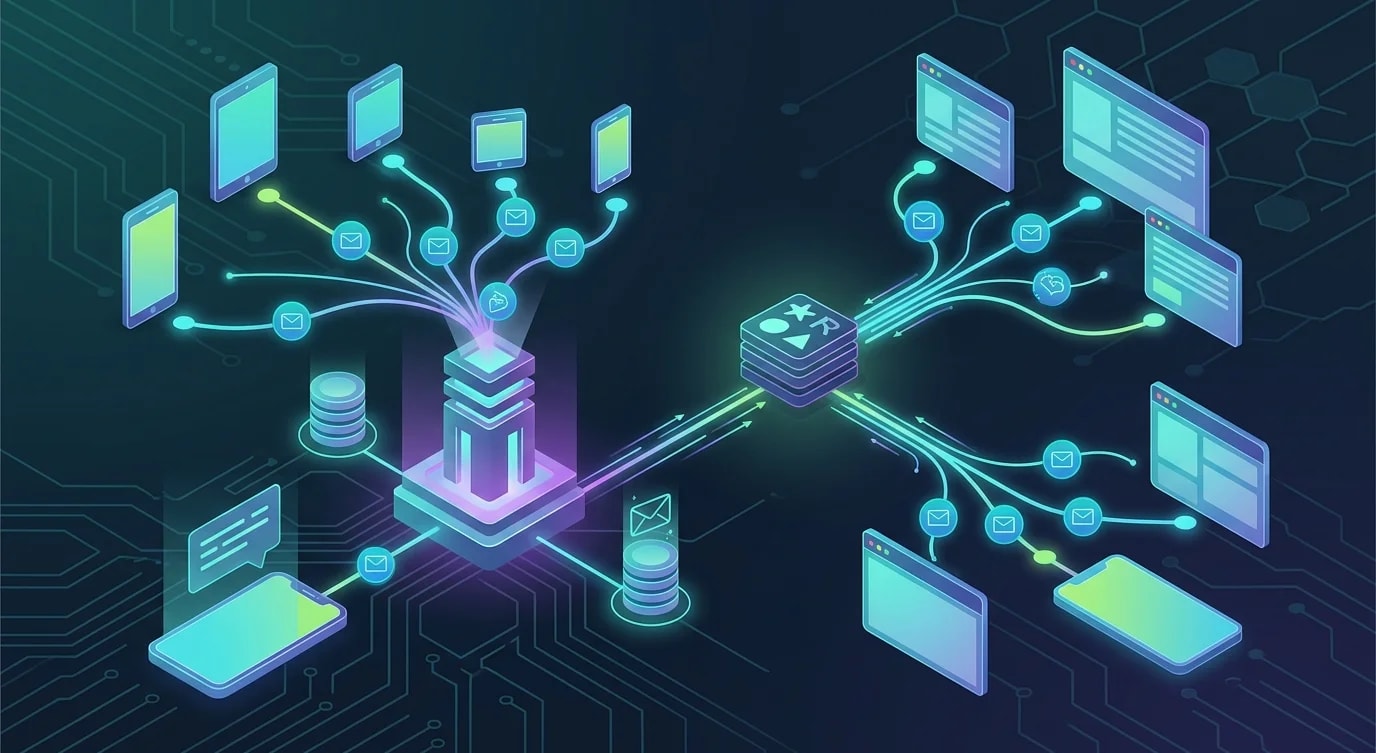
Die Architektur von Echtzeit-Benachrichtigungen
Echtzeit-Benachrichtigungen erfordern eine persistente Verbindung zwischen Client und Server, einen Mechanismus für das Broadcasting über mehrere Serverinstanzen hinweg und eine Persistenzschicht für Benachrichtigungen, die eintreffen, während der Nutzer offline ist. WebSockets stellen die Verbindung bereit, Redis Pub/Sub übernimmt das Broadcasting und eine Datenbank speichert den Benachrichtigungsverlauf.
Dieses Tutorial baut alle drei Schichten von Grund auf.
Einrichtung des WebSocket-Servers
import { WebSocketServer, WebSocket } from "ws";
import { createServer } from "http";
import { parse } from "url";

interface ConnectedClient {
  userId: string;
  socket: WebSocket;
  connectedAt: Date;
}

class NotificationServer {
  private clients = new Map<string, Set<ConnectedClient>>();
  private wss: WebSocketServer;

  constructor(private readonly port: number) {
    const server = createServer();
    this.wss = new WebSocketServer({ server });

    this.wss.on("connection", (socket, request) => {
      this.handleConnection(socket, request);
    });

    server.listen(port, () => {
      console.log(`WebSocket server running on port ${port}`);
    });
  }

  private handleConnection(socket: WebSocket, request: any): void {
    const url = parse(request.url || "", true);
    const token = url.query.token as string;

    const userId = this.authenticateToken(token);
    if (!userId) {
      socket.close(4001, "Unauthorized");
      return;
    }

    const client: ConnectedClient = {
      userId,
      socket,
      connectedAt: new Date(),
    };

    // Track connection
    if (!this.clients.has(userId)) {
      this.clients.set(userId, new Set());
    }
    this.clients.get(userId)!.add(client);

    console.log(`User ${userId} connected. Total connections: ${this.getConnectionCount()}`);

    // Handle disconnect
    socket.on("close", () => {
      this.clients.get(userId)?.delete(client);
      if (this.clients.get(userId)?.size === 0) {
        this.clients.delete(userId);
      }
    });

    // Handle client messages
    socket.on("message", (data) => {
      this.handleMessage(userId, data.toString());
    });

    // Send pending notifications
    this.sendPendingNotifications(userId);
  }

  sendToUser(userId: string, notification: Notification): void {
    const userClients = this.clients.get(userId);
    if (!userClients) return;

    const payload = JSON.stringify({
      type: "notification",
      data: notification,
    });

    for (const client of userClients) {
      if (client.socket.readyState === WebSocket.OPEN) {
        client.socket.send(payload);
      }
    }
  }

  private authenticateToken(token: string): string | null {
    // Verify JWT and extract userId
    try {
      const decoded = verifyJWT(token);
      return decoded.userId;
    } catch {
      return null;
    }
  }

  private handleMessage(userId: string, message: string): void {
    const parsed = JSON.parse(message);
    if (parsed.type === "mark_read") {
      this.markNotificationRead(userId, parsed.notificationId);
    }
  }

  private async sendPendingNotifications(userId: string): Promise<void> {
    // Fetch unread notifications from database
  }

  private async markNotificationRead(
    userId: string,
    notificationId: string
  ): Promise<void> {
    // Update database
  }

  private getConnectionCount(): number {
    let count = 0;
    for (const clients of this.clients.values()) {
      count += clients.size;
    }
    return count;
  }
}
Redis Pub/Sub für Multi-Server-Broadcasting
Ein einzelner WebSocket-Server kann in der Produktion nicht alle Verbindungen verarbeiten. Mehrere Server hinter einem Load Balancer müssen sich über Redis Pub/Sub koordinieren, damit eine Benachrichtigung, die an einen beliebigen Server gesendet wird, den richtigen Client erreicht – unabhängig davon, mit welchem Server dieser verbunden ist.
import Redis from "ioredis";

interface Notification {
  id: string;
  userId: string;
  type: string;
  title: string;
  body: string;
  actionUrl?: string;
  createdAt: Date;
  read: boolean;
}

class RedisNotificationBroker {
  private publisher: Redis;
  private subscriber: Redis;
  private readonly channel = "notifications";

  constructor(
    redisUrl: string,
    private readonly localServer: NotificationServer
  ) {
    this.publisher = new Redis(redisUrl);
    this.subscriber = new Redis(redisUrl);

    this.subscriber.subscribe(this.channel);
    this.subscriber.on("message", (channel, message) => {
      if (channel === this.channel) {
        this.handleBroadcast(message);
      }
    });
  }

  async publish(notification: Notification): Promise<void> {
    // Persist to database first
    await this.persistNotification(notification);

    // Broadcast via Redis for multi-server delivery
    await this.publisher.publish(
      this.channel,
      JSON.stringify(notification)
    );
  }

  private handleBroadcast(message: string): void {
    const notification: Notification = JSON.parse(message);

    // Deliver to locally connected clients
    this.localServer.sendToUser(
      notification.userId,
      notification
    );
  }

  private async persistNotification(
    notification: Notification
  ): Promise<void> {
    await this.publisher.hset(
      `notifications:${notification.userId}`,
      notification.id,
      JSON.stringify(notification)
    );

    // Add to sorted set for ordered retrieval
    await this.publisher.zadd(
      `notifications:${notification.userId}:timeline`,
      notification.createdAt.getTime(),
      notification.id
    );
  }
}
Wenn Server A eine Anfrage „Benachrichtigung an Nutzer X senden" erhält, publiziert er sie in Redis. Alle Server (A, B, C) empfangen das Broadcasting. Der Server, der die WebSocket-Verbindung von Nutzer X hält, liefert die Benachrichtigung aus.
Persistenz und Abruf von Benachrichtigungen
Nutzer müssen Benachrichtigungen sehen können, die sie verpasst haben, während sie offline waren. Eine persistente Speicherschicht mit Paginierung und Lesestatus-Tracking löst das.
// ❌ Simple array storage — no pagination, no read tracking
const notifications: Notification[] = [];

// ✅ Structured storage with pagination and read tracking
class NotificationRepository {
  constructor(private readonly db: Database) {}

  async save(notification: Notification): Promise<void> {
    await this.db.execute(
      `INSERT INTO notifications (id, user_id, type, title, body, action_url, created_at, read)
       VALUES ($1, $2, $3, $4, $5, $6, $7, false)`,
      [
        notification.id,
        notification.userId,
        notification.type,
        notification.title,
        notification.body,
        notification.actionUrl,
        notification.createdAt,
      ]
    );
  }

  async getForUser(
    userId: string,
    options: {
      limit: number;
      cursor?: string;
      unreadOnly?: boolean;
    }
  ): Promise<{ notifications: Notification[]; nextCursor: string | null }> {
    let query = `
      SELECT * FROM notifications
      WHERE user_id = $1
    `;
    const params: unknown[] = [userId];
    let paramIndex = 2;

    if (options.cursor) {
      query += ` AND created_at < $${paramIndex}`;
      params.push(new Date(options.cursor));
      paramIndex++;
    }

    if (options.unreadOnly) {
      query += ` AND read = false`;
    }

    query += ` ORDER BY created_at DESC LIMIT $${paramIndex}`;
    params.push(options.limit + 1);

    const rows = await this.db.query(query, params);
    const hasMore = rows.length > options.limit;
    const notifications = rows.slice(0, options.limit);

    return {
      notifications,
      nextCursor: hasMore
        ? notifications[notifications.length - 1].createdAt.toISOString()
        : null,
    };
  }

  async markAsRead(
    userId: string,
    notificationIds: string[]
  ): Promise<number> {
    const result = await this.db.execute(
      `UPDATE notifications SET read = true
       WHERE user_id = $1 AND id = ANY($2) AND read = false`,
      [userId, notificationIds]
    );
    return result.rowCount;
  }

  async getUnreadCount(userId: string): Promise<number> {
    const row = await this.db.queryOne<{ count: number }>(
      "SELECT COUNT(*) as count FROM notifications WHERE user_id = $1 AND read = false",
      [userId]
    );
    return row.count;
  }
}
Client-seitige WebSocket-Integration
class NotificationClient {
  private socket: WebSocket | null = null;
  private reconnectAttempts = 0;
  private readonly maxReconnectAttempts = 10;
  private reconnectTimer: ReturnType<typeof setTimeout> | null = null;

  constructor(
    private readonly serverUrl: string,
    private readonly token: string,
    private readonly onNotification: (notification: Notification) => void,
    private readonly onConnectionChange: (connected: boolean) => void
  ) {}

  connect(): void {
    this.socket = new WebSocket(
      `${this.serverUrl}?token=${encodeURIComponent(this.token)}`
    );

    this.socket.onopen = () => {
      this.reconnectAttempts = 0;
      this.onConnectionChange(true);
    };

    this.socket.onmessage = (event) => {
      const message = JSON.parse(event.data);
      if (message.type === "notification") {
        this.onNotification(message.data);
      }
    };

    this.socket.onclose = (event) => {
      this.onConnectionChange(false);
      if (event.code !== 4001) {
        this.scheduleReconnect();
      }
    };

    this.socket.onerror = () => {
      // onclose will fire after this
    };
  }

  markAsRead(notificationId: string): void {
    if (this.socket?.readyState === WebSocket.OPEN) {
      this.socket.send(
        JSON.stringify({
          type: "mark_read",
          notificationId,
        })
      );
    }
  }

  private scheduleReconnect(): void {
    if (this.reconnectAttempts >= this.maxReconnectAttempts) {
      console.error("Max reconnection attempts reached");
      return;
    }

    const delay = Math.min(
      1000 * Math.pow(2, this.reconnectAttempts),
      30000
    );
    this.reconnectAttempts++;

    this.reconnectTimer = setTimeout(() => {
      this.connect();
    }, delay);
  }

  disconnect(): void {
    if (this.reconnectTimer) {
      clearTimeout(this.reconnectTimer);
    }
    this.socket?.close();
  }
}
Batching und Deduplizierung von Benachrichtigungen
Hochfrequente Events müssen gebündelt werden, um Benachrichtigungsmüdigkeit zu vermeiden. Ein Nutzer braucht nicht zehn separate „Neuer Kommentar"-Benachrichtigungen – er braucht eine einzige „10 neue Kommentare"-Benachrichtigung.
interface NotificationBatch {
  userId: string;
  type: string;
  events: Array<{ id: string; timestamp: Date; data: Record<string, unknown> }>;
}

class NotificationBatcher {
  private batches = new Map<string, NotificationBatch>();
  private timers = new Map<string, NodeJS.Timeout>();
  private readonly batchWindowMs = 5000;
  private readonly maxBatchSize = 20;

  constructor(
    private readonly onBatchReady: (batch: NotificationBatch) => void
  ) {}

  add(userId: string, type: string, eventData: Record<string, unknown>): void {
    const key = `${userId}:${type}`;

    if (!this.batches.has(key)) {
      this.batches.set(key, { userId, type, events: [] });
    }

    const batch = this.batches.get(key)!;
    batch.events.push({
      id: crypto.randomUUID(),
      timestamp: new Date(),
      data: eventData,
    });

    // Flush if batch is full
    if (batch.events.length >= this.maxBatchSize) {
      this.flush(key);
      return;
    }

    // Reset timer for this batch
    if (this.timers.has(key)) {
      clearTimeout(this.timers.get(key)!);
    }

    this.timers.set(
      key,
      setTimeout(() => this.flush(key), this.batchWindowMs)
    );
  }

  private flush(key: string): void {
    const batch = this.batches.get(key);
    if (!batch || batch.events.length === 0) return;

    this.onBatchReady(batch);

    this.batches.delete(key);
    if (this.timers.has(key)) {
      clearTimeout(this.timers.get(key)!);
      this.timers.delete(key);
    }
  }
}
Wichtigste Erkenntnisse
Ein Echtzeit-Benachrichtigungssystem erfordert drei koordinierte Schichten: WebSocket-Verbindungen für die sofortige Zustellung, Redis Pub/Sub für das Multi-Server-Broadcasting und persistenten Speicher für den Abruf im Offline-Fall. WebSockets halten die Live-Verbindung aufrecht; Redis stellt sicher, dass jeder Server eine Benachrichtigung an jeden verbundenen Client auslösen kann; die Datenbank garantiert, dass keine Benachrichtigung verloren geht.
Implementiere Reconnect-Logik mit exponentiellem Backoff auf der Client-Seite – Verbindungen werden abbrechen. Bündle hochfrequente Events, um Benachrichtigungsmüdigkeit zu vermeiden. Implementiere cursor-basierte Paginierung für den Abruf des Benachrichtigungsverlaufs und verfolge den Lesestatus, damit Nutzer korrekte Ungelesen-Zähler sehen.
Das System funktioniert, weil jede Schicht eine spezifische Verantwortung übernimmt: WebSockets kümmern sich um die Zustellung, Redis um die Verteilung und die Datenbank um die Persistenz. Ein Ausfall in einer Schicht verschlechtert die Erfahrung, ohne die anderen zu beeinträchtigen.


