A Real-Time Notification System with WebSockets and Redis
A step-by-step tutorial for a scalable real-time notification system: WebSockets, Redis pub/sub for multi-server broadcast and persistent read tracking.
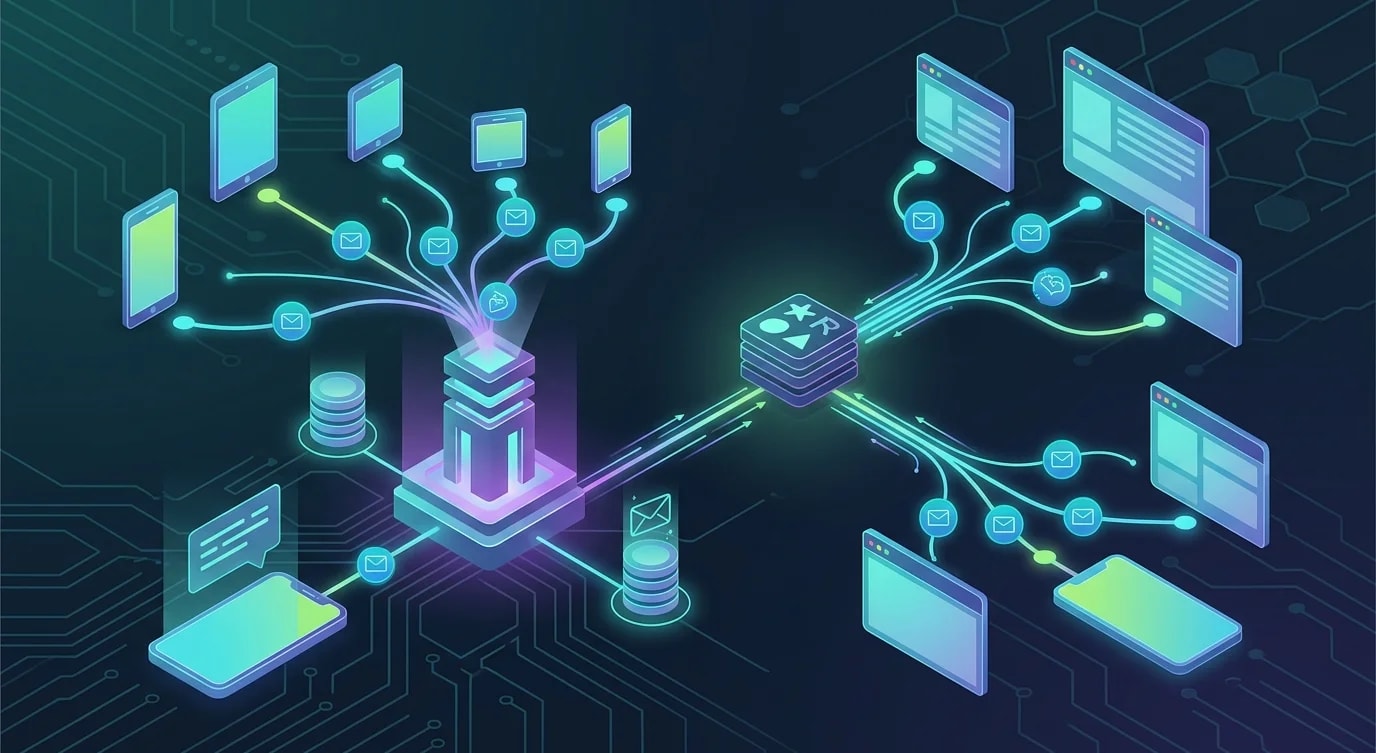
The Architecture of Real-Time Notifications
Real-time notifications require a persistent connection between client and server, a mechanism for broadcasting across multiple server instances, and a persistence layer for notifications that arrive while the user is offline. WebSockets provide the connection, Redis pub/sub handles the broadcasting, and a database stores the notification history.
This tutorial builds all three layers from scratch.
WebSocket Server Setup
import { WebSocketServer, WebSocket } from "ws";
import { createServer } from "http";
import { parse } from "url";

interface ConnectedClient {
  userId: string;
  socket: WebSocket;
  connectedAt: Date;
}

class NotificationServer {
  private clients = new Map<string, Set<ConnectedClient>>();
  private wss: WebSocketServer;

  constructor(private readonly port: number) {
    const server = createServer();
    this.wss = new WebSocketServer({ server });

    this.wss.on("connection", (socket, request) => {
      this.handleConnection(socket, request);
    });

    server.listen(port, () => {
      console.log(`WebSocket server running on port ${port}`);
    });
  }

  private handleConnection(socket: WebSocket, request: any): void {
    const url = parse(request.url || "", true);
    const token = url.query.token as string;

    const userId = this.authenticateToken(token);
    if (!userId) {
      socket.close(4001, "Unauthorized");
      return;
    }

    const client: ConnectedClient = {
      userId,
      socket,
      connectedAt: new Date(),
    };

    // Track connection
    if (!this.clients.has(userId)) {
      this.clients.set(userId, new Set());
    }
    this.clients.get(userId)!.add(client);

    console.log(`User ${userId} connected. Total connections: ${this.getConnectionCount()}`);

    // Handle disconnect
    socket.on("close", () => {
      this.clients.get(userId)?.delete(client);
      if (this.clients.get(userId)?.size === 0) {
        this.clients.delete(userId);
      }
    });

    // Handle client messages
    socket.on("message", (data) => {
      this.handleMessage(userId, data.toString());
    });

    // Send pending notifications
    this.sendPendingNotifications(userId);
  }

  sendToUser(userId: string, notification: Notification): void {
    const userClients = this.clients.get(userId);
    if (!userClients) return;

    const payload = JSON.stringify({
      type: "notification",
      data: notification,
    });

    for (const client of userClients) {
      if (client.socket.readyState === WebSocket.OPEN) {
        client.socket.send(payload);
      }
    }
  }

  private authenticateToken(token: string): string | null {
    // Verify JWT and extract userId
    try {
      const decoded = verifyJWT(token);
      return decoded.userId;
    } catch {
      return null;
    }
  }

  private handleMessage(userId: string, message: string): void {
    const parsed = JSON.parse(message);
    if (parsed.type === "mark_read") {
      this.markNotificationRead(userId, parsed.notificationId);
    }
  }

  private async sendPendingNotifications(userId: string): Promise<void> {
    // Fetch unread notifications from database
  }

  private async markNotificationRead(
    userId: string,
    notificationId: string
  ): Promise<void> {
    // Update database
  }

  private getConnectionCount(): number {
    let count = 0;
    for (const clients of this.clients.values()) {
      count += clients.size;
    }
    return count;
  }
}
Redis Pub/Sub for Multi-Server Broadcasting
A single WebSocket server cannot handle all connections in production. Multiple servers behind a load balancer need to coordinate through Redis pub/sub so that a notification sent to any server reaches the correct client regardless of which server they are connected to.
import Redis from "ioredis";

interface Notification {
  id: string;
  userId: string;
  type: string;
  title: string;
  body: string;
  actionUrl?: string;
  createdAt: Date;
  read: boolean;
}

class RedisNotificationBroker {
  private publisher: Redis;
  private subscriber: Redis;
  private readonly channel = "notifications";

  constructor(
    redisUrl: string,
    private readonly localServer: NotificationServer
  ) {
    this.publisher = new Redis(redisUrl);
    this.subscriber = new Redis(redisUrl);

    this.subscriber.subscribe(this.channel);
    this.subscriber.on("message", (channel, message) => {
      if (channel === this.channel) {
        this.handleBroadcast(message);
      }
    });
  }

  async publish(notification: Notification): Promise<void> {
    // Persist to database first
    await this.persistNotification(notification);

    // Broadcast via Redis for multi-server delivery
    await this.publisher.publish(
      this.channel,
      JSON.stringify(notification)
    );
  }

  private handleBroadcast(message: string): void {
    const notification: Notification = JSON.parse(message);

    // Deliver to locally connected clients
    this.localServer.sendToUser(
      notification.userId,
      notification
    );
  }

  private async persistNotification(
    notification: Notification
  ): Promise<void> {
    await this.publisher.hset(
      `notifications:${notification.userId}`,
      notification.id,
      JSON.stringify(notification)
    );

    // Add to sorted set for ordered retrieval
    await this.publisher.zadd(
      `notifications:${notification.userId}:timeline`,
      notification.createdAt.getTime(),
      notification.id
    );
  }
}
When server A receives a "send notification to user X" request, it publishes to Redis. All servers (A, B, C) receive the broadcast. The server that has user X's WebSocket connection delivers the notification.
Notification Persistence and Retrieval
Users need to see notifications they missed while offline. A persistent storage layer with pagination and read-state tracking handles this.
// ❌ Simple array storage — no pagination, no read tracking
const notifications: Notification[] = [];

// ✅ Structured storage with pagination and read tracking
class NotificationRepository {
  constructor(private readonly db: Database) {}

  async save(notification: Notification): Promise<void> {
    await this.db.execute(
      `INSERT INTO notifications (id, user_id, type, title, body, action_url, created_at, read)
       VALUES ($1, $2, $3, $4, $5, $6, $7, false)`,
      [
        notification.id,
        notification.userId,
        notification.type,
        notification.title,
        notification.body,
        notification.actionUrl,
        notification.createdAt,
      ]
    );
  }

  async getForUser(
    userId: string,
    options: {
      limit: number;
      cursor?: string;
      unreadOnly?: boolean;
    }
  ): Promise<{ notifications: Notification[]; nextCursor: string | null }> {
    let query = `
      SELECT * FROM notifications
      WHERE user_id = $1
    `;
    const params: unknown[] = [userId];
    let paramIndex = 2;

    if (options.cursor) {
      query += ` AND created_at < $${paramIndex}`;
      params.push(new Date(options.cursor));
      paramIndex++;
    }

    if (options.unreadOnly) {
      query += ` AND read = false`;
    }

    query += ` ORDER BY created_at DESC LIMIT $${paramIndex}`;
    params.push(options.limit + 1);

    const rows = await this.db.query(query, params);
    const hasMore = rows.length > options.limit;
    const notifications = rows.slice(0, options.limit);

    return {
      notifications,
      nextCursor: hasMore
        ? notifications[notifications.length - 1].createdAt.toISOString()
        : null,
    };
  }

  async markAsRead(
    userId: string,
    notificationIds: string[]
  ): Promise<number> {
    const result = await this.db.execute(
      `UPDATE notifications SET read = true
       WHERE user_id = $1 AND id = ANY($2) AND read = false`,
      [userId, notificationIds]
    );
    return result.rowCount;
  }

  async getUnreadCount(userId: string): Promise<number> {
    const row = await this.db.queryOne<{ count: number }>(
      "SELECT COUNT(*) as count FROM notifications WHERE user_id = $1 AND read = false",
      [userId]
    );
    return row.count;
  }
}
Client-Side WebSocket Integration
class NotificationClient {
  private socket: WebSocket | null = null;
  private reconnectAttempts = 0;
  private readonly maxReconnectAttempts = 10;
  private reconnectTimer: ReturnType<typeof setTimeout> | null = null;

  constructor(
    private readonly serverUrl: string,
    private readonly token: string,
    private readonly onNotification: (notification: Notification) => void,
    private readonly onConnectionChange: (connected: boolean) => void
  ) {}

  connect(): void {
    this.socket = new WebSocket(
      `${this.serverUrl}?token=${encodeURIComponent(this.token)}`
    );

    this.socket.onopen = () => {
      this.reconnectAttempts = 0;
      this.onConnectionChange(true);
    };

    this.socket.onmessage = (event) => {
      const message = JSON.parse(event.data);
      if (message.type === "notification") {
        this.onNotification(message.data);
      }
    };

    this.socket.onclose = (event) => {
      this.onConnectionChange(false);
      if (event.code !== 4001) {
        this.scheduleReconnect();
      }
    };

    this.socket.onerror = () => {
      // onclose will fire after this
    };
  }

  markAsRead(notificationId: string): void {
    if (this.socket?.readyState === WebSocket.OPEN) {
      this.socket.send(
        JSON.stringify({
          type: "mark_read",
          notificationId,
        })
      );
    }
  }

  private scheduleReconnect(): void {
    if (this.reconnectAttempts >= this.maxReconnectAttempts) {
      console.error("Max reconnection attempts reached");
      return;
    }

    const delay = Math.min(
      1000 * Math.pow(2, this.reconnectAttempts),
      30000
    );
    this.reconnectAttempts++;

    this.reconnectTimer = setTimeout(() => {
      this.connect();
    }, delay);
  }

  disconnect(): void {
    if (this.reconnectTimer) {
      clearTimeout(this.reconnectTimer);
    }
    this.socket?.close();
  }
}
Notification Batching and Deduplication
High-frequency events need batching to avoid notification fatigue. A user does not need ten separate "new comment" notifications—they need one "10 new comments" notification.
interface NotificationBatch {
  userId: string;
  type: string;
  events: Array<{ id: string; timestamp: Date; data: Record<string, unknown> }>;
}

class NotificationBatcher {
  private batches = new Map<string, NotificationBatch>();
  private timers = new Map<string, NodeJS.Timeout>();
  private readonly batchWindowMs = 5000;
  private readonly maxBatchSize = 20;

  constructor(
    private readonly onBatchReady: (batch: NotificationBatch) => void
  ) {}

  add(userId: string, type: string, eventData: Record<string, unknown>): void {
    const key = `${userId}:${type}`;

    if (!this.batches.has(key)) {
      this.batches.set(key, { userId, type, events: [] });
    }

    const batch = this.batches.get(key)!;
    batch.events.push({
      id: crypto.randomUUID(),
      timestamp: new Date(),
      data: eventData,
    });

    // Flush if batch is full
    if (batch.events.length >= this.maxBatchSize) {
      this.flush(key);
      return;
    }

    // Reset timer for this batch
    if (this.timers.has(key)) {
      clearTimeout(this.timers.get(key)!);
    }

    this.timers.set(
      key,
      setTimeout(() => this.flush(key), this.batchWindowMs)
    );
  }

  private flush(key: string): void {
    const batch = this.batches.get(key);
    if (!batch || batch.events.length === 0) return;

    this.onBatchReady(batch);

    this.batches.delete(key);
    if (this.timers.has(key)) {
      clearTimeout(this.timers.get(key)!);
      this.timers.delete(key);
    }
  }
}
Key Takeaways
A real-time notification system requires three coordinated layers: WebSocket connections for instant delivery, Redis pub/sub for multi-server broadcasting, and persistent storage for offline retrieval. WebSockets maintain the live connection; Redis ensures that any server can trigger a notification to any connected client; the database ensures no notification is lost.
Build reconnection logic with exponential backoff on the client side—connections will drop. Batch high-frequency events to prevent notification fatigue. Implement cursor-based pagination for notification history retrieval, and track read state so users see accurate unread counts.
The system works because each layer handles a specific responsibility: WebSockets handle delivery, Redis handles distribution, and the database handles persistence. Failure in any one layer degrades the experience without breaking the others.


