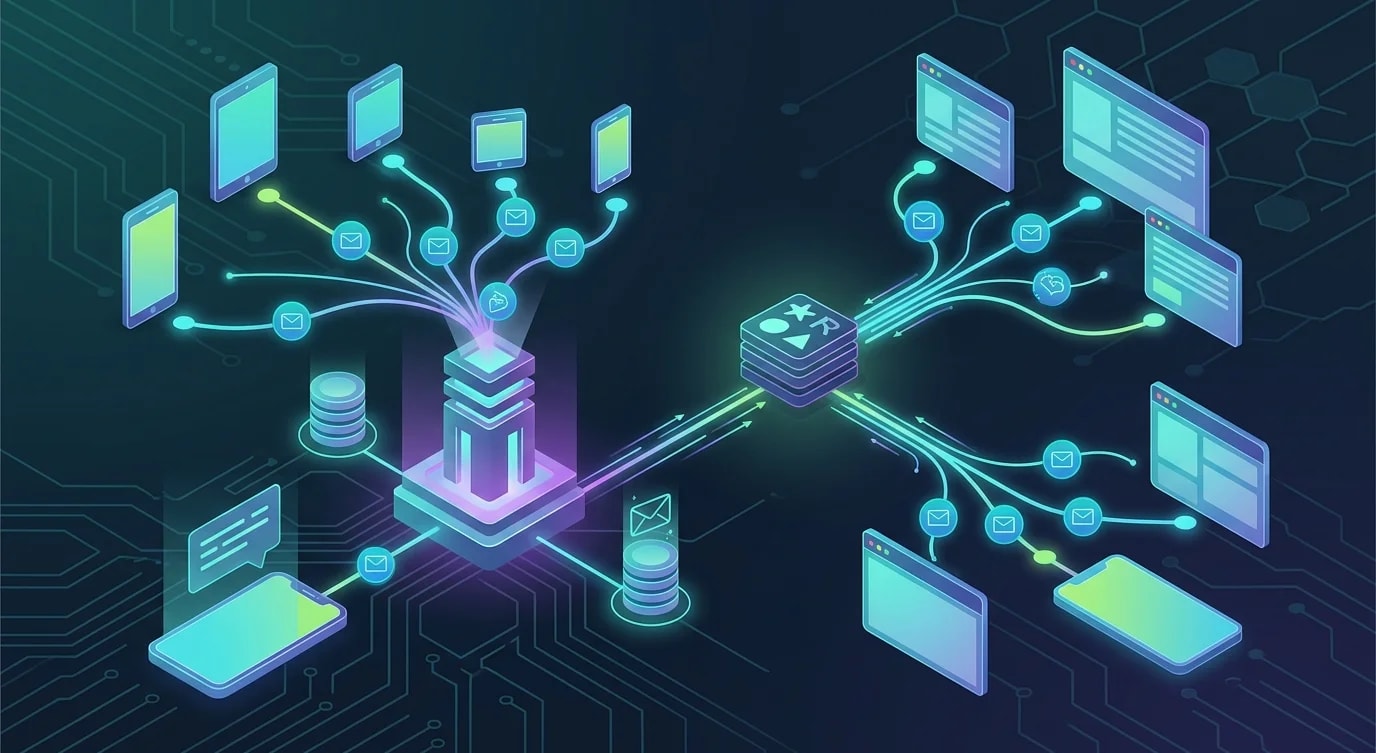
Building a Real-Time Notification System from Scratch
Build a production-ready real-time notification system with Server-Sent Events and WebSockets: delivery guarantees, reconnection, persistence, read state.

Real-time notifications seem simple until you deal with connection drops, missed messages, multiple tabs, and the question of whether to use WebSockets or Server-Sent Events. Most applications don't need bidirectional communication—they need the server to push updates to the client reliably. This tutorial builds that system step by step.
We'll use Server-Sent Events (SSE) for the delivery channel because it's simpler than WebSockets for one-way server-to-client communication, supports automatic reconnection, and works through HTTP/2 without special proxy configuration.
The Notification Data Model
Before building the delivery mechanism, define what a notification looks like and how read-state is tracked.
// types.ts
interface Notification {
  id: string;
  userId: string;
  type: NotificationType;
  title: string;
  body: string;
  data?: Record<string, unknown>;
  read: boolean;
  createdAt: Date;
  expiresAt?: Date;
}

type NotificationType =
  | "info"
  | "success"
  | "warning"
  | "error"
  | "mention"
  | "assignment"
  | "comment";

interface NotificationPreferences {
  userId: string;
  enabledTypes: NotificationType[];
  muteUntil?: Date;
}
Server-Side: SSE Endpoint
The SSE endpoint maintains a long-lived HTTP connection. The server writes events in a specific text format that the browser's EventSource API understands natively.
// ❌ Polling — wasteful, high latency
app.get("/api/notifications", async (req, res) => {
  const notifications = await db.getUnread(req.user.id);
  res.json(notifications);
});
// Client polls every 5 seconds — 17,280 requests/day
// per user, most returning no new data// ✅ Server-Sent Events — efficient, real-time
import { Router, Request, Response } from "express";
// In-memory connection registry
// (use Redis pub/sub for multi-instance)
const connections = new Map<string, Set<Response>>();
const router = Router();
router.get(
"/api/notifications/stream",
(req: Request, res: Response) => {
const userId = req.user!.id;
// SSE headers
res.writeHead(200, {
"Content-Type": "text/event-stream",
"Cache-Control": "no-cache",
Connection: "keep-alive",
"X-Accel-Buffering": "no", // Disable nginx buffering
});
// Send initial connection event
res.write(
`event: connected\ndata: ${JSON.stringify({
userId,
timestamp: new Date().toISOString(),
})}\n\n`
);
// Register this connection
if (!connections.has(userId)) {
connections.set(userId, new Set());
}
connections.get(userId)!.add(res);
// Send missed notifications since last connection
const lastEventId = req.headers["last-event-id"];
if (lastEventId) {
sendMissedNotifications(userId, lastEventId, res);
}
// Heartbeat to detect dead connections
const heartbeat = setInterval(() => {
res.write(": heartbeat\n\n");
}, 30_000);
// Cleanup on disconnect
req.on("close", () => {
clearInterval(heartbeat);
connections.get(userId)?.delete(res);
if (connections.get(userId)?.size === 0) {
connections.delete(userId);
}
});
}
);
async function sendMissedNotifications(
userId: string,
lastEventId: string,
res: Response
) {
const missed = await db.getNotificationsAfter(
userId,
lastEventId
);
for (const notification of missed) {
sendSSE(res, "notification", notification);
}
}
function sendSSE(
res: Response,
event: string,
data: unknown
) {
const id =
typeof data === "object" && data !== null && "id" in data
? (data as { id: string }).id
: Date.now().toString();
res.write(`id: ${id}\n`);
res.write(`event: ${event}\n`);
res.write(`data: ${JSON.stringify(data)}\n\n`);
}Publishing Notifications
When something happens in the system that triggers a notification, publish it to the connected user.
// notification-service.ts
import { randomUUID } from "node:crypto";

class NotificationService {
  async send(
    userId: string,
    type: NotificationType,
    title: string,
    body: string,
    data?: Record<string, unknown>
  ): Promise<Notification> {
    // Check user preferences
    const prefs = await db.getPreferences(userId);
    if (prefs?.muteUntil && prefs.muteUntil > new Date()) {
      throw new Error("User notifications are muted");
    }
    if (prefs && !prefs.enabledTypes.includes(type)) {
      throw new Error(
        `User has disabled ${type} notifications`
      );
    }

    // Persist notification
    const notification: Notification = {
      id: randomUUID(),
      userId,
      type,
      title,
      body,
      data,
      read: false,
      createdAt: new Date(),
    };

    await db.saveNotification(notification);

    // Deliver to connected clients
    this.deliverToUser(userId, notification);

    return notification;
  }

  private deliverToUser(
    userId: string,
    notification: Notification
  ) {
    const userConnections = connections.get(userId);
    if (!userConnections) return; // User not connected

    for (const res of userConnections) {
      try {
        sendSSE(res, "notification", notification);
      } catch {
        // Connection dead — cleanup will handle it
        userConnections.delete(res);
      }
    }
  }

  async markAsRead(
    userId: string,
    notificationId: string
  ): Promise<void> {
    await db.markRead(userId, notificationId);

    // Notify other tabs that this notification was read
    this.deliverToUser(userId, {
      id: notificationId,
      type: "read-sync" as NotificationType,
      userId,
      title: "",
      body: "",
      read: true,
      createdAt: new Date(),
    });
  }

  async markAllAsRead(userId: string): Promise<void> {
    await db.markAllRead(userId);

    this.deliverToUser(userId, {
      id: randomUUID(),
      type: "read-all-sync" as NotificationType,
      userId,
      title: "",
      body: "",
      read: true,
      createdAt: new Date(),
    });
  }
}

export const notificationService =
  new NotificationService();
Client-Side: EventSource with Reconnection
The browser's EventSource API handles reconnection automatically, but we need to add notification state management and multi-tab coordination.
// notification-client.ts
class NotificationClient {
  private eventSource: EventSource | null = null;
  private listeners = new Set<
    (notification: Notification) => void
  >();
  private unreadCount = 0;

  connect() {
    if (this.eventSource) return;

    this.eventSource = new EventSource(
      "/api/notifications/stream",
      { withCredentials: true }
    );

    this.eventSource.addEventListener(
      "connected",
      (event) => {
        console.log(
          "Notification stream connected",
          JSON.parse(event.data)
        );
      }
    );

    this.eventSource.addEventListener(
      "notification",
      (event) => {
        const notification: Notification = JSON.parse(
          event.data
        );
        this.handleNotification(notification);
      }
    );

    this.eventSource.onerror = () => {
      console.warn(
        "SSE connection lost — reconnecting..."
      );
      // EventSource reconnects automatically
      // last-event-id header sent on reconnect
      // ensures no missed notifications
    };
  }

  private handleNotification(
    notification: Notification
  ) {
    if (!notification.read) {
      this.unreadCount++;
      this.updateBadge();
    }

    // Show browser notification if permitted
    if (
      Notification.permission === "granted" &&
      document.hidden
    ) {
      new Notification(notification.title, {
        body: notification.body,
        tag: notification.id,
      });
    }

    // Notify all registered listeners
    for (const listener of this.listeners) {
      listener(notification);
    }
  }

  private updateBadge() {
    // Update favicon badge or tab title
    document.title = this.unreadCount > 0
      ? `(${this.unreadCount}) My App`
      : "My App";
  }

  onNotification(
    callback: (notification: Notification) => void
  ): () => void {
    this.listeners.add(callback);
    return () => this.listeners.delete(callback);
  }

  disconnect() {
    this.eventSource?.close();
    this.eventSource = null;
  }
}

export const notificationClient =
  new NotificationClient();
React Integration
Wire the notification client into React components with a hook that manages the subscription lifecycle.
// useNotifications.ts
import { useState, useEffect, useCallback } from "react";
import { notificationClient } from "./notification-client";

export function useNotifications() {
  const [notifications, setNotifications] = useState<
    Notification[]
  >([]);

  useEffect(() => {
    notificationClient.connect();

    const unsubscribe =
      notificationClient.onNotification(
        (notification) => {
          setNotifications((prev) => [
            notification,
            ...prev,
          ]);
        }
      );

    // Load initial notifications
    fetch("/api/notifications?limit=20")
      .then((res) => res.json())
      .then(setNotifications);

    return () => {
      unsubscribe();
    };
  }, []);

  const markAsRead = useCallback(
    async (id: string) => {
      await fetch(`/api/notifications/${id}/read`, {
        method: "POST",
      });
      setNotifications((prev) =>
        prev.map((n) =>
          n.id === id ? { ...n, read: true } : n
        )
      );
    },
    []
  );

  const unreadCount = notifications.filter(
    (n) => !n.read
  ).length;

  return { notifications, unreadCount, markAsRead };
}

// NotificationBell.tsx
export function NotificationBell() {
  const { notifications, unreadCount, markAsRead } =
    useNotifications();
  const [open, setOpen] = useState(false);

  return (
    <div className="relative">
      <button onClick={() => setOpen(!open)}>
        🔔
        {unreadCount > 0 && (
          <span className="badge">{unreadCount}</span>
        )}
      </button>

      {open && (
        <div className="notification-panel">
          {notifications.map((n) => (
            <div
              key={n.id}
              className={n.read ? "read" : "unread"}
              onClick={() => markAsRead(n.id)}
            >
              <strong>{n.title}</strong>
              <p>{n.body}</p>
              <time>
                {new Date(n.createdAt).toLocaleString()}
              </time>
            </div>
          ))}
        </div>
      )}
    </div>
  );
}
Key Takeaways
Server-Sent Events are the right choice for one-way server-to-client notifications—they're simpler than WebSockets, support automatic browser reconnection with last-event-id for missed message recovery, and work seamlessly through HTTP/2 proxies without special configuration. Persist notifications before delivering them so that users who are offline receive missed messages when they reconnect—the SSE last-event-id header combined with server-side storage ensures no notification is lost during connection gaps. Separate the notification creation from the delivery mechanism: the notification service validates preferences, persists the notification, and then attempts real-time delivery—if the user isn't connected, the persistent store serves as the delivery guarantee. Multi-tab coordination requires the server to broadcast read-state changes to all of a user's connections, ensuring that marking a notification as read in one tab reflects immediately in all other open tabs without polling.