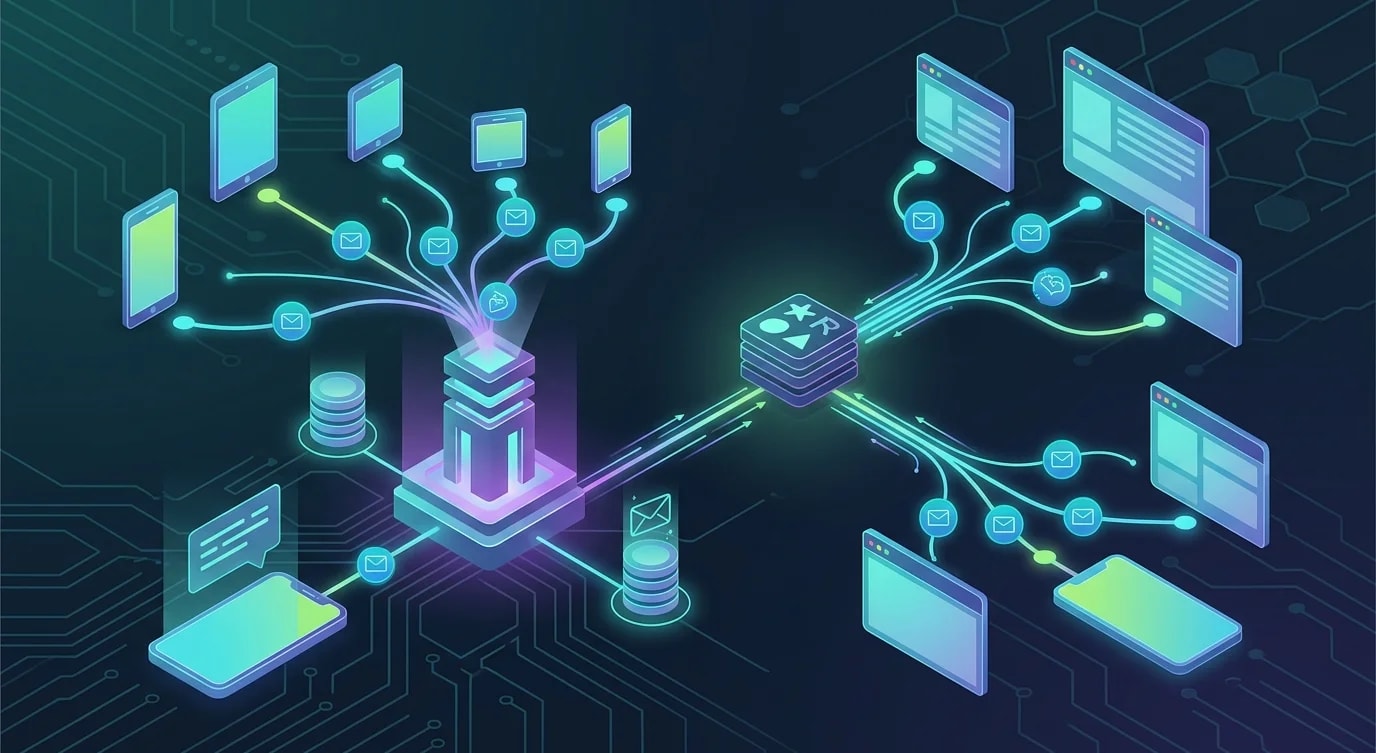
Ein Echtzeit-Benachrichtigungssystem von Grund auf bauen
Baue ein produktionsreifes Echtzeit-Benachrichtigungssystem mit SSE und WebSockets: Zustellgarantien, Reconnect, Persistierung und Lesestatus-Tracking.

Echtzeit-Benachrichtigungen wirken einfach, bis man sich mit Verbindungsabbrüchen, verlorenen Nachrichten, mehreren Tabs und der Frage auseinandersetzt, ob WebSockets oder Server-Sent Events die richtige Wahl sind. Die meisten Anwendungen brauchen keine bidirektionale Kommunikation — sie brauchen einen Server, der Updates zuverlässig an den Client pusht. Dieses Tutorial baut genau dieses System Schritt für Schritt.
Wir verwenden Server-Sent Events (SSE) für den Zustellkanal, weil SSE für die unidirektionale Server-zu-Client-Kommunikation einfacher ist als WebSockets, automatische Reconnects unterstützt und ohne spezielle Proxy-Konfiguration über HTTP/2 funktioniert.
Das Benachrichtigungs-Datenmodell
Bevor wir den Zustellmechanismus bauen, definieren wir, wie eine Benachrichtigung aussieht und wie der Lesestatus verfolgt wird.
// types.ts
interface Notification {
  id: string;
  userId: string;
  type: NotificationType;
  title: string;
  body: string;
  data?: Record<string, unknown>;
  read: boolean;
  createdAt: Date;
  expiresAt?: Date;
}

type NotificationType =
  | "info"
  | "success"
  | "warning"
  | "error"
  | "mention"
  | "assignment"
  | "comment";

interface NotificationPreferences {
  userId: string;
  enabledTypes: NotificationType[];
  muteUntil?: Date;
}
Server-Seite: SSE-Endpunkt
Der SSE-Endpunkt hält eine langlebige HTTP-Verbindung offen. Der Server schreibt Events in einem spezifischen Textformat, das die EventSource-API des Browsers nativ versteht.
// ❌ Polling — wasteful, high latency
app.get("/api/notifications", async (req, res) => {
  const notifications = await db.getUnread(req.user.id);
  res.json(notifications);
});
// Client polls every 5 seconds — 17,280 requests/day
// per user, most returning no new data// ✅ Server-Sent Events — efficient, real-time
import { Router, Request, Response } from "express";
// In-memory connection registry
// (use Redis pub/sub for multi-instance)
const connections = new Map<string, Set<Response>>();
const router = Router();
router.get(
"/api/notifications/stream",
(req: Request, res: Response) => {
const userId = req.user!.id;
// SSE headers
res.writeHead(200, {
"Content-Type": "text/event-stream",
"Cache-Control": "no-cache",
Connection: "keep-alive",
"X-Accel-Buffering": "no", // Disable nginx buffering
});
// Send initial connection event
res.write(
`event: connected\ndata: ${JSON.stringify({
userId,
timestamp: new Date().toISOString(),
})}\n\n`
);
// Register this connection
if (!connections.has(userId)) {
connections.set(userId, new Set());
}
connections.get(userId)!.add(res);
// Send missed notifications since last connection
const lastEventId = req.headers["last-event-id"];
if (lastEventId) {
sendMissedNotifications(userId, lastEventId, res);
}
// Heartbeat to detect dead connections
const heartbeat = setInterval(() => {
res.write(": heartbeat\n\n");
}, 30_000);
// Cleanup on disconnect
req.on("close", () => {
clearInterval(heartbeat);
connections.get(userId)?.delete(res);
if (connections.get(userId)?.size === 0) {
connections.delete(userId);
}
});
}
);
async function sendMissedNotifications(
userId: string,
lastEventId: string,
res: Response
) {
const missed = await db.getNotificationsAfter(
userId,
lastEventId
);
for (const notification of missed) {
sendSSE(res, "notification", notification);
}
}
function sendSSE(
res: Response,
event: string,
data: unknown
) {
const id =
typeof data === "object" && data !== null && "id" in data
? (data as { id: string }).id
: Date.now().toString();
res.write(`id: ${id}\n`);
res.write(`event: ${event}\n`);
res.write(`data: ${JSON.stringify(data)}\n\n`);
}Benachrichtigungen veröffentlichen
Wenn im System etwas passiert, das eine Benachrichtigung auslöst, wird sie an den verbundenen Nutzer veröffentlicht.
// notification-service.ts
import { randomUUID } from "node:crypto";

class NotificationService {
  async send(
    userId: string,
    type: NotificationType,
    title: string,
    body: string,
    data?: Record<string, unknown>
  ): Promise<Notification> {
    // Check user preferences
    const prefs = await db.getPreferences(userId);
    if (prefs?.muteUntil && prefs.muteUntil > new Date()) {
      throw new Error("User notifications are muted");
    }
    if (prefs && !prefs.enabledTypes.includes(type)) {
      throw new Error(
        `User has disabled ${type} notifications`
      );
    }

    // Persist notification
    const notification: Notification = {
      id: randomUUID(),
      userId,
      type,
      title,
      body,
      data,
      read: false,
      createdAt: new Date(),
    };

    await db.saveNotification(notification);

    // Deliver to connected clients
    this.deliverToUser(userId, notification);

    return notification;
  }

  private deliverToUser(
    userId: string,
    notification: Notification
  ) {
    const userConnections = connections.get(userId);
    if (!userConnections) return; // User not connected

    for (const res of userConnections) {
      try {
        sendSSE(res, "notification", notification);
      } catch {
        // Connection dead — cleanup will handle it
        userConnections.delete(res);
      }
    }
  }

  async markAsRead(
    userId: string,
    notificationId: string
  ): Promise<void> {
    await db.markRead(userId, notificationId);

    // Notify other tabs that this notification was read
    this.deliverToUser(userId, {
      id: notificationId,
      type: "read-sync" as NotificationType,
      userId,
      title: "",
      body: "",
      read: true,
      createdAt: new Date(),
    });
  }

  async markAllAsRead(userId: string): Promise<void> {
    await db.markAllRead(userId);

    this.deliverToUser(userId, {
      id: randomUUID(),
      type: "read-all-sync" as NotificationType,
      userId,
      title: "",
      body: "",
      read: true,
      createdAt: new Date(),
    });
  }
}

export const notificationService =
  new NotificationService();
Client-Seite: EventSource mit Reconnect
Die EventSource-API des Browsers übernimmt den Reconnect automatisch, aber wir müssen noch die Verwaltung des Benachrichtigungsstatus und die Koordination zwischen Tabs ergänzen.
// notification-client.ts
class NotificationClient {
  private eventSource: EventSource | null = null;
  private listeners = new Set<
    (notification: Notification) => void
  >();
  private unreadCount = 0;

  connect() {
    if (this.eventSource) return;

    this.eventSource = new EventSource(
      "/api/notifications/stream",
      { withCredentials: true }
    );

    this.eventSource.addEventListener(
      "connected",
      (event) => {
        console.log(
          "Notification stream connected",
          JSON.parse(event.data)
        );
      }
    );

    this.eventSource.addEventListener(
      "notification",
      (event) => {
        const notification: Notification = JSON.parse(
          event.data
        );
        this.handleNotification(notification);
      }
    );

    this.eventSource.onerror = () => {
      console.warn(
        "SSE connection lost — reconnecting..."
      );
      // EventSource reconnects automatically
      // last-event-id header sent on reconnect
      // ensures no missed notifications
    };
  }

  private handleNotification(
    notification: Notification
  ) {
    if (!notification.read) {
      this.unreadCount++;
      this.updateBadge();
    }

    // Show browser notification if permitted
    if (
      Notification.permission === "granted" &&
      document.hidden
    ) {
      new Notification(notification.title, {
        body: notification.body,
        tag: notification.id,
      });
    }

    // Notify all registered listeners
    for (const listener of this.listeners) {
      listener(notification);
    }
  }

  private updateBadge() {
    // Update favicon badge or tab title
    document.title = this.unreadCount > 0
      ? `(${this.unreadCount}) My App`
      : "My App";
  }

  onNotification(
    callback: (notification: Notification) => void
  ): () => void {
    this.listeners.add(callback);
    return () => this.listeners.delete(callback);
  }

  disconnect() {
    this.eventSource?.close();
    this.eventSource = null;
  }
}

export const notificationClient =
  new NotificationClient();
React-Integration
Wir binden den Benachrichtigungs-Client über einen Hook in React-Komponenten ein, der den Lebenszyklus der Subscription verwaltet.
// useNotifications.ts
import { useState, useEffect, useCallback } from "react";
import { notificationClient } from "./notification-client";

export function useNotifications() {
  const [notifications, setNotifications] = useState<
    Notification[]
  >([]);

  useEffect(() => {
    notificationClient.connect();

    const unsubscribe =
      notificationClient.onNotification(
        (notification) => {
          setNotifications((prev) => [
            notification,
            ...prev,
          ]);
        }
      );

    // Load initial notifications
    fetch("/api/notifications?limit=20")
      .then((res) => res.json())
      .then(setNotifications);

    return () => {
      unsubscribe();
    };
  }, []);

  const markAsRead = useCallback(
    async (id: string) => {
      await fetch(`/api/notifications/${id}/read`, {
        method: "POST",
      });
      setNotifications((prev) =>
        prev.map((n) =>
          n.id === id ? { ...n, read: true } : n
        )
      );
    },
    []
  );

  const unreadCount = notifications.filter(
    (n) => !n.read
  ).length;

  return { notifications, unreadCount, markAsRead };
}

// NotificationBell.tsx
export function NotificationBell() {
  const { notifications, unreadCount, markAsRead } =
    useNotifications();
  const [open, setOpen] = useState(false);

  return (
    <div className="relative">
      <button onClick={() => setOpen(!open)}>
        🔔
        {unreadCount > 0 && (
          <span className="badge">{unreadCount}</span>
        )}
      </button>

      {open && (
        <div className="notification-panel">
          {notifications.map((n) => (
            <div
              key={n.id}
              className={n.read ? "read" : "unread"}
              onClick={() => markAsRead(n.id)}
            >
              <strong>{n.title}</strong>
              <p>{n.body}</p>
              <time>
                {new Date(n.createdAt).toLocaleString()}
              </time>
            </div>
          ))}
        </div>
      )}
    </div>
  );
}
Die wichtigsten Erkenntnisse
Server-Sent Events sind die richtige Wahl für unidirektionale Server-zu-Client-Benachrichtigungen — sie sind einfacher als WebSockets, unterstützen automatische Browser-Reconnects mit last-event-id zur Wiederherstellung verpasster Nachrichten und funktionieren ohne spezielle Konfiguration nahtlos durch HTTP/2-Proxies. Persistiere Benachrichtigungen vor der Zustellung, damit Nutzer, die offline sind, verpasste Nachrichten beim Reconnect erhalten — der SSE-Header last-event-id in Kombination mit serverseitigem Speicher stellt sicher, dass bei Verbindungslücken keine Benachrichtigung verloren geht. Trenne die Erstellung der Benachrichtigung vom Zustellmechanismus: Der Notification-Service validiert die Einstellungen, persistiert die Benachrichtigung und versucht dann die Echtzeit-Zustellung — ist der Nutzer nicht verbunden, dient der persistente Speicher als Zustellgarantie. Die Koordination mehrerer Tabs erfordert, dass der Server Änderungen des Lesestatus an alle Verbindungen eines Nutzers broadcastet, sodass das Markieren einer Benachrichtigung als gelesen in einem Tab sofort in allen anderen offenen Tabs sichtbar wird — ganz ohne Polling.