Notificaciones en tiempo real con WebSockets y Redis
Tutorial paso a paso de un sistema escalable de notificaciones: WebSockets, Redis pub/sub para difusión entre servidores y seguimiento de lectura.
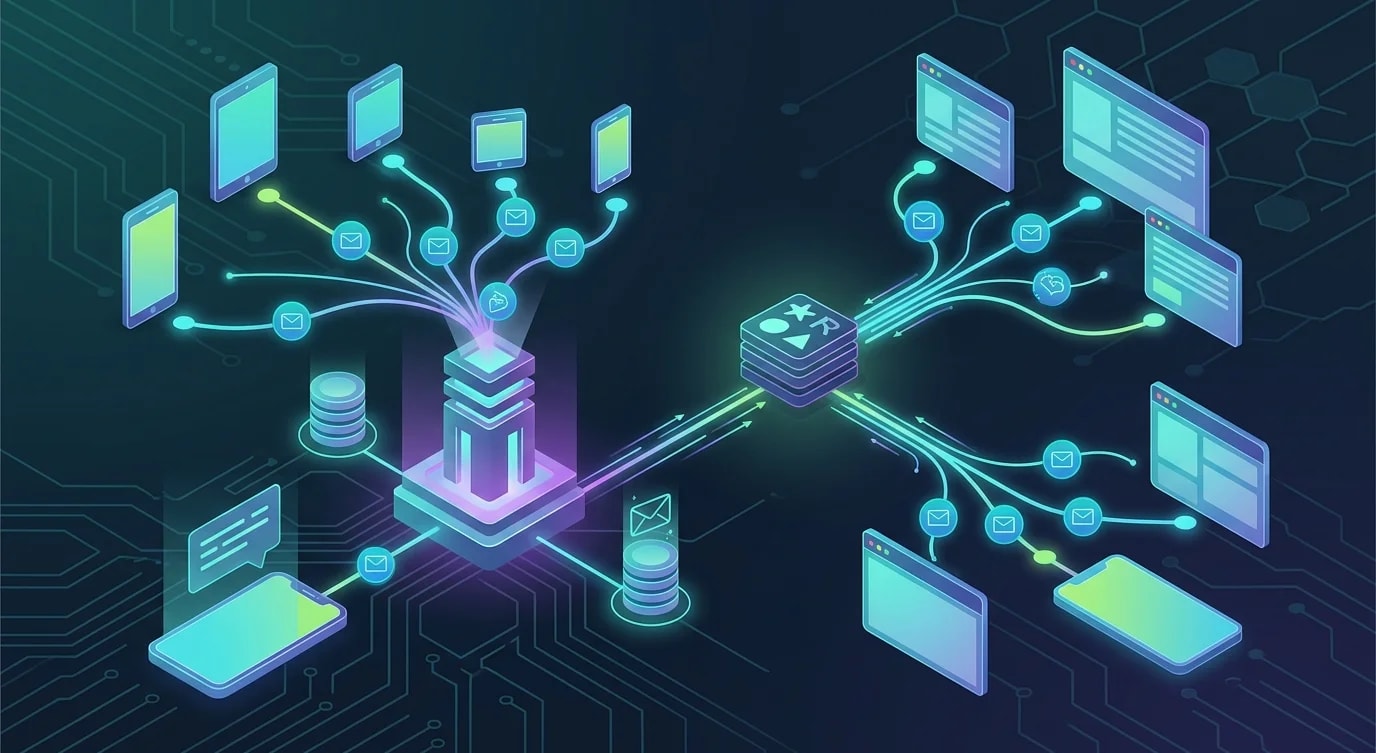
La arquitectura de las notificaciones en tiempo real
Las notificaciones en tiempo real requieren una conexión persistente entre cliente y servidor, un mecanismo de difusión entre múltiples instancias de servidor y una capa de persistencia para las notificaciones que llegan mientras el usuario está desconectado. WebSockets proporcionan la conexión, Redis pub/sub se encarga de la difusión y una base de datos almacena el historial de notificaciones.
Este tutorial construye las tres capas desde cero.
Configuración del servidor WebSocket
import { WebSocketServer, WebSocket } from "ws";
import { createServer } from "http";
import { parse } from "url";

interface ConnectedClient {
  userId: string;
  socket: WebSocket;
  connectedAt: Date;
}

class NotificationServer {
  private clients = new Map<string, Set<ConnectedClient>>();
  private wss: WebSocketServer;

  constructor(private readonly port: number) {
    const server = createServer();
    this.wss = new WebSocketServer({ server });

    this.wss.on("connection", (socket, request) => {
      this.handleConnection(socket, request);
    });

    server.listen(port, () => {
      console.log(`WebSocket server running on port ${port}`);
    });
  }

  private handleConnection(socket: WebSocket, request: any): void {
    const url = parse(request.url || "", true);
    const token = url.query.token as string;

    const userId = this.authenticateToken(token);
    if (!userId) {
      socket.close(4001, "Unauthorized");
      return;
    }

    const client: ConnectedClient = {
      userId,
      socket,
      connectedAt: new Date(),
    };

    // Track connection
    if (!this.clients.has(userId)) {
      this.clients.set(userId, new Set());
    }
    this.clients.get(userId)!.add(client);

    console.log(`User ${userId} connected. Total connections: ${this.getConnectionCount()}`);

    // Handle disconnect
    socket.on("close", () => {
      this.clients.get(userId)?.delete(client);
      if (this.clients.get(userId)?.size === 0) {
        this.clients.delete(userId);
      }
    });

    // Handle client messages
    socket.on("message", (data) => {
      this.handleMessage(userId, data.toString());
    });

    // Send pending notifications
    this.sendPendingNotifications(userId);
  }

  sendToUser(userId: string, notification: Notification): void {
    const userClients = this.clients.get(userId);
    if (!userClients) return;

    const payload = JSON.stringify({
      type: "notification",
      data: notification,
    });

    for (const client of userClients) {
      if (client.socket.readyState === WebSocket.OPEN) {
        client.socket.send(payload);
      }
    }
  }

  private authenticateToken(token: string): string | null {
    // Verify JWT and extract userId
    try {
      const decoded = verifyJWT(token);
      return decoded.userId;
    } catch {
      return null;
    }
  }

  private handleMessage(userId: string, message: string): void {
    const parsed = JSON.parse(message);
    if (parsed.type === "mark_read") {
      this.markNotificationRead(userId, parsed.notificationId);
    }
  }

  private async sendPendingNotifications(userId: string): Promise<void> {
    // Fetch unread notifications from database
  }

  private async markNotificationRead(
    userId: string,
    notificationId: string
  ): Promise<void> {
    // Update database
  }

  private getConnectionCount(): number {
    let count = 0;
    for (const clients of this.clients.values()) {
      count += clients.size;
    }
    return count;
  }
}
Redis Pub/Sub para la difusión entre múltiples servidores
Un único servidor WebSocket no puede manejar todas las conexiones en producción. Varios servidores detrás de un balanceador de carga necesitan coordinarse a través de Redis pub/sub para que una notificación enviada a cualquier servidor llegue al cliente correcto, sin importar a qué servidor esté conectado.
import Redis from "ioredis";

interface Notification {
  id: string;
  userId: string;
  type: string;
  title: string;
  body: string;
  actionUrl?: string;
  createdAt: Date;
  read: boolean;
}

class RedisNotificationBroker {
  private publisher: Redis;
  private subscriber: Redis;
  private readonly channel = "notifications";

  constructor(
    redisUrl: string,
    private readonly localServer: NotificationServer
  ) {
    this.publisher = new Redis(redisUrl);
    this.subscriber = new Redis(redisUrl);

    this.subscriber.subscribe(this.channel);
    this.subscriber.on("message", (channel, message) => {
      if (channel === this.channel) {
        this.handleBroadcast(message);
      }
    });
  }

  async publish(notification: Notification): Promise<void> {
    // Persist to database first
    await this.persistNotification(notification);

    // Broadcast via Redis for multi-server delivery
    await this.publisher.publish(
      this.channel,
      JSON.stringify(notification)
    );
  }

  private handleBroadcast(message: string): void {
    const notification: Notification = JSON.parse(message);

    // Deliver to locally connected clients
    this.localServer.sendToUser(
      notification.userId,
      notification
    );
  }

  private async persistNotification(
    notification: Notification
  ): Promise<void> {
    await this.publisher.hset(
      `notifications:${notification.userId}`,
      notification.id,
      JSON.stringify(notification)
    );

    // Add to sorted set for ordered retrieval
    await this.publisher.zadd(
      `notifications:${notification.userId}:timeline`,
      notification.createdAt.getTime(),
      notification.id
    );
  }
}
Cuando el servidor A recibe una petición de "enviar notificación al usuario X", la publica en Redis. Todos los servidores (A, B, C) reciben la difusión. El servidor que mantiene la conexión WebSocket del usuario X entrega la notificación.
Persistencia y recuperación de notificaciones
Los usuarios necesitan ver las notificaciones que se perdieron mientras estaban desconectados. Una capa de almacenamiento persistente con paginación y seguimiento del estado de lectura resuelve esto.
// ❌ Simple array storage — no pagination, no read tracking
const notifications: Notification[] = [];

// ✅ Structured storage with pagination and read tracking
class NotificationRepository {
  constructor(private readonly db: Database) {}

  async save(notification: Notification): Promise<void> {
    await this.db.execute(
      `INSERT INTO notifications (id, user_id, type, title, body, action_url, created_at, read)
       VALUES ($1, $2, $3, $4, $5, $6, $7, false)`,
      [
        notification.id,
        notification.userId,
        notification.type,
        notification.title,
        notification.body,
        notification.actionUrl,
        notification.createdAt,
      ]
    );
  }

  async getForUser(
    userId: string,
    options: {
      limit: number;
      cursor?: string;
      unreadOnly?: boolean;
    }
  ): Promise<{ notifications: Notification[]; nextCursor: string | null }> {
    let query = `
      SELECT * FROM notifications
      WHERE user_id = $1
    `;
    const params: unknown[] = [userId];
    let paramIndex = 2;

    if (options.cursor) {
      query += ` AND created_at < $${paramIndex}`;
      params.push(new Date(options.cursor));
      paramIndex++;
    }

    if (options.unreadOnly) {
      query += ` AND read = false`;
    }

    query += ` ORDER BY created_at DESC LIMIT $${paramIndex}`;
    params.push(options.limit + 1);

    const rows = await this.db.query(query, params);
    const hasMore = rows.length > options.limit;
    const notifications = rows.slice(0, options.limit);

    return {
      notifications,
      nextCursor: hasMore
        ? notifications[notifications.length - 1].createdAt.toISOString()
        : null,
    };
  }

  async markAsRead(
    userId: string,
    notificationIds: string[]
  ): Promise<number> {
    const result = await this.db.execute(
      `UPDATE notifications SET read = true
       WHERE user_id = $1 AND id = ANY($2) AND read = false`,
      [userId, notificationIds]
    );
    return result.rowCount;
  }

  async getUnreadCount(userId: string): Promise<number> {
    const row = await this.db.queryOne<{ count: number }>(
      "SELECT COUNT(*) as count FROM notifications WHERE user_id = $1 AND read = false",
      [userId]
    );
    return row.count;
  }
}
Integración de WebSocket en el cliente
class NotificationClient {
  private socket: WebSocket | null = null;
  private reconnectAttempts = 0;
  private readonly maxReconnectAttempts = 10;
  private reconnectTimer: ReturnType<typeof setTimeout> | null = null;

  constructor(
    private readonly serverUrl: string,
    private readonly token: string,
    private readonly onNotification: (notification: Notification) => void,
    private readonly onConnectionChange: (connected: boolean) => void
  ) {}

  connect(): void {
    this.socket = new WebSocket(
      `${this.serverUrl}?token=${encodeURIComponent(this.token)}`
    );

    this.socket.onopen = () => {
      this.reconnectAttempts = 0;
      this.onConnectionChange(true);
    };

    this.socket.onmessage = (event) => {
      const message = JSON.parse(event.data);
      if (message.type === "notification") {
        this.onNotification(message.data);
      }
    };

    this.socket.onclose = (event) => {
      this.onConnectionChange(false);
      if (event.code !== 4001) {
        this.scheduleReconnect();
      }
    };

    this.socket.onerror = () => {
      // onclose will fire after this
    };
  }

  markAsRead(notificationId: string): void {
    if (this.socket?.readyState === WebSocket.OPEN) {
      this.socket.send(
        JSON.stringify({
          type: "mark_read",
          notificationId,
        })
      );
    }
  }

  private scheduleReconnect(): void {
    if (this.reconnectAttempts >= this.maxReconnectAttempts) {
      console.error("Max reconnection attempts reached");
      return;
    }

    const delay = Math.min(
      1000 * Math.pow(2, this.reconnectAttempts),
      30000
    );
    this.reconnectAttempts++;

    this.reconnectTimer = setTimeout(() => {
      this.connect();
    }, delay);
  }

  disconnect(): void {
    if (this.reconnectTimer) {
      clearTimeout(this.reconnectTimer);
    }
    this.socket?.close();
  }
}
Agrupación y deduplicación de notificaciones
Los eventos de alta frecuencia necesitan agruparse para evitar la fatiga por notificaciones. Un usuario no necesita diez notificaciones separadas de "nuevo comentario", necesita una sola notificación de "10 comentarios nuevos".
interface NotificationBatch {
  userId: string;
  type: string;
  events: Array<{ id: string; timestamp: Date; data: Record<string, unknown> }>;
}

class NotificationBatcher {
  private batches = new Map<string, NotificationBatch>();
  private timers = new Map<string, NodeJS.Timeout>();
  private readonly batchWindowMs = 5000;
  private readonly maxBatchSize = 20;

  constructor(
    private readonly onBatchReady: (batch: NotificationBatch) => void
  ) {}

  add(userId: string, type: string, eventData: Record<string, unknown>): void {
    const key = `${userId}:${type}`;

    if (!this.batches.has(key)) {
      this.batches.set(key, { userId, type, events: [] });
    }

    const batch = this.batches.get(key)!;
    batch.events.push({
      id: crypto.randomUUID(),
      timestamp: new Date(),
      data: eventData,
    });

    // Flush if batch is full
    if (batch.events.length >= this.maxBatchSize) {
      this.flush(key);
      return;
    }

    // Reset timer for this batch
    if (this.timers.has(key)) {
      clearTimeout(this.timers.get(key)!);
    }

    this.timers.set(
      key,
      setTimeout(() => this.flush(key), this.batchWindowMs)
    );
  }

  private flush(key: string): void {
    const batch = this.batches.get(key);
    if (!batch || batch.events.length === 0) return;

    this.onBatchReady(batch);

    this.batches.delete(key);
    if (this.timers.has(key)) {
      clearTimeout(this.timers.get(key)!);
      this.timers.delete(key);
    }
  }
}
Conclusiones clave
Un sistema de notificaciones en tiempo real requiere tres capas coordinadas: conexiones WebSocket para la entrega instantánea, Redis pub/sub para la difusión entre servidores y almacenamiento persistente para la recuperación de notificaciones offline. Los WebSockets mantienen la conexión activa; Redis garantiza que cualquier servidor pueda disparar una notificación a cualquier cliente conectado; la base de datos asegura que ninguna notificación se pierda.
Implementa la lógica de reconexión con backoff exponencial en el cliente: las conexiones se caerán. Agrupa los eventos de alta frecuencia para evitar la fatiga por notificaciones. Implementa paginación basada en cursor para recuperar el historial de notificaciones y lleva el seguimiento del estado de lectura para que los usuarios vean contadores de no leídos precisos.
El sistema funciona porque cada capa asume una responsabilidad específica: WebSockets se encarga de la entrega, Redis de la distribución y la base de datos de la persistencia. Un fallo en cualquiera de las capas degrada la experiencia sin romper las demás.


