Database Design Mistakes in Every Codebase, and Their Fixes
The recurring database design mistakes behind slow queries, painful migrations and production incidents — with practical fixes and the reasoning.
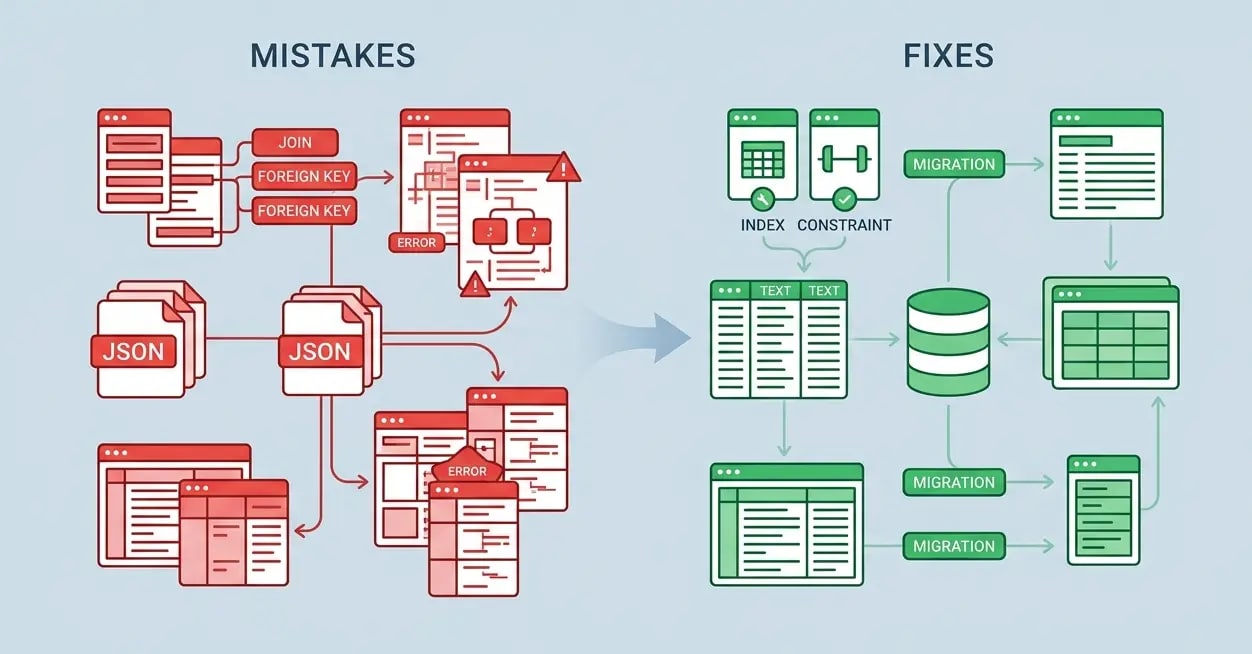
The Database Is Not an Implementation Detail
Your database schema is one of the most consequential decisions in a project. Unlike code, schema migrations are hard to reverse, can lock tables for minutes, and ripple through every layer of your application.
These are the mistakes I've seen most often — and fixed — in production systems.
Mistake 1: No Indexes on Foreign Keys
This is the most common performance killer I encounter. Foreign key columns are almost always used in joins and WHERE clauses, but they're not automatically indexed in PostgreSQL.
-- ❌ No index — this join does a full table scan on orders
SELECT u.name, COUNT(o.id) as order_count
FROM users u
JOIN orders o ON o.user_id = u.id
GROUP BY u.id;

-- ✅ Add indexes to foreign key columns
CREATE INDEX CONCURRENTLY idx_orders_user_id ON orders(user_id);
CREATE INDEX CONCURRENTLY idx_order_items_order_id ON order_items(order_id);
Use EXPLAIN ANALYZE to spot sequential scans on large tables. A missing index on a 5M row table can turn a 10ms query into a 30-second one.
Mistake 2: Using VARCHAR(255) for Everything
The 255-length limit is a cargo-cult artifact from MySQL's old index limitations. In PostgreSQL, short and long strings have the same storage cost. More importantly, arbitrary limits create future migrations.
-- ❌ Arbitrary limits that don't reflect real constraints
CREATE TABLE users (
  id UUID PRIMARY KEY,
  email VARCHAR(255),         -- Why 255? Email addresses can be 320 chars per RFC 5321
  username VARCHAR(255),      -- Should this really be the same limit as email?
  bio VARCHAR(255)            -- Bios are often longer; users will hit this
);

-- ✅ Use TEXT with CHECK constraints for actual business rules
CREATE TABLE users (
  id UUID PRIMARY KEY,
  email TEXT NOT NULL CHECK (length(email) <= 320),
  username TEXT NOT NULL CHECK (length(username) BETWEEN 3 AND 30),
  bio TEXT CHECK (length(bio) <= 2000)
);
This makes constraints explicit and discoverable, and removes a class of painful future migrations.
Mistake 3: Storing JSON for Structured Data
JSON columns are powerful — but they're frequently misused as an escape hatch from proper schema design.
-- ❌ "Flexible" JSON that creates hidden structure
CREATE TABLE products (
  id UUID PRIMARY KEY,
  name TEXT,
  attributes JSONB  -- {"color": "red", "size": "M", "weight_kg": 0.5}
);

-- Problem: Can't efficiently query, can't enforce types, can't join
SELECT * FROM products WHERE attributes->>'color' = 'red'; -- No index, slow

-- ✅ Proper columns for structured, queryable data
CREATE TABLE products (
  id UUID PRIMARY KEY,
  name TEXT NOT NULL,
  color TEXT,
  size TEXT CHECK (size IN ('XS', 'S', 'M', 'L', 'XL')),
  weight_kg NUMERIC(6,3)
);

-- ✅ JSON is great for genuinely unstructured, rarely-queried metadata
CREATE TABLE products (
  id UUID PRIMARY KEY,
  name TEXT NOT NULL,
  color TEXT,
  metadata JSONB  -- supplier notes, custom fields, etc.
);
CREATE INDEX idx_products_metadata ON products USING gin(metadata);
If you're writing WHERE metadata->>'field' = 'value' frequently, that field belongs in a column.
Mistake 4: Soft Deletes Without Partial Indexes
Soft delete patterns (deleted_at IS NULL) are a solid approach, but without partial indexes, every query that filters for active records scans deleted rows too.
-- ❌ Standard index includes deleted rows — queries filter them at runtime
CREATE INDEX idx_users_email ON users(email);

-- Query: WHERE email = 'user@example.com' AND deleted_at IS NULL
-- Has to scan all matching emails, then filter out deleted ones

-- ✅ Partial index — only indexes non-deleted rows
CREATE INDEX idx_users_email_active ON users(email)
  WHERE deleted_at IS NULL;

-- Same query now hits only the partial index — dramatically smaller scan
For large tables with many soft-deleted rows (common in audit-heavy apps), this can be a 10-100x improvement in query performance.
Mistake 5: Migrations That Lock Tables
ALTER TABLE commands often acquire an ACCESS EXCLUSIVE lock, blocking all reads and writes until they finish. In production with large tables, this causes outages.
-- ❌ This locks the entire users table while running
ALTER TABLE users ADD COLUMN last_login_at TIMESTAMPTZ;

-- ✅ In PostgreSQL, adding a nullable column is safe (instant)
-- The lock is held briefly, not for the duration of backfill
ALTER TABLE users ADD COLUMN last_login_at TIMESTAMPTZ;

-- ❌ This rewrites the entire table, locks for minutes/hours
ALTER TABLE orders ALTER COLUMN status TYPE TEXT;

-- ✅ Zero-downtime column type change
-- Step 1: Add new column
ALTER TABLE orders ADD COLUMN status_new TEXT;
-- Step 2: Backfill in batches (outside a transaction)
UPDATE orders SET status_new = status::TEXT WHERE id BETWEEN x AND y;
-- Step 3: Swap and drop (with a short lock window)
BEGIN;
ALTER TABLE orders RENAME COLUMN status TO status_old;
ALTER TABLE orders RENAME COLUMN status_new TO status;
COMMIT;
DROP COLUMN status_old; -- Safe, no lock needed
Use tools like pgroll or reshape to manage zero-downtime migrations systematically.
Mistake 6: N+1 Queries Hidden in ORM Code
ORMs make it easy to accidentally execute one query per row instead of one query for all rows.
// ❌ N+1 hidden in a loop — 1 query to get orders + 1 per order for user
const orders = await db.order.findMany({ take: 50 });
for (const order of orders) {
  const user = await db.user.findUnique({ where: { id: order.userId } });
  console.log(user.name, order.total);
}
// Result: 51 database round trips

// ✅ Eager loading with include — 2 queries total
const orders = await db.order.findMany({
  take: 50,
  include: { user: true },
});
// Result: 2 database round trips, regardless of order count
Use a query logger in development. If you see the same query repeated in a loop, you have an N+1.
The Schema Review Checklist
Before merging any migration:
- Every foreign key column has an index
- New columns have appropriate NOT NULL and CHECK constraints
- No unbounded TEXT stored where a constrained type makes sense
- Migration is tested against a production data snapshot
- Long-running migrations use
CONCURRENTLYand are batched - Added EXPLAIN ANALYZE output to the PR for queries on new columns
The cost of fixing schema mistakes after they reach production is 10-100x the cost of catching them in review.