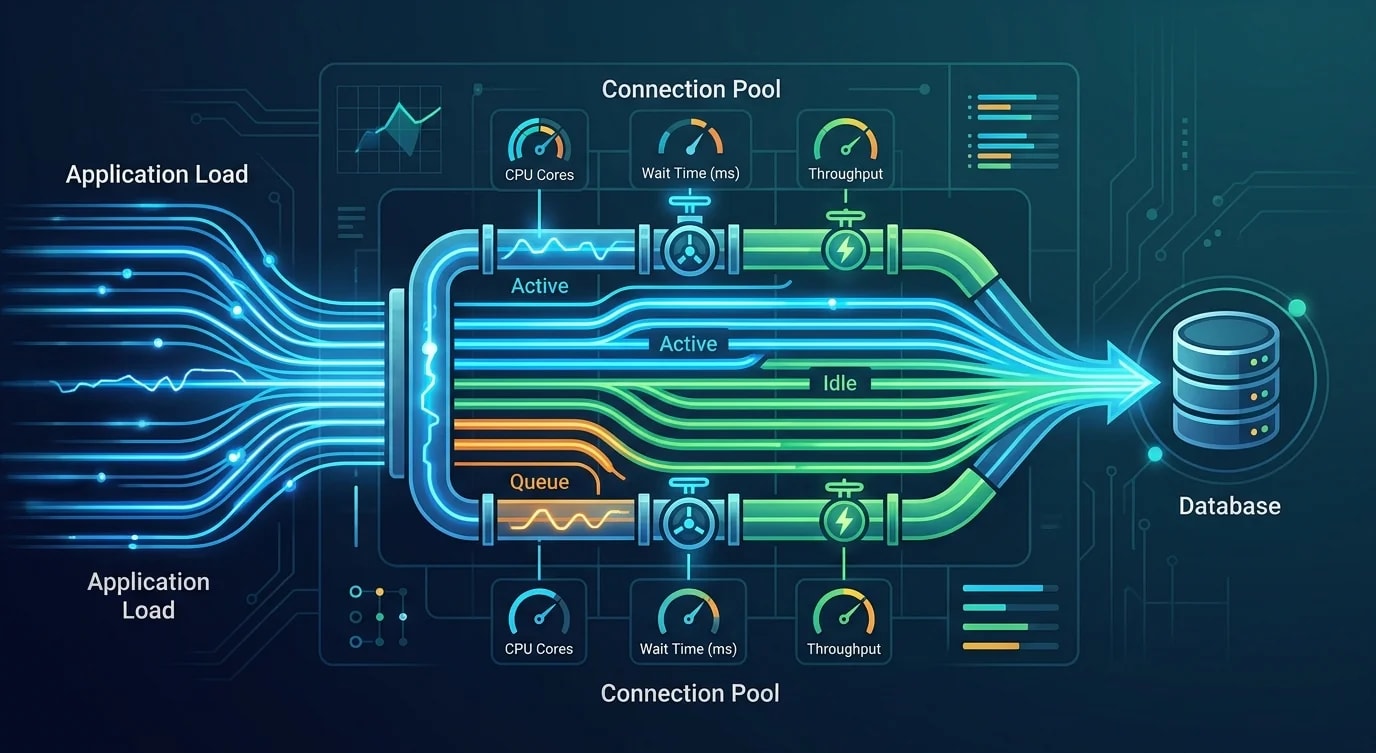
Connection Pooling for High-Throughput Node.js Services
A deep dive into database connection pooling for Node.js: pool sizing, health checks, failover patterns and the misconfigurations that cause outages.

Why Every Node.js App Eventually Hits a Connection Wall
Your application works fine in development with five concurrent users. In staging with fifty, queries slow down. In production with five hundred, the database starts rejecting connections. The error message is always some variant of "too many connections" or "connection pool exhausted."
This happens because database connections are expensive. Each PostgreSQL connection consumes roughly 10MB of memory, requires a TCP handshake plus TLS negotiation, and triggers process creation on the server. Without pooling, every query opens a new connection, uses it once, and discards it. Under load, this pattern falls apart catastrophically.
Connection pooling solves this by maintaining a set of persistent connections that queries share. But a pool with wrong settings is sometimes worse than no pool at all. This guide covers the mechanics.
Pool Sizing: The Math Most Teams Skip
The biggest mistake is setting pool size by gut feeling. "Let's use 20 connections" is not a strategy—it is a guess. Pool size depends on your query patterns, your database server's capacity, and how many application instances share that database.
// ❌ Bad: Arbitrary pool size with no relationship to workload
import { Pool } from "pg";

const pool = new Pool({
  connectionString: process.env.DATABASE_URL,
  max: 100, // Way too many — most databases can't handle this
});// ✅ Good: Calculated pool size based on actual constraints
import { Pool, PoolConfig } from "pg";
function calculatePoolSize(): number {
const maxDbConnections = 100; // PostgreSQL max_connections setting
const reservedConnections = 5; // For admin, migrations, monitoring
const appInstances = parseInt(process.env.APP_INSTANCES || "4", 10);
const availableConnections = maxDbConnections - reservedConnections;
return Math.floor(availableConnections / appInstances);
}
const poolConfig: PoolConfig = {
connectionString: process.env.DATABASE_URL,
max: calculatePoolSize(),
min: 2,
idleTimeoutMillis: 30000,
connectionTimeoutMillis: 5000,
allowExitOnIdle: false,
};
const pool = new Pool(poolConfig);The formula is straightforward: subtract reserved connections from max_connections, divide by the number of application instances. If your database allows 100 connections, you reserve 5. Four app instances each get a pool of 23. Going higher means one instance can starve the others.
For CPU-bound databases, the optimal number of active connections is roughly (2 × CPU cores) + disk spindles. A 4-core database server with SSDs performs best with around 10 active connections, regardless of how many your pool holds.
Health Checks and Connection Validation
A pool full of dead connections is worse than an empty pool. Connections die silently—network glitches, database restarts, load balancer timeouts all sever connections without notifying the client. Without validation, your next query fails on a broken connection.
import { Pool, PoolClient } from "pg";

const pool = new Pool({
  connectionString: process.env.DATABASE_URL,
  max: 20,
  idleTimeoutMillis: 30000,
  connectionTimeoutMillis: 5000,
});

// Validate connections before use
async function getValidClient(): Promise<PoolClient> {
  const client = await pool.connect();

  try {
    await client.query("SELECT 1");
    return client;
  } catch {
    client.release(true); // true = destroy this connection
    throw new Error("Database connection validation failed");
  }
}

// Connection pool event monitoring
pool.on("error", (err: Error) => {
  console.error("Unexpected pool error:", err.message);
});

pool.on("connect", () => {
  console.debug("New connection established");
});

pool.on("remove", () => {
  console.debug("Connection removed from pool");
});

// Periodic health check
async function healthCheck(): Promise<{ healthy: boolean; stats: object }> {
  try {
    const start = Date.now();
    await pool.query("SELECT 1");
    const latency = Date.now() - start;

    return {
      healthy: true,
      stats: {
        totalConnections: pool.totalCount,
        idleConnections: pool.idleCount,
        waitingRequests: pool.waitingCount,
        latencyMs: latency,
      },
    };
  } catch (err) {
    return {
      healthy: false,
      stats: { error: (err as Error).message },
    };
  }
}
The pool.waitingCount metric is your early warning signal. If queries are queuing up waiting for connections, your pool is undersized for your current load. Monitor this in production and alert when it stays above zero for more than a few seconds.
Query Patterns That Kill Connection Pools
Some coding patterns hold connections far longer than necessary, effectively shrinking your pool. Long-running transactions, forgotten releases, and N+1 queries are the usual culprits.
// ❌ Bad: Holding a connection during external API call
async function processOrder(orderId: string): Promise<void> {
  const client = await pool.connect();
  try {
    const order = await client.query(
      "SELECT * FROM orders WHERE id = $1",
      [orderId]
    );

    // This HTTP call takes 2-5 seconds — connection is held the entire time!
    const shippingRate = await fetch(
      `https://shipping-api.example.com/rates?weight=${order.rows[0].weight}`
    ).then((r) => r.json());

    await client.query(
      "UPDATE orders SET shipping_rate = $1 WHERE id = $2",
      [shippingRate.rate, orderId]
    );
  } finally {
    client.release();
  }
}// ✅ Good: Release connection before external calls
async function processOrder(orderId: string): Promise<void> {
const order = await pool.query(
"SELECT * FROM orders WHERE id = $1",
[orderId]
);
// Connection already returned to pool
const shippingRate = await fetch(
`https://shipping-api.example.com/rates?weight=${order.rows[0].weight}`
).then((r) => r.json());
await pool.query(
"UPDATE orders SET shipping_rate = $1 WHERE id = $2",
[shippingRate.rate, orderId]
);
}Use pool.query() for single statements—it automatically acquires and releases a connection. Only use pool.connect() when you need transaction semantics with BEGIN/COMMIT across multiple statements.
Transaction Management and Connection Lifetime
Transactions demand a single connection for their entire duration. This is where connection pool pressure becomes acute—every open transaction locks a connection from the pool.
type TransactionCallback<T> = (client: PoolClient) => Promise<T>;

async function withTransaction<T>(
  callback: TransactionCallback<T>
): Promise<T> {
  const client = await pool.connect();

  try {
    await client.query("BEGIN");
    const result = await callback(client);
    await client.query("COMMIT");
    return result;
  } catch (error) {
    await client.query("ROLLBACK");
    throw error;
  } finally {
    client.release();
  }
}

// Usage: Transaction holds connection only for DB operations
async function transferFunds(
  fromId: string,
  toId: string,
  amount: number
): Promise<void> {
  await withTransaction(async (client) => {
    const from = await client.query(
      "SELECT balance FROM accounts WHERE id = $1 FOR UPDATE",
      [fromId]
    );

    if (from.rows[0].balance < amount) {
      throw new Error("Insufficient funds");
    }

    await client.query(
      "UPDATE accounts SET balance = balance - $1 WHERE id = $2",
      [amount, fromId]
    );

    await client.query(
      "UPDATE accounts SET balance = balance + $1 WHERE id = $2",
      [amount, toId]
    );
  });
}
The withTransaction wrapper guarantees that connections are always released and transactions always complete with either COMMIT or ROLLBACK. Without this pattern, a thrown exception in the middle of a transaction can leave both the transaction open and the connection leaked.
External Connection Poolers: PgBouncer and Beyond
For applications at scale, an external connection pooler sits between your application and the database. PgBouncer is the most common for PostgreSQL. It multiplexes hundreds of application connections onto a handful of real database connections.
; pgbouncer.ini — transaction-level pooling
[databases]
myapp = host=db.internal port=5432 dbname=myapp

[pgbouncer]
listen_addr = 0.0.0.0
listen_port = 6432
auth_type = scram-sha-256
auth_file = /etc/pgbouncer/userlist.txt

; Transaction pooling: connection returned after each transaction
pool_mode = transaction

; Pool sizing
default_pool_size = 20
max_client_conn = 1000
min_pool_size = 5
reserve_pool_size = 5
reserve_pool_timeout = 3

; Timeouts
server_idle_timeout = 300
client_idle_timeout = 600
query_timeout = 30// Application connects to PgBouncer, not directly to PostgreSQL
const pool = new Pool({
host: "pgbouncer.internal",
port: 6432,
database: "myapp",
max: 50, // Can be higher since PgBouncer manages the real connections
// IMPORTANT: Disable prepared statements with transaction pooling
statement_timeout: 30000,
});
// PgBouncer transaction pooling breaks prepared statements
// Use this wrapper to disable them
async function query(text: string, values?: unknown[]) {
return pool.query({ text, values, rowMode: "array" });
}Transaction-level pooling in PgBouncer means a real database connection is assigned only for the duration of a transaction. Between transactions, the connection is available for other clients. This allows 1000 application connections to share 20 database connections.
The critical caveat: transaction pooling breaks PostgreSQL features that depend on session state—prepared statements, SET commands, LISTEN/NOTIFY, and advisory locks. If you need these, use session pooling or handle them at the application level.
Monitoring and Alerting for Connection Pools
Connection pool issues surface as latency spikes, not errors—until the pool is completely exhausted. Proactive monitoring catches problems before users notice.
import { Pool } from "pg";

interface PoolMetrics {
  totalConnections: number;
  activeConnections: number;
  idleConnections: number;
  waitingClients: number;
  maxConnections: number;
  utilizationPercent: number;
}

function collectPoolMetrics(pool: Pool): PoolMetrics {
  const total = pool.totalCount;
  const idle = pool.idleCount;
  const waiting = pool.waitingCount;
  const max = (pool as unknown as { options: { max: number } }).options.max;

  return {
    totalConnections: total,
    activeConnections: total - idle,
    idleConnections: idle,
    waitingClients: waiting,
    maxConnections: max,
    utilizationPercent: ((total - idle) / max) * 100,
  };
}

// Alert thresholds
function evaluatePoolHealth(metrics: PoolMetrics): string[] {
  const alerts: string[] = [];

  if (metrics.utilizationPercent > 80) {
    alerts.push("Pool utilization above 80% — consider scaling");
  }

  if (metrics.waitingClients > 0) {
    alerts.push(`${metrics.waitingClients} queries waiting for connections`);
  }

  if (metrics.idleConnections === 0 && metrics.totalConnections === metrics.maxConnections) {
    alerts.push("Pool fully saturated — all connections in use");
  }

  return alerts;
}
The three metrics that matter: utilization percentage, waiting client count, and connection acquisition time. If utilization consistently exceeds 70%, you need more connections or fewer application instances sharing the pool. If clients are waiting, you are already degrading user experience.
Key Takeaways
Connection pooling is one of those infrastructure concerns that is invisible until it fails. The pool size is not a magic number—it is derived from database capacity, instance count, and query patterns. Validate connections before use, release them immediately after use, and never hold a connection while waiting on external services.
External poolers like PgBouncer unlock massive connection multiplexing but come with compatibility constraints. Understand what breaks under transaction pooling before deploying it.
The most reliable indicator of pool health is the waiting client count. If queries are queuing up for connections, everything downstream—response times, throughput, user experience—is already degrading. Monitor it, alert on it, and treat it as seriously as CPU or memory alerts.