Database Connection Management in Production
How to configure and monitor database connection pools — covering pool sizing, leak detection, failover handling, and common misconfiguration pitfalls.

Every production database outage I have investigated started the same way. The application opens more connections than the database allows, new requests queue up waiting for a connection, timeouts cascade, and the entire system locks up. The fix is always the same: proper connection pool configuration.
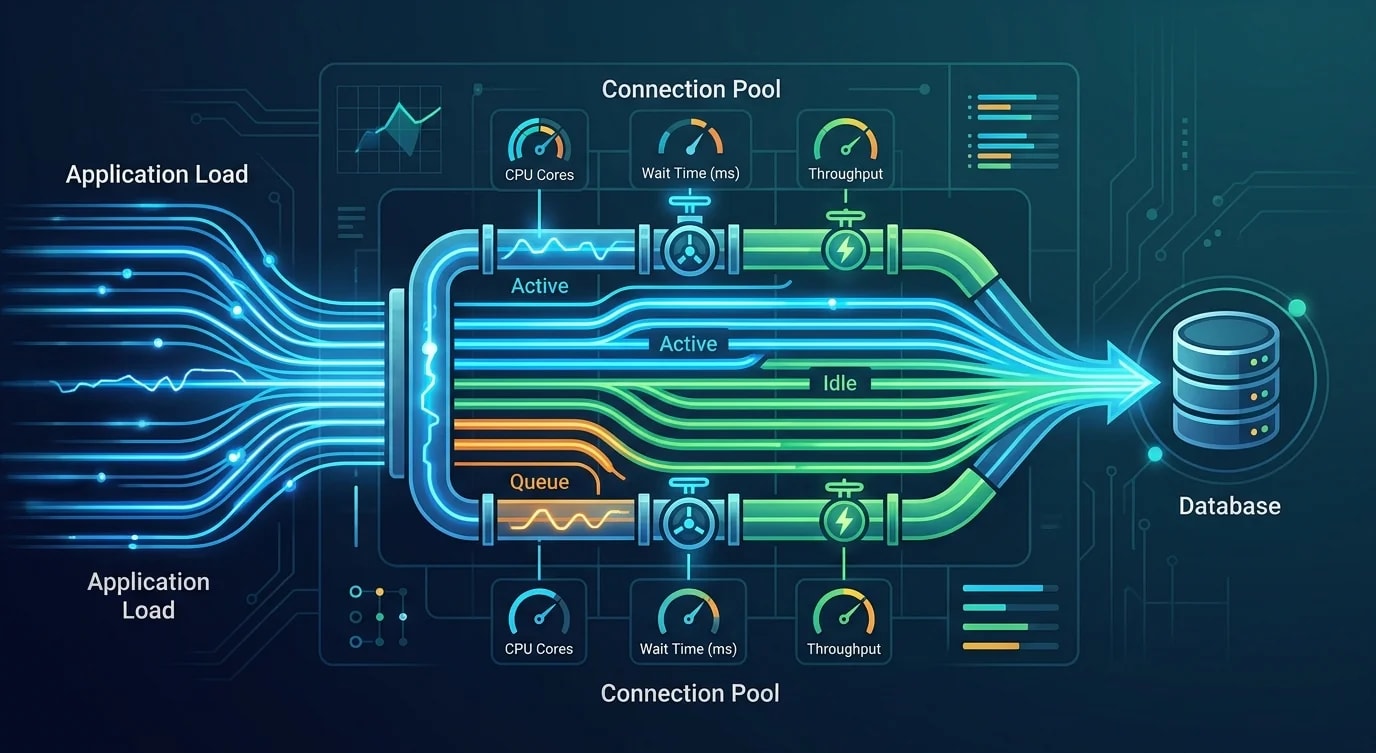
Connection pools maintain a set of reusable database connections. Instead of opening and closing a connection for each query (expensive — TCP handshake, TLS negotiation, authentication), the application borrows a connection from the pool and returns it after the query completes.
Pool Basics
A connection pool has three critical parameters: minimum size, maximum size, and idle timeout.
// ❌ No pool — new connection per query
import { Client } from 'pg';

async function getUser(id: string) {
  const client = new Client({ connectionString: DATABASE_URL });
  await client.connect();     // TCP + TLS + auth = ~50ms
  const result = await client.query('SELECT * FROM users WHERE id = $1', [id]);
  await client.end();          // Connection discarded
  return result.rows[0];
}
// 1000 requests/sec = 1000 connection setups/sec
// Database refuses connections after hitting max_connections// ✅ Connection pool — reuse existing connections
import { Pool } from 'pg';
const pool = new Pool({
connectionString: DATABASE_URL,
min: 5, // Keep 5 connections warm at all times
max: 20, // Never exceed 20 connections
idleTimeoutMillis: 30000, // Close idle connections after 30s
connectionTimeoutMillis: 5000, // Fail if no connection available in 5s
});
async function getUser(id: string) {
const result = await pool.query('SELECT * FROM users WHERE id = $1', [id]);
return result.rows[0];
// Connection automatically returned to pool
}
// 1000 requests/sec = 20 connections handling all queriesThe pool eliminates per-request connection overhead. A warm connection completes a simple query in 1-5ms. A new connection setup adds 30-100ms.
Sizing the Pool Correctly
The most common mistake is setting max too high. More connections does not mean more throughput. PostgreSQL performance degrades when max_connections exceeds what the hardware can handle.
# PostgreSQL rule of thumb for max connections:
# max_connections = (CPU cores * 2) + effective_spindle_count
# For a 4-core server with SSD:
# max_connections = (4 * 2) + 1 = 9

# But you have 3 application instances, each with a pool:
# Total connections = instances * pool_max
# 3 * 20 = 60 connections — way too many for a 4-core database

# Better: 3 * 3 = 9 connections total
# Each instance: max: 3// Pool configuration based on infrastructure
function calculatePoolSize(config: {
dbCpuCores: number;
appInstances: number;
headroom: number; // connections for admin, migrations, monitoring
}): { min: number; max: number } {
const totalConnections = (config.dbCpuCores * 2) + 1;
const perInstance = Math.floor(
(totalConnections - config.headroom) / config.appInstances
);
return {
min: Math.max(1, Math.floor(perInstance / 2)),
max: Math.max(2, perInstance),
};
}
// Example: 4-core DB, 3 app instances, 3 reserved for admin
// Total: 9 connections, reserved: 3, per instance: 2
// Result: { min: 1, max: 2 }A pool of 2-5 connections per instance handles thousands of requests per second. The connections are reused — a query takes 5ms, so one connection handles 200 queries/sec.
Connection Leak Detection
A connection leak occurs when code borrows a connection from the pool but never returns it. The pool eventually runs out, and new requests block or fail.
// ❌ Connection leak — client never released on error
async function transferFunds(from: string, to: string, amount: number) {
  const client = await pool.connect();
  await client.query('BEGIN');
  await client.query(
    'UPDATE accounts SET balance = balance - $1 WHERE id = $2',
    [amount, from]
  );
  // If this throws, client is never released!
  await client.query(
    'UPDATE accounts SET balance = balance + $1 WHERE id = $2',
    [amount, to]
  );
  await client.query('COMMIT');
  client.release();
}

// ✅ Always release in a finally block
async function transferFunds(from: string, to: string, amount: number) {
  const client = await pool.connect();
  try {
    await client.query('BEGIN');
    await client.query(
      'UPDATE accounts SET balance = balance - $1 WHERE id = $2',
      [amount, from]
    );
    await client.query(
      'UPDATE accounts SET balance = balance + $1 WHERE id = $2',
      [amount, to]
    );
    await client.query('COMMIT');
  } catch (error) {
    await client.query('ROLLBACK');
    throw error;
  } finally {
    client.release();  // Always runs, even on error
  }
}// Even better: helper that guarantees release
async function withTransaction<T>(
fn: (client: PoolClient) => Promise<T>
): Promise<T> {
const client = await pool.connect();
try {
await client.query('BEGIN');
const result = await fn(client);
await client.query('COMMIT');
return result;
} catch (error) {
await client.query('ROLLBACK');
throw error;
} finally {
client.release();
}
}
// Usage — impossible to leak
await withTransaction(async (client) => {
await client.query(
'UPDATE accounts SET balance = balance - $1 WHERE id = $2',
[amount, from]
);
await client.query(
'UPDATE accounts SET balance = balance + $1 WHERE id = $2',
[amount, to]
);
});Monitoring Pool Health
Pool metrics reveal problems before they become outages. Monitor these values:
// Expose pool metrics for Prometheus
import { Gauge } from 'prom-client';

const poolTotal = new Gauge({
  name: 'db_pool_total_connections',
  help: 'Total connections in the pool',
});

const poolIdle = new Gauge({
  name: 'db_pool_idle_connections',
  help: 'Idle connections in the pool',
});

const poolWaiting = new Gauge({
  name: 'db_pool_waiting_requests',
  help: 'Requests waiting for a connection',
});

setInterval(() => {
  poolTotal.set(pool.totalCount);
  poolIdle.set(pool.idleCount);
  poolWaiting.set(pool.waitingCount);
}, 5000);# Alert rules for pool health
groups:
- name: database-pool
rules:
# Connection leak: total stays at max, idle is zero
- alert: ConnectionPoolExhausted
expr: db_pool_idle_connections == 0 and db_pool_waiting_requests > 0
for: 2m
labels:
severity: critical
annotations:
summary: "Database connection pool exhausted"
# Leak pattern: total grows but idle doesn't
- alert: PossibleConnectionLeak
expr: db_pool_total_connections == db_pool_max and db_pool_idle_connections < 2
for: 5m
labels:
severity: warningWhen waitingCount is consistently greater than zero, the pool is undersized or connections are leaking. When idleCount equals totalCount most of the time, the pool is oversized.
Connection Timeout Strategy
Three different timeouts protect against different failure modes:
const pool = new Pool({
  connectionString: DATABASE_URL,
  max: 10,

  // 1. Connection acquire timeout
  // How long to wait for a connection from the pool
  connectionTimeoutMillis: 5000,
  // If all connections are busy and pool is at max, wait 5s then fail
  // Without this: requests queue indefinitely → memory exhaustion

  // 2. Query timeout (via statement_timeout)
  // How long a single query can run
  // Set per-connection via pool event
  // Without this: a bad query locks a connection forever

  // 3. Idle timeout
  // How long an idle connection stays in the pool
  idleTimeoutMillis: 30000,
  // Closes connections that haven't been used in 30s
  // Prevents "connection stale" errors from firewall/load balancer timeouts
});

// Set query timeout on each new connection
pool.on('connect', (client) => {
  client.query('SET statement_timeout = 10000');  // 10 second query limit
});

// Log connection errors
pool.on('error', (err) => {
  console.error('Unexpected pool error:', err.message);
});// Application-level timeout for complete operations
async function getUserWithTimeout(id: string): Promise<User | null> {
const controller = new AbortController();
const timeout = setTimeout(() => controller.abort(), 3000);
try {
const result = await pool.query(
'SELECT * FROM users WHERE id = $1',
[id]
);
return result.rows[0] || null;
} finally {
clearTimeout(timeout);
}
}Connection Pooling with PgBouncer
For high-connection environments (many application instances, serverless functions), add PgBouncer between the application and PostgreSQL. PgBouncer maintains fewer actual database connections while serving many client connections.
; pgbouncer.ini
[databases]
mydb = host=postgres port=5432 dbname=mydb

[pgbouncer]
listen_port = 6432
listen_addr = 0.0.0.0

; Transaction pooling: connection returned after each transaction
pool_mode = transaction

; Maximum client connections PgBouncer accepts
max_client_conn = 1000

; Maximum server connections to PostgreSQL
default_pool_size = 20

; Reserve connections for admin
reserve_pool_size = 5
reserve_pool_timeout = 3

; Connection lifetime
server_idle_timeout = 600
server_lifetime = 3600

; Logging
log_connections = 1
log_disconnections = 1
stats_period = 60
Without PgBouncer:
[App 1: 20 conn] ──┐
[App 2: 20 conn] ──┼── PostgreSQL (max: 100)
[App 3: 20 conn] ──┤
[Serverless: ???] ──┘ 60+ connections used
With PgBouncer:
[App 1: 20 conn] ──┐ ┌── PostgreSQL (max: 100)
[App 2: 20 conn] ──┼── PgBouncer (20 pool) ┤
[App 3: 20 conn] ──┤ └── Only 20 actual connections
[Serverless: 500] ──┘ 560 client conns, 20 server conns
PgBouncer in transaction mode multiplexes hundreds of client connections over a small pool of server connections. This is essential for serverless environments where each function invocation opens its own connection.
Key Takeaways
- Always use a connection pool — per-request connections cannot handle production load
- Size pools based on database CPU cores —
(cores * 2) + 1divided across instances, notmax: 100everywhere - Use
withTransactionhelpers — guarantee connection release with try/finally patterns - Monitor
waitingCount— if requests queue for connections, the pool is exhausted - Set three timeouts — acquire timeout, query timeout, and idle timeout protect against different failures
- Use PgBouncer for high-connection environments — multiplex hundreds of client connections over a small server pool