Connection Pooling: Tuning for Performance Under Load
A deep dive into connection pool configuration: sizing formulas, connection lifecycle, health checking and diagnosing pool exhaustion under real traffic.
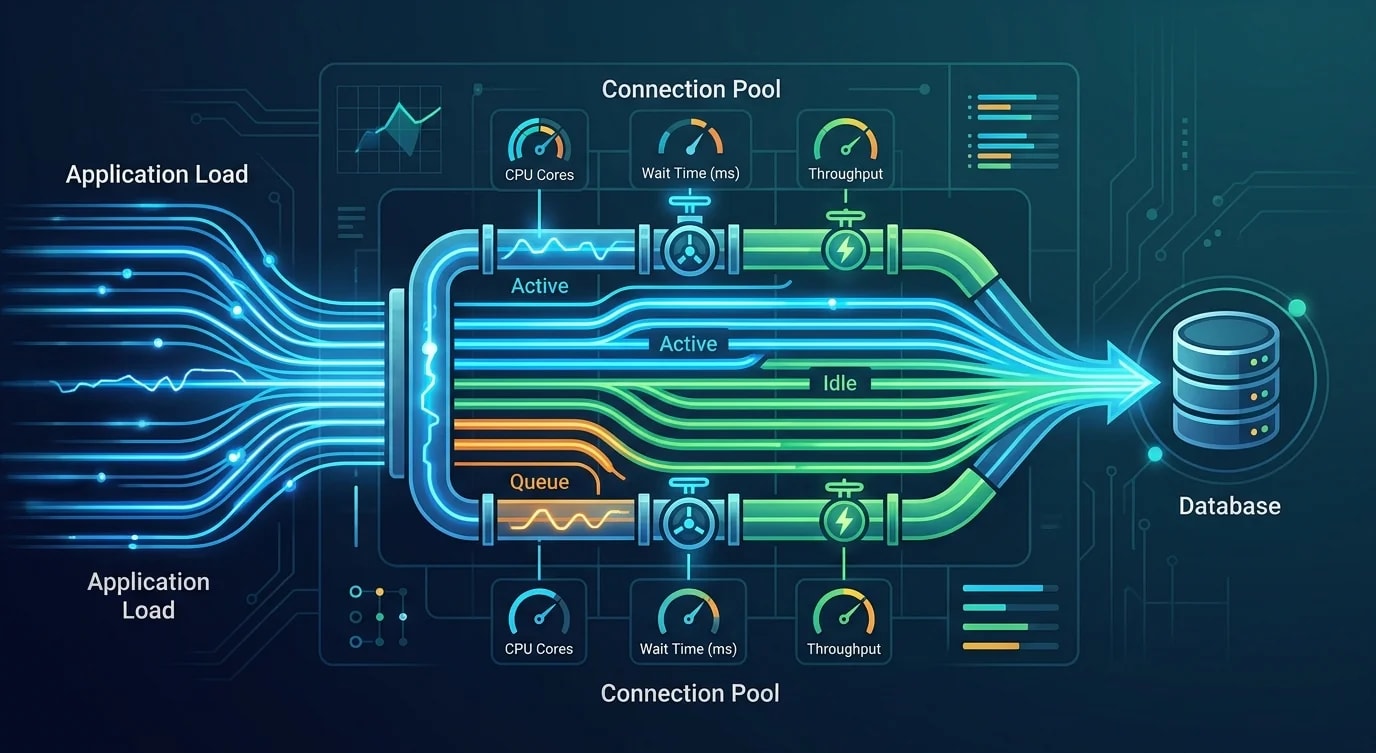
Why Connection Pools Exist
Opening a database connection is expensive—TCP handshake, TLS negotiation, authentication, and session initialization add 50-200ms per connection. Without a pool, every database query pays this cost. A connection pool maintains a set of pre-established connections, lending them to application code on demand and returning them when finished.
The pool seems simple until production traffic exposes its configuration flaws: too few connections cause request queuing, too many overwhelm the database server, and leaked connections silently drain the pool until the application freezes.
Pool Sizing: The Formula That Actually Works
The optimal pool size is not "as many as possible." PostgreSQL's documentation and internal benchmarks consistently show that a smaller pool with queued requests outperforms a large pool with high concurrency. The formula from the PostgreSQL wiki starts with CPU cores.
interface PoolConfig {
  minimumIdle: number;
  maximumPoolSize: number;
  connectionTimeout: number;    // ms to wait for a connection
  idleTimeout: number;          // ms before idle connections close
  maxLifetime: number;          // ms before connections are recycled
  validationQuery: string;
}

// ❌ "More connections = faster" — overwhelms the database
const naiveConfig: PoolConfig = {
  minimumIdle: 50,
  maximumPoolSize: 200,
  connectionTimeout: 30000,
  idleTimeout: 600000,
  maxLifetime: 1800000,
  validationQuery: "SELECT 1",
};

// ✅ Sized based on database server capacity
function calculatePoolSize(
  dbCpuCores: number,
  effectiveSpindleCount: number = 1  // 1 for SSD
): number {
  // PostgreSQL recommended formula
  // connections = (cores * 2) + effective_spindle_count
  return (dbCpuCores * 2) + effectiveSpindleCount;
}

function buildPoolConfig(dbCpuCores: number): PoolConfig {
  const poolSize = calculatePoolSize(dbCpuCores);

  return {
    minimumIdle: Math.floor(poolSize / 2),
    maximumPoolSize: poolSize,
    connectionTimeout: 5000,       // Fail fast — 5 seconds
    idleTimeout: 300000,           // 5 minutes
    maxLifetime: 1800000,          // 30 minutes
    validationQuery: "SELECT 1",
  };
}

// Example: 4-core database server
// Pool size = (4 * 2) + 1 = 9 connections
// This handles far more concurrent requests than you expect
Connection Lifecycle Management
Connections degrade over time—memory leaks in drivers, stale sessions, firewall timeouts closing idle TCP sockets. A well-configured pool proactively recycles connections before they break.
class ManagedConnectionPool {
  private connections: PooledConnection[] = [];
  private waitQueue: Array<{
    resolve: (conn: PooledConnection) => void;
    reject: (err: Error) => void;
    enqueuedAt: number;
  }> = [];

  constructor(private readonly config: PoolConfig) {}

  async acquire(): Promise<PooledConnection> {
    // Try to find a healthy idle connection
    const idle = this.connections.find(
      (c) => c.state === "idle" && this.isHealthy(c)
    );

    if (idle) {
      idle.state = "active";
      idle.lastUsed = Date.now();
      return idle;
    }

    // Create new if under maximum
    if (this.connections.length < this.config.maximumPoolSize) {
      return this.createConnection();
    }

    // Queue the request with timeout
    return new Promise((resolve, reject) => {
      const entry = { resolve, reject, enqueuedAt: Date.now() };
      this.waitQueue.push(entry);

      setTimeout(() => {
        const idx = this.waitQueue.indexOf(entry);
        if (idx >= 0) {
          this.waitQueue.splice(idx, 1);
          reject(new Error(
            `Connection acquisition timeout after ${this.config.connectionTimeout}ms. ` +
            `Pool: ${this.getActiveCount()} active, ${this.getIdleCount()} idle, ` +
            `${this.waitQueue.length} waiting`
          ));
        }
      }, this.config.connectionTimeout);
    });
  }

  release(connection: PooledConnection): void {
    // Check if connection should be retired
    if (this.shouldRetire(connection)) {
      this.destroyConnection(connection);
      return;
    }

    // Serve from wait queue first
    if (this.waitQueue.length > 0) {
      const waiter = this.waitQueue.shift()!;
      connection.lastUsed = Date.now();
      waiter.resolve(connection);
      return;
    }

    connection.state = "idle";
  }

  private isHealthy(conn: PooledConnection): boolean {
    const age = Date.now() - conn.createdAt;
    const idle = Date.now() - conn.lastUsed;

    return (
      age < this.config.maxLifetime &&
      idle < this.config.idleTimeout &&
      !conn.hasError
    );
  }

  private shouldRetire(conn: PooledConnection): boolean {
    return (
      Date.now() - conn.createdAt > this.config.maxLifetime ||
      conn.hasError ||
      conn.queryCount > 10000
    );
  }

  private getActiveCount(): number {
    return this.connections.filter((c) => c.state === "active").length;
  }

  private getIdleCount(): number {
    return this.connections.filter((c) => c.state === "idle").length;
  }

  private async createConnection(): Promise<PooledConnection> {
    // Create and register new connection
    return {} as PooledConnection;
  }

  private destroyConnection(conn: PooledConnection): void {
    const idx = this.connections.indexOf(conn);
    if (idx >= 0) this.connections.splice(idx, 1);
  }
}
Connection Leak Detection
A leaked connection—acquired but never released—is the most common pool failure mode. It happens when an error throws before the release call, or when a code path forgets to return the connection. Without detection, the pool silently drains until the application hangs.
class LeakDetector {
  private activeConnections = new Map<string, {
    acquiredAt: number;
    stackTrace: string;
  }>();

  private readonly leakThresholdMs = 30000; // 30 seconds

  onAcquire(connectionId: string): void {
    this.activeConnections.set(connectionId, {
      acquiredAt: Date.now(),
      stackTrace: new Error().stack || "unknown",
    });
  }

  onRelease(connectionId: string): void {
    this.activeConnections.delete(connectionId);
  }

  checkForLeaks(): LeakReport[] {
    const now = Date.now();
    const leaks: LeakReport[] = [];

    for (const [id, info] of this.activeConnections) {
      const held = now - info.acquiredAt;
      if (held > this.leakThresholdMs) {
        leaks.push({
          connectionId: id,
          heldForMs: held,
          acquiredAt: new Date(info.acquiredAt).toISOString(),
          stackTrace: info.stackTrace,
        });
      }
    }

    return leaks;
  }
}

// Safe connection usage pattern
async function withConnection<T>(
  pool: ManagedConnectionPool,
  fn: (conn: PooledConnection) => Promise<T>
): Promise<T> {
  const conn = await pool.acquire();
  try {
    return await fn(conn);
  } finally {
    pool.release(conn); // Always releases, even on error
  }
}
Pool Metrics and Monitoring
You cannot tune what you cannot measure. Instrument the pool to expose active connections, idle connections, wait queue depth, acquisition time, and leak warnings.
interface PoolMetrics {
  activeConnections: number;
  idleConnections: number;
  totalConnections: number;
  waitQueueDepth: number;
  averageAcquisitionTimeMs: number;
  connectionsCreated: number;
  connectionsDestroyed: number;
  timeouts: number;
  leakWarnings: number;
}

function diagnosePoolHealth(metrics: PoolMetrics, config: PoolConfig): string[] {
  const issues: string[] = [];

  if (metrics.waitQueueDepth > 0 && metrics.idleConnections === 0) {
    issues.push(
      "Pool exhausted — all connections active with requests waiting. " +
      "Check for connection leaks or increase pool size."
    );
  }

  const utilization = metrics.activeConnections / config.maximumPoolSize;
  if (utilization > 0.9) {
    issues.push(
      `Pool utilization at ${Math.round(utilization * 100)}% — ` +
      "approaching saturation"
    );
  }

  if (metrics.averageAcquisitionTimeMs > 100) {
    issues.push(
      `Average acquisition time ${metrics.averageAcquisitionTimeMs}ms — ` +
      "connections are contended"
    );
  }

  if (metrics.leakWarnings > 0) {
    issues.push(
      `${metrics.leakWarnings} potential connection leaks detected`
    );
  }

  return issues;
}
Key Takeaways
Connection pool sizing follows a formula, not intuition: (CPU cores * 2) + effective_spindle_count for PostgreSQL. A pool of 9 connections on a 4-core server handles more load than a pool of 200 because the database server spends time on queries instead of managing connection overhead.
Always use a withConnection pattern that guarantees release in a finally block—leaked connections are the most common pool failure mode and the hardest to debug without proactive detection. Implement leak detection that logs stack traces for connections held beyond a threshold.
Monitor pool utilization, wait queue depth, and acquisition time continuously. A healthy pool has low wait queue depth, acquisition times under 10ms, and utilization below 80%. When these metrics degrade, investigate leaks before increasing pool size—a larger pool masks the problem without fixing it.


