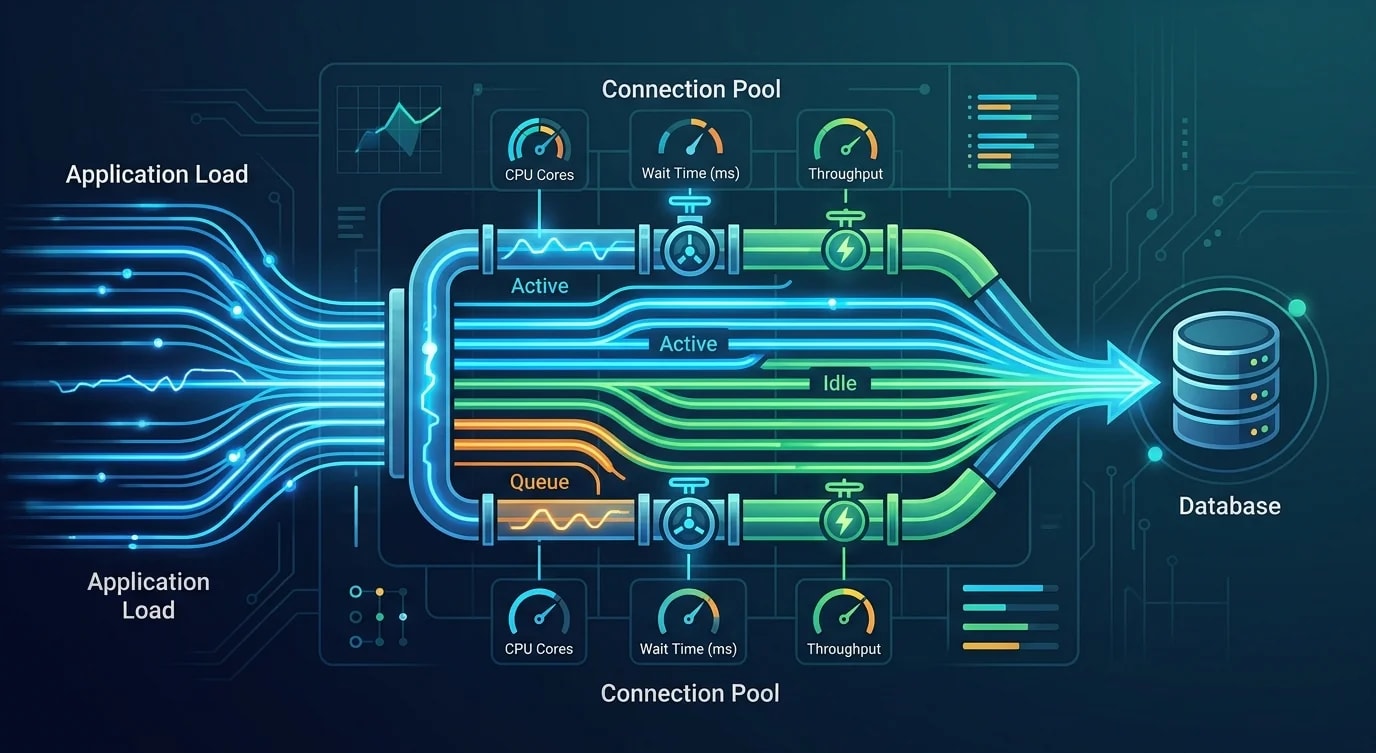
Connection Pooling: Why Every Backend Needs It
Opening a new database connection per request is a silent performance killer — connection pools solve this with a managed set of reusable connections.

Every database query starts with a connection. Opening a TCP connection, performing the TLS handshake, and authenticating with the database takes 20-100ms. Do that for every request and you've added latency that dwarfs the actual query time. Connection pooling eliminates this overhead by maintaining a set of ready-to-use connections.
The Cost of Connection-Per-Request
Without pooling, each request opens a fresh connection, runs the query, and closes the connection. Under load, this pattern collapses.
// ❌ New connection per request — 50ms overhead before any query runs
app.get("/api/users/:id", async (req, res) => {
  const client = new Client({ connectionString: process.env.DATABASE_URL });
  await client.connect(); // TCP + TLS + auth = 20-100ms

  const result = await client.query("SELECT * FROM users WHERE id = $1", [
    req.params.id,
  ]);

  await client.end();
  res.json(result.rows[0]);
});

// At 100 concurrent requests:
// - 100 simultaneous TCP connections being established
// - Database may hit max_connections limit (default: 100 in PostgreSQL)
// - Connection establishment becomes the bottleneck// ✅ Connection pool — connections are reused across requests
import { Pool } from "pg";
const pool = new Pool({
connectionString: process.env.DATABASE_URL,
max: 20, // Maximum connections in pool
idleTimeoutMillis: 30000,
connectionTimeoutMillis: 5000,
});
app.get("/api/users/:id", async (req, res) => {
const result = await pool.query("SELECT * FROM users WHERE id = $1", [
req.params.id,
]);
res.json(result.rows[0]);
// Connection automatically returned to pool
});The pool maintains 20 warm connections. When a request needs a database connection, it borrows one from the pool (sub-millisecond). When done, the connection returns to the pool for the next request.
Pool Sizing
The optimal pool size is not "as many as possible." Too many connections waste database resources and can actually decrease throughput.
// Pool sizing formula (Brian Hillis' connection pool sizing)
// connections = (core_count * 2) + effective_spindle_count
// For SSDs: connections = (core_count * 2) + 1

// Example: 4-core database server with SSD
// Optimal: (4 * 2) + 1 = 9 connections

// But application-side pools are per-instance!
// 3 app instances × 20 connections each = 60 total to the database
// PostgreSQL default max_connections = 100| Pool parameter | Recommendation | Why |
|---|---|---|
max | 10-20 per app instance | More connections ≠ more throughput |
min | 2-5 | Keeps warm connections ready |
idleTimeoutMillis | 30,000 | Close unused connections after 30s |
connectionTimeoutMillis | 5,000 | Fail fast if pool is exhausted |
Connection Exhaustion
When all pool connections are in use and a new request arrives, it waits for a connection to become available. If the timeout expires, the request fails.
// Detecting connection exhaustion
pool.on("error", (err) => {
  console.error("Unexpected pool error:", err.message);
});

// Monitor pool statistics
setInterval(() => {
  console.log({
    total: pool.totalCount,
    idle: pool.idleCount,
    waiting: pool.waitingCount, // Requests waiting for a connection
  });

  if (pool.waitingCount > 0) {
    console.warn("Connection pool exhaustion — requests are waiting");
  }
}, 10000);// ❌ Common cause: forgetting to release connections
app.get("/api/data", async (req, res) => {
const client = await pool.connect();
const result = await client.query("SELECT * FROM data");
res.json(result.rows);
// BUG: client.release() never called — connection leaked!
});
// ✅ Always release, even on error
app.get("/api/data", async (req, res) => {
const client = await pool.connect();
try {
const result = await client.query("SELECT * FROM data");
res.json(result.rows);
} finally {
client.release(); // Always release back to pool
}
});
// ✅ Even better: use pool.query() which handles release automatically
app.get("/api/data", async (req, res) => {
const result = await pool.query("SELECT * FROM data");
res.json(result.rows);
});External Connection Poolers
For applications with many instances (serverless, Kubernetes), a separate connection pooler like PgBouncer sits between the application and database.
App Instance 1 (20 connections) ─┐
App Instance 2 (20 connections) ─┼─→ PgBouncer (100 client connections → 20 server connections) → PostgreSQL
App Instance 3 (20 connections) ─┘
# pgbouncer.ini
[databases]
myapp = host=db.internal port=5432 dbname=myapp

[pgbouncer]
pool_mode = transaction    # Connection returned after each transaction
max_client_conn = 1000     # Client-side connections
default_pool_size = 20     # Server-side connections per database
Transaction-level pooling (pool_mode = transaction) maximizes connection reuse: a server connection is only held for the duration of a transaction, not the entire client session.
Serverless Considerations
Serverless functions (Lambda, Vercel Functions) create a new process per invocation — or reuse a warm container. Each warm container maintains its own connection pool.
// ❌ Creating a pool inside the handler — new pool per invocation
export async function handler(event: APIGatewayEvent) {
  const pool = new Pool({ max: 5 }); // Created every time!
  const result = await pool.query("SELECT 1");
  return { statusCode: 200, body: JSON.stringify(result.rows) };
}

// ✅ Pool outside the handler — reused across warm invocations
const pool = new Pool({
  connectionString: process.env.DATABASE_URL,
  max: 1, // Serverless: keep pool small per instance
});

export async function handler(event: APIGatewayEvent) {
  const result = await pool.query("SELECT 1");
  return { statusCode: 200, body: JSON.stringify(result.rows) };
}
With serverless, use an external pooler (PgBouncer, Neon's connection pooler, Supabase's pgbouncer). Hundreds of Lambda instances each creating their own connections will overwhelm the database.
Key Takeaways
- Always use connection pools — per-request connections add 20-100ms overhead and exhaust database limits
- Pool size is not "bigger is better" — 10-20 per instance is usually optimal
- Monitor
waitingCount— if requests are waiting for connections, you have a bottleneck - Always release connections — leaked connections exhaust the pool and cause cascading failures
- Use external poolers (PgBouncer) when running multiple app instances or serverless functions