Automating Developer Environment Setup
How to go from two-day onboarding to twenty minutes with Dev Containers, shell scripts and infrastructure-as-code for one-command environments.
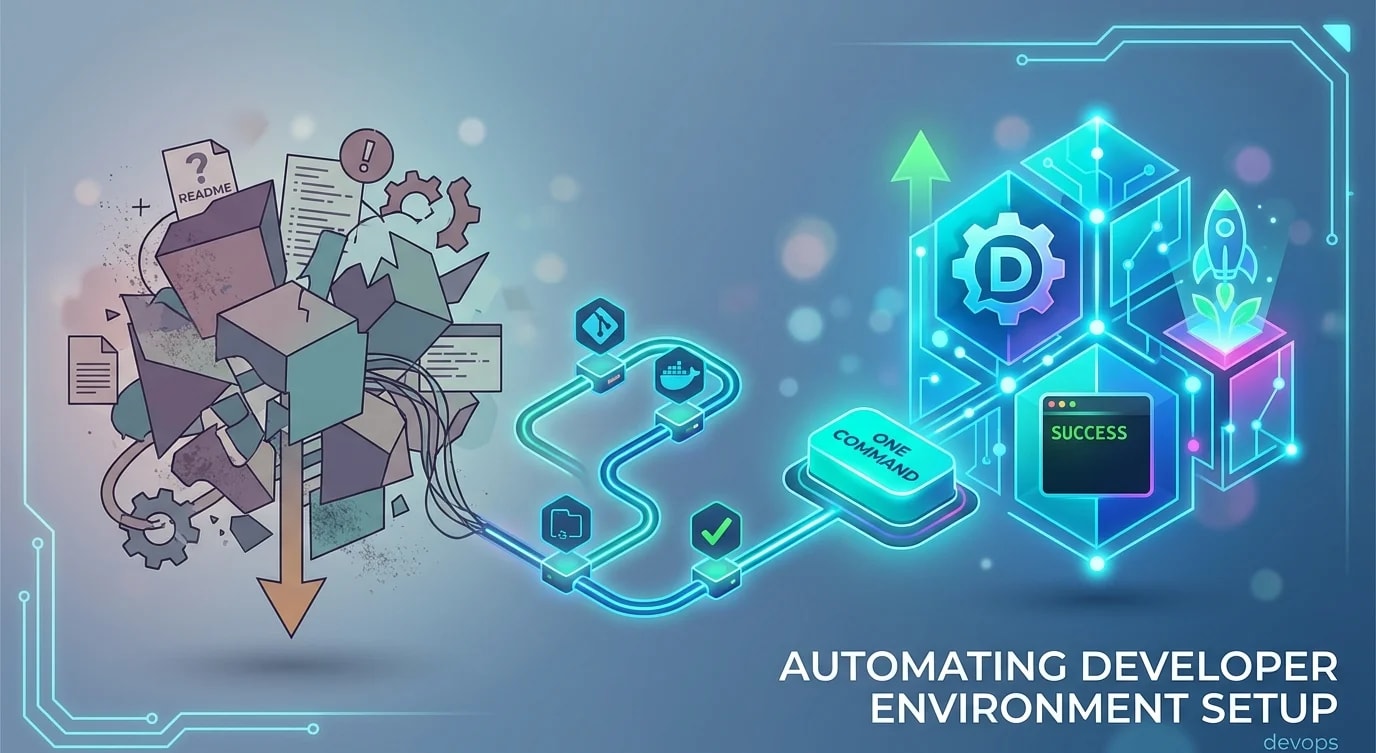
The worst onboarding experience is a README that says "install these 15 things, run these 8 commands, and if you get an error on step 6, ask Dave." Dave left the company three months ago. The README was last updated a year before that.
A reproducible developer environment should be one command. Clone the repo, run the setup script, and start writing code. Everything else is friction that compounds across every new hire, every OS reinstall, and every team member who loses a day to environment rot.
The Setup Script Pattern
The simplest approach is a well-structured shell script that automates what you would otherwise do manually. It should be idempotent — running it twice should not break anything.
#!/bin/bash
set -euo pipefail

# setup.sh — One-command developer environment setup

echo "==> Checking prerequisites..."

# Check for required system tools
check_command() {
  if ! command -v "$1" &> /dev/null; then
    echo "❌ $1 is not installed. $2"
    exit 1
  fi
  echo "✅ $1 found"
}

check_command "node" "Install from https://nodejs.org"
check_command "docker" "Install from https://docker.com"
check_command "git" "Install from https://git-scm.com"

# Check minimum versions
NODE_VERSION=$(node -v | sed 's/v//' | cut -d. -f1)
if [ "$NODE_VERSION" -lt 18 ]; then
  echo "❌ Node.js 18+ required, found v$NODE_VERSION"
  exit 1
fi
echo "✅ Node.js v$NODE_VERSION"

echo ""
echo "==> Installing dependencies..."
npm ci

echo ""
echo "==> Setting up local environment..."
if [ ! -f .env.local ]; then
  cp .env.example .env.local
  echo "✅ Created .env.local from template"
else
  echo "⏭️  .env.local already exists, skipping"
fi

echo ""
echo "==> Starting infrastructure..."
docker compose up -d postgres redis
echo "Waiting for PostgreSQL to be ready..."
until docker compose exec -T postgres pg_isready -U app &> /dev/null; do
  sleep 1
done
echo "✅ PostgreSQL is ready"

echo ""
echo "==> Running database migrations..."
npm run db:migrate

echo ""
echo "==> Seeding development data..."
npm run db:seed

echo ""
echo "==> Setup complete! Run 'npm run dev' to start the application."# ❌ Manual setup instructions that drift from reality
# README.md:
# 1. Install Node.js 18+
# 2. Install Docker
# 3. Run npm install
# 4. Copy .env.example to .env.local
# 5. Start PostgreSQL: docker run -d ...
# 6. Run migrations: npm run db:migrate
# Note: if migration fails, check that pg_hba.conf allows...
# (nobody reads past step 4)
# ✅ Automated setup that IS the documentation
git clone git@github.com:team/project.git
cd project
./setup.sh
# Done. Every step is verified programmatically.Dev Containers for Full Reproducibility
Shell scripts handle tool installation, but they cannot guarantee identical versions across operating systems. Dev Containers solve this by defining the entire development environment as a Docker image.
// .devcontainer/devcontainer.json
{
  "name": "Project Dev Environment",
  "dockerComposeFile": "../docker-compose.dev.yml",
  "service": "app",
  "workspaceFolder": "/workspace",

  "features": {
    "ghcr.io/devcontainers/features/node:1": {
      "version": "20"
    },
    "ghcr.io/devcontainers/features/docker-in-docker:2": {},
    "ghcr.io/devcontainers/features/github-cli:1": {}
  },

  "customizations": {
    "vscode": {
      "extensions": [
        "dbaeumer.vscode-eslint",
        "esbenp.prettier-vscode",
        "prisma.prisma"
      ],
      "settings": {
        "editor.formatOnSave": true,
        "editor.defaultFormatter": "esbenp.prettier-vscode",
        "typescript.tsdk": "node_modules/typescript/lib"
      }
    }
  },

  "postCreateCommand": "npm ci && npm run db:migrate && npm run db:seed",
  "forwardPorts": [3000, 5432, 6379],

  "remoteUser": "node"
}# docker-compose.dev.yml
services:
app:
build:
context: .
dockerfile: .devcontainer/Dockerfile
volumes:
- .:/workspace:cached
- node_modules:/workspace/node_modules
depends_on:
postgres:
condition: service_healthy
redis:
condition: service_started
environment:
DATABASE_URL: postgresql://app:devpass@postgres:5432/appdb
REDIS_URL: redis://redis:6379
postgres:
image: postgres:16-alpine
environment:
POSTGRES_USER: app
POSTGRES_PASSWORD: devpass
POSTGRES_DB: appdb
volumes:
- pgdata:/var/lib/postgresql/data
healthcheck:
test: ["CMD-SHELL", "pg_isready -U app"]
interval: 5s
timeout: 5s
retries: 5
redis:
image: redis:7-alpine
healthcheck:
test: ["CMD", "redis-cli", "ping"]
interval: 5s
timeout: 5s
retries: 5
volumes:
node_modules:
pgdata:Makefile as the Universal Interface
A Makefile provides a consistent command interface regardless of the underlying tools. Every developer runs the same commands — make setup, make dev, make test — even if the implementation changes.
# Makefile — the universal interface to your project

.PHONY: setup dev test lint clean db-migrate db-seed help

# Default target: show available commands
help: ## Show this help message
	@grep -E '^[a-zA-Z_-]+:.*?## .*$$' $(MAKEFILE_LIST) | \
		sort | awk 'BEGIN {FS = ":.*?## "}; {printf "  \033[36m%-15s\033[0m %s\n", $$1, $$2}'

setup: ## Set up development environment from scratch
	@echo "==> Running setup..."
	@./setup.sh

dev: ## Start development server with hot reload
	@docker compose up -d postgres redis
	@npm run dev

test: ## Run all tests
	@npm run test

test-watch: ## Run tests in watch mode
	@npm run test -- --watch

lint: ## Run linter and type checker
	@npm run lint
	@npx tsc --noEmit

db-migrate: ## Run database migrations
	@npm run db:migrate

db-seed: ## Seed development database
	@npm run db:seed

db-reset: ## Reset database (destroy and recreate)
	@docker compose down -v postgres
	@docker compose up -d postgres
	@sleep 3
	@npm run db:migrate
	@npm run db:seed

clean: ## Remove build artifacts and dependencies
	@rm -rf node_modules .next dist
	@docker compose down -v
@echo "Cleaned."// ❌ Different commands for different developers
// Alice: "I use yarn"
// Bob: "I use pnpm"
// Carol: "I run the database differently on my Mac"
// Result: "works on my machine" syndrome
// ✅ Everyone uses the same Makefile interface
// make setup → Identical environment for everyone
// make dev → Same dev server command
// make test → Same test runner
// The Makefile abstracts away implementation detailsEnvironment Variable Management
Development environments need configuration — API keys, database URLs, feature flags. The .env.example file documents every required variable without exposing real values.
// scripts/check-env.ts — Validate environment variables at startup
import { readFileSync, existsSync } from 'fs';

interface EnvVar {
  name: string;
  required: boolean;
  default?: string;
  description: string;
}

function parseEnvExample(path: string): EnvVar[] {
  const content = readFileSync(path, 'utf-8');
  const vars: EnvVar[] = [];

  for (const line of content.split('\n')) {
    const trimmed = line.trim();
    if (!trimmed || trimmed.startsWith('#')) continue;

    const [name, ...valueParts] = trimmed.split('=');
    const value = valueParts.join('=');

    // Comments above the variable describe it
    vars.push({
      name: name.trim(),
      required: !value.includes('optional'),
      default: value || undefined,
      description: '',
    });
  }

  return vars;
}

function validateEnvironment(): void {
  if (!existsSync('.env.example')) {
    console.warn('No .env.example found — skipping env validation');
    return;
  }

  const expected = parseEnvExample('.env.example');
  const missing: string[] = [];

  for (const envVar of expected) {
    if (envVar.required && !process.env[envVar.name]) {
      missing.push(envVar.name);
    }
  }

  if (missing.length > 0) {
    console.error('Missing required environment variables:');
    for (const name of missing) {
      console.error(`  - ${name}`);
    }
    console.error('\nCopy .env.example to .env.local and fill in the values.');
    process.exit(1);
  }

  console.log('✅ All required environment variables are set');
}

validateEnvironment();
Verifying the Setup Works
The setup script should include a verification step that confirms everything is working. Run a quick smoke test — can the application start, connect to the database, and serve a health check?
// scripts/verify-setup.ts
async function verifySetup(): Promise<void> {
  const checks = [
    { name: 'Node modules', check: () => existsSync('node_modules') },
    { name: 'Environment file', check: () => existsSync('.env.local') },
    { name: 'Database connection', check: checkDatabaseConnection },
    { name: 'Redis connection', check: checkRedisConnection },
    { name: 'TypeScript compilation', check: checkTypeScriptCompiles },
  ];

  let allPassed = true;

  for (const { name, check } of checks) {
    try {
      const result = await check();
      console.log(result ? `✅ ${name}` : `❌ ${name}`);
      if (!result) allPassed = false;
    } catch (error) {
      console.log(`❌ ${name}: ${(error as Error).message}`);
      allPassed = false;
    }
  }

  if (!allPassed) {
    console.error('\n⚠️  Some checks failed. Run ./setup.sh to fix.');
    process.exit(1);
  }

  console.log('\n🎉 Development environment is ready!');
}
Key Takeaways
- Automate everything into one command —
./setup.shormake setupshould take a developer from zero to running in minutes - Make scripts idempotent — running setup twice should produce the same result as running it once
- Use Dev Containers for full reproducibility — Docker-based environments eliminate "works on my machine" across operating systems
- Provide a Makefile as the universal interface — consistent commands for setup, dev, test, and lint regardless of underlying tools
- Validate environment variables at startup — catch missing configuration immediately instead of failing with cryptic errors later
- Include verification — a smoke test at the end of setup confirms everything is actually working