Building a Personal Automation Stack for Developer Workflows
Design a personal automation system that removes repetitive developer tasks with shell scripts, cron jobs, notification hooks and light orchestrators.
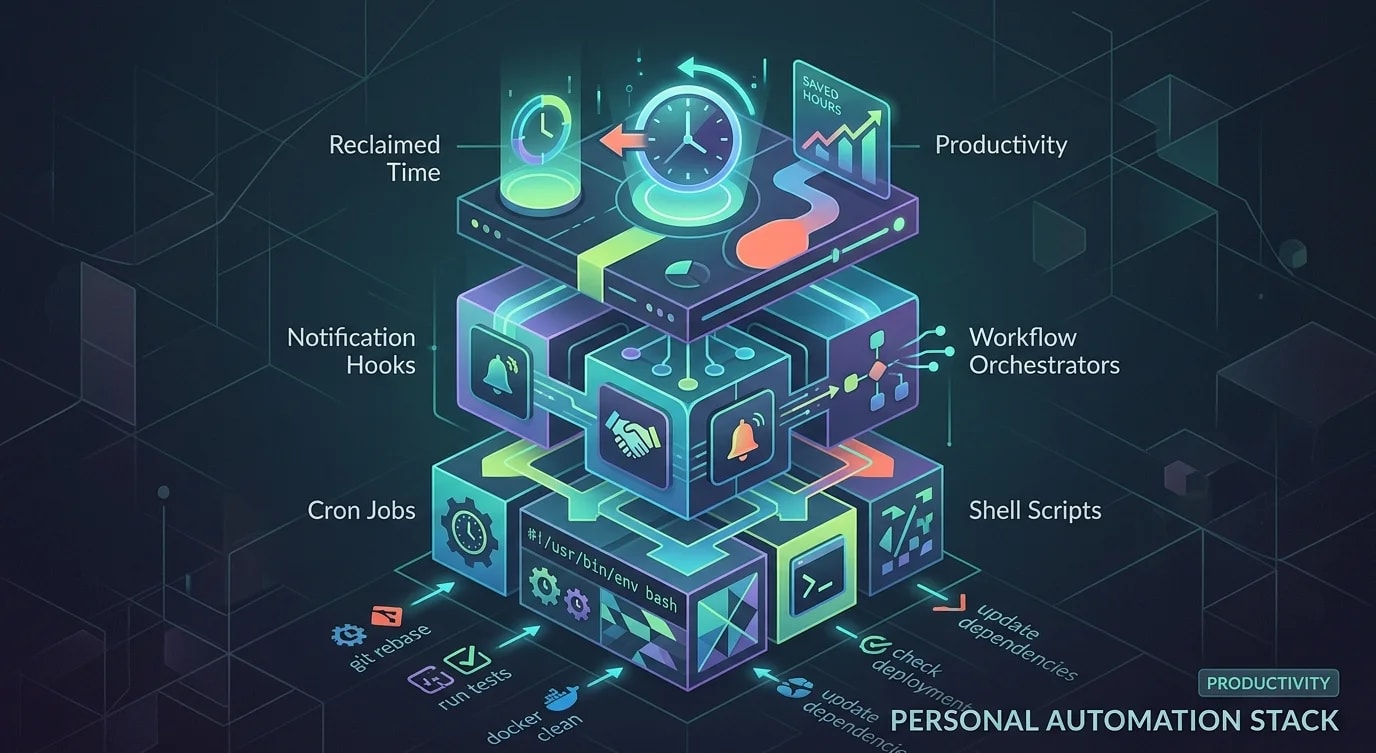
Every developer has tasks they do dozens of times a week that don't require thought—just execution. Rebasing branches, running test suites, checking deployment status, cleaning up docker volumes, updating dependencies, generating boilerplate files. Each one takes only a minute or two, but collectively they eat hours. Building a personal automation stack isn't about fancy AI-powered tools—it's about writing small scripts that eliminate the friction between intention and action.
The compound effect is massive. Automating five two-minute tasks saves 50 minutes per day. Over a year, that's 200 hours returned to actual engineering work.
Identifying Automation Candidates
Not every task is worth automating. The best candidates are tasks you do frequently, follow predictable steps, and have low variation between instances.
// ❌ Trying to automate everything at once
// "I'll build a system that handles all my workflows!"
// Result: overengineered tool that takes longer to maintain
// than the manual tasks it replaced// ✅ Score tasks for automation ROI
interface AutomationCandidate {
task: string;
frequencyPerWeek: number;
manualMinutes: number;
errorRate: number; // How often you make mistakes manually
automationHours: number; // Estimated time to automate
variability: "low" | "medium" | "high";
}
function calculateAutomationROI(
candidate: AutomationCandidate
): {
weeklyTimeSaved: number;
breakevenWeeks: number;
yearlyHoursSaved: number;
priority: "high" | "medium" | "low";
} {
const weeklyManualMinutes =
candidate.frequencyPerWeek * candidate.manualMinutes;
const automationMinutes = candidate.automationHours * 60;
// Factor in error recovery time
const errorRecoveryMinutes =
candidate.errorRate *
candidate.frequencyPerWeek *
candidate.manualMinutes * 2;
const weeklyTimeSaved =
weeklyManualMinutes + errorRecoveryMinutes;
const breakevenWeeks = automationMinutes / weeklyTimeSaved;
const yearlyHoursSaved = (weeklyTimeSaved * 48) / 60;
let priority: "high" | "medium" | "low";
if (breakevenWeeks < 4 && candidate.variability === "low") {
priority = "high";
} else if (breakevenWeeks < 12) {
priority = "medium";
} else {
priority = "low";
}
return {
weeklyTimeSaved,
breakevenWeeks: Math.ceil(breakevenWeeks),
yearlyHoursSaved: Math.round(yearlyHoursSaved),
priority,
};
}
// Example evaluation
const candidates: AutomationCandidate[] = [
{
task: "Rebase feature branch on main",
frequencyPerWeek: 15,
manualMinutes: 2,
errorRate: 0.1,
automationHours: 0.5,
variability: "low",
},
{
task: "Clean docker volumes and rebuild",
frequencyPerWeek: 5,
manualMinutes: 3,
errorRate: 0.05,
automationHours: 0.25,
variability: "low",
},
{
task: "Generate changelog from commits",
frequencyPerWeek: 2,
manualMinutes: 15,
errorRate: 0.2,
automationHours: 2,
variability: "medium",
},
];Git Workflow Automation
Git operations are the highest-frequency automation target for most developers. Small scripts that handle common patterns save significant time.
#!/usr/bin/env bash
# sync-branch: Rebase current branch on latest main

set -euo pipefail

CURRENT_BRANCH=$(git branch --show-current)
DEFAULT_BRANCH=${1:-main}

echo "Syncing $CURRENT_BRANCH with $DEFAULT_BRANCH..."

# Stash any work in progress
STASH_RESULT=$(git stash push -m "auto-stash-sync" 2>&1)
HAS_STASH=false
if [[ "$STASH_RESULT" != *"No local changes"* ]]; then
  HAS_STASH=true
fi

# Fetch and rebase
git fetch origin "$DEFAULT_BRANCH"
if ! git rebase "origin/$DEFAULT_BRANCH"; then
  echo "Rebase conflict detected. Aborting rebase."
  git rebase --abort
  if $HAS_STASH; then
    git stash pop
  fi
  exit 1
fi

# Restore stashed work
if $HAS_STASH; then
  git stash pop
fi

echo "✓ $CURRENT_BRANCH synced with $DEFAULT_BRANCH"// Git automation orchestrator
interface GitAutomation {
name: string;
trigger: "manual" | "schedule" | "hook";
script: string;
conditions?: () => boolean;
}
const gitAutomations: GitAutomation[] = [
{
name: "sync-branch",
trigger: "manual",
script: "./scripts/sync-branch.sh",
},
{
name: "cleanup-merged-branches",
trigger: "schedule",
script: `
git fetch --prune origin
git branch --merged main | grep -v main | xargs -r git branch -d
`,
},
{
name: "commit-wip",
trigger: "manual",
script: `
git add -A
git commit -m "wip: $(date +%H:%M) - $(git branch --show-current)"
`,
},
{
name: "squash-wip-commits",
trigger: "manual",
script: `
# Count WIP commits on current branch
WIP_COUNT=$(git log --oneline main..HEAD --grep="^wip:" | wc -l)
if [ "$WIP_COUNT" -gt 1 ]; then
git reset --soft HEAD~$WIP_COUNT
echo "Squashed $WIP_COUNT WIP commits. Stage and commit with a proper message."
fi
`,
},
];Development Environment Automation
Docker cleanup, dependency updates, and environment resets are frequent interruptions that scripts handle better.
#!/usr/bin/env bash
# dev-reset: Reset development environment to clean state

set -euo pipefail

echo "=== Development Environment Reset ==="

# Stop running containers
echo "Stopping containers..."
docker compose down --remove-orphans 2>/dev/null || true

# Clean up Docker resources
echo "Cleaning Docker resources..."
docker system prune -f --volumes 2>/dev/null || true

# Reinstall dependencies
echo "Installing dependencies..."
if [ -f "package-lock.json" ]; then
  npm ci
elif [ -f "bun.lockb" ]; then
  bun install
elif [ -f "yarn.lock" ]; then
  yarn install --frozen-lockfile
fi

# Run database migrations
echo "Running migrations..."
if [ -f "prisma/schema.prisma" ]; then
  npx prisma migrate dev
fi

# Start services
echo "Starting services..."
docker compose up -d

echo "=== Environment ready ==="// Scheduled maintenance tasks
interface ScheduledTask {
name: string;
cron: string;
command: string;
notify: boolean;
}
const maintenanceTasks: ScheduledTask[] = [
{
name: "Check for outdated dependencies",
cron: "0 9 * * MON", // Every Monday at 9 AM
command: "npx npm-check-updates --format group",
notify: true,
},
{
name: "Clean node_modules cache",
cron: "0 0 * * SUN", // Every Sunday midnight
command: "npm cache clean --force",
notify: false,
},
{
name: "Docker volume cleanup",
cron: "0 22 * * FRI", // Friday evening
command: "docker volume prune -f",
notify: false,
},
{
name: "Verify local SSL certificates",
cron: "0 10 1 * *", // First of every month
command: "mkcert -install && echo 'Certs OK'",
notify: true,
},
];Notification Hooks for Pipeline Awareness
Stay informed about builds, deploys, and reviews without constantly checking dashboards.
interface NotificationHook {
  source: string;
  event: string;
  condition?: (payload: unknown) => boolean;
  format: (payload: unknown) => NotificationMessage;
  channel: "terminal" | "desktop" | "slack";
}

interface NotificationMessage {
  title: string;
  body: string;
  urgency: "low" | "normal" | "critical";
}

const hooks: NotificationHook[] = [
  {
    source: "github",
    event: "check_suite.completed",
    condition: (payload: any) =>
      payload.conclusion === "failure" &&
      payload.head_branch === getCurrentBranch(),
    format: (payload: any) => ({
      title: "CI Failed",
      body: `Build failed on ${payload.head_branch}`,
      urgency: "critical",
    }),
    channel: "desktop",
  },
  {
    source: "github",
    event: "pull_request_review",
    condition: (payload: any) =>
      payload.review.state === "approved",
    format: (payload: any) => ({
      title: "PR Approved",
      body: `${payload.review.user.login} approved #${payload.pull_request.number}`,
      urgency: "normal",
    }),
    channel: "desktop",
  },
  {
    source: "deployment",
    event: "status_change",
    condition: (payload: any) =>
      payload.status === "succeeded",
    format: (payload: any) => ({
      title: "Deployed",
      body: `${payload.service} deployed to ${payload.environment}`,
      urgency: "low",
    }),
    channel: "terminal",
  },
];

function getCurrentBranch(): string {
  // Read from git
  return "main";
}

// Simple notification dispatcher
class NotificationDispatcher {
  async send(
    message: NotificationMessage,
    channel: string
  ): Promise<void> {
    switch (channel) {
      case "terminal":
        console.log(
          `\n📢 ${message.title}: ${message.body}\n`
        );
        break;
      case "desktop":
        // Use node-notifier or similar
        console.log(
          `🔔 [${message.urgency}] ${message.title}`
        );
        break;
    }
  }
}
Composing Automations into Workflows
Individual scripts become powerful when composed into workflows—sequences of automations triggered by a single command.
interface WorkflowStep {
  name: string;
  command: string;
  continueOnError: boolean;
  timeout: number; // seconds
}

interface Workflow {
  name: string;
  description: string;
  trigger: string; // CLI alias
  steps: WorkflowStep[];
}

const workflows: Workflow[] = [
  {
    name: "Start of Day",
    description: "Prepare development environment",
    trigger: "good-morning",
    steps: [
      {
        name: "Pull latest changes",
        command: "git fetch --all --prune",
        continueOnError: false,
        timeout: 30,
      },
      {
        name: "Sync branch",
        command: "./scripts/sync-branch.sh",
        continueOnError: true,
        timeout: 60,
      },
      {
        name: "Start services",
        command: "docker compose up -d",
        continueOnError: false,
        timeout: 120,
      },
      {
        name: "Run pending migrations",
        command: "npx prisma migrate dev",
        continueOnError: true,
        timeout: 30,
      },
      {
        name: "Check for review requests",
        command: "gh pr list --reviewer @me",
        continueOnError: true,
        timeout: 10,
      },
    ],
  },
  {
    name: "End of Day",
    description: "Clean up and prepare for tomorrow",
    trigger: "good-night",
    steps: [
      {
        name: "Commit WIP",
        command: 'git add -A && git commit -m "wip: end of day" || true',
        continueOnError: true,
        timeout: 10,
      },
      {
        name: "Push branches",
        command: "git push origin HEAD",
        continueOnError: true,
        timeout: 30,
      },
      {
        name: "Stop services",
        command: "docker compose down",
        continueOnError: false,
        timeout: 60,
      },
    ],
  },
];
Key Takeaways
Automation ROI depends on task frequency, manual time, and error rate—score candidates systematically rather than automating whatever annoys you most. Git operations are the highest-frequency target: branch syncing, merged branch cleanup, and WIP commit management save the most cumulative time. Environment maintenance scripts—Docker cleanup, dependency installation, migration running—should be idempotent and composable into larger workflows. Notification hooks keep you aware of CI failures, PR approvals, and deployment status without dashboard polling, letting you stay in flow. Compose individual scripts into named workflows like "start of day" and "end of day" that handle the routine setup and teardown you'd otherwise do manually. Start small—automate one high-frequency, low-variability task this week, measure the time saved, then expand. The personal automation stack grows organically from solving real friction, not from designing an elaborate system upfront.