Ein persönlicher Automatisierungs-Stack für Entwickler
Entwirf ein persönliches Automatisierungssystem gegen wiederkehrende Aufgaben: Shell-Skripte, Cron-Jobs, Hooks und leichte Orchestratoren.
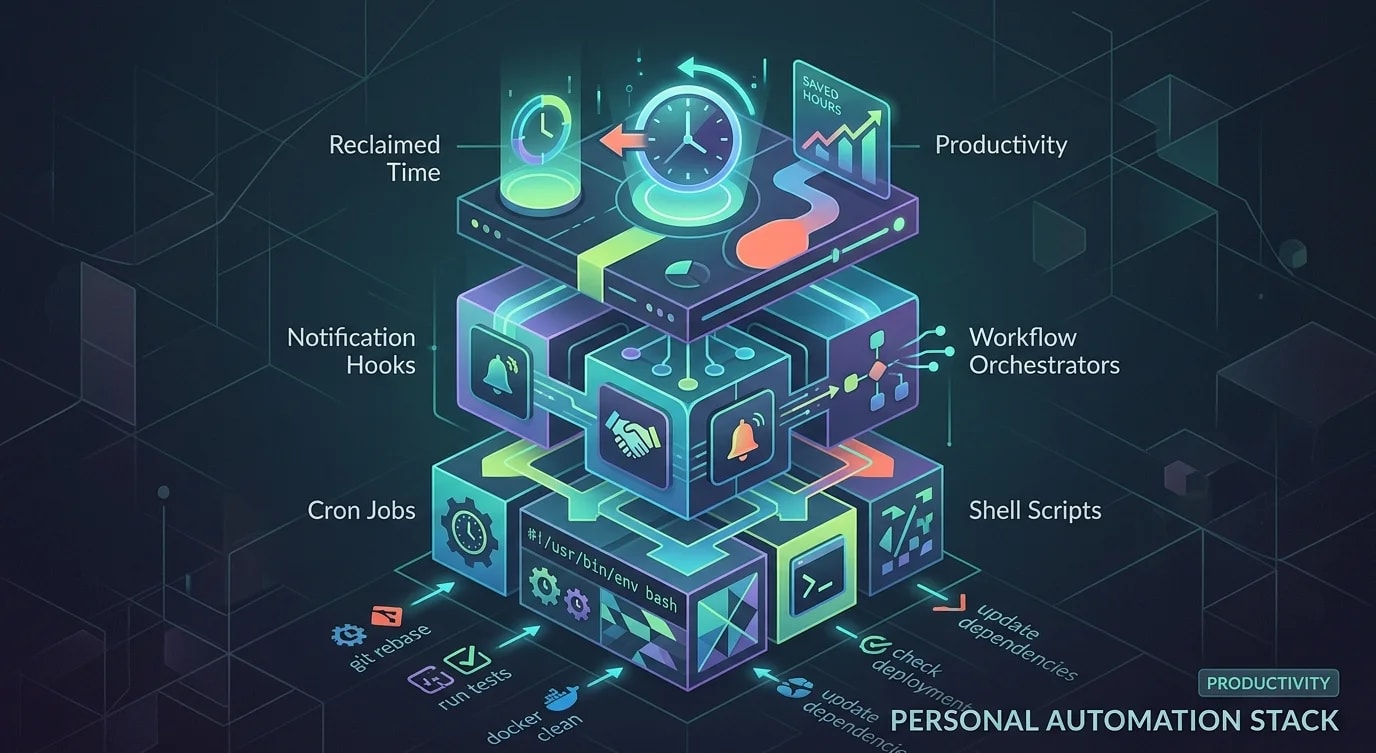
Jeder Entwickler hat Aufgaben, die er dutzende Male pro Woche erledigt und die kein Nachdenken erfordern, sondern nur Ausführung: Branches rebasen, Testsuiten laufen lassen, den Deployment-Status prüfen, Docker-Volumes aufräumen, Abhängigkeiten aktualisieren, Boilerplate-Dateien erzeugen. Jede einzelne dauert nur ein bis zwei Minuten, aber in Summe fressen sie Stunden. Bei einem persönlichen Automatisierungs-Stack geht es nicht um schicke KI-Tools, sondern darum, kleine Skripte zu schreiben, die die Reibung zwischen Vorhaben und Ausführung beseitigen.
Der kumulative Effekt ist enorm. Wer fünf Zwei-Minuten-Aufgaben automatisiert, spart 50 Minuten pro Tag. Auf ein Jahr gerechnet sind das 200 Stunden, die wieder der eigentlichen Entwicklungsarbeit zugutekommen.
Automatisierungskandidaten erkennen
Nicht jede Aufgabe lohnt sich zu automatisieren. Die besten Kandidaten sind Aufgaben, die du häufig erledigst, die vorhersehbaren Schritten folgen und die sich von Mal zu Mal kaum unterscheiden.
// ❌ Trying to automate everything at once
// "I'll build a system that handles all my workflows!"
// Result: overengineered tool that takes longer to maintain
// than the manual tasks it replaced// ✅ Score tasks for automation ROI
interface AutomationCandidate {
task: string;
frequencyPerWeek: number;
manualMinutes: number;
errorRate: number; // How often you make mistakes manually
automationHours: number; // Estimated time to automate
variability: "low" | "medium" | "high";
}
function calculateAutomationROI(
candidate: AutomationCandidate
): {
weeklyTimeSaved: number;
breakevenWeeks: number;
yearlyHoursSaved: number;
priority: "high" | "medium" | "low";
} {
const weeklyManualMinutes =
candidate.frequencyPerWeek * candidate.manualMinutes;
const automationMinutes = candidate.automationHours * 60;
// Factor in error recovery time
const errorRecoveryMinutes =
candidate.errorRate *
candidate.frequencyPerWeek *
candidate.manualMinutes * 2;
const weeklyTimeSaved =
weeklyManualMinutes + errorRecoveryMinutes;
const breakevenWeeks = automationMinutes / weeklyTimeSaved;
const yearlyHoursSaved = (weeklyTimeSaved * 48) / 60;
let priority: "high" | "medium" | "low";
if (breakevenWeeks < 4 && candidate.variability === "low") {
priority = "high";
} else if (breakevenWeeks < 12) {
priority = "medium";
} else {
priority = "low";
}
return {
weeklyTimeSaved,
breakevenWeeks: Math.ceil(breakevenWeeks),
yearlyHoursSaved: Math.round(yearlyHoursSaved),
priority,
};
}
// Example evaluation
const candidates: AutomationCandidate[] = [
{
task: "Rebase feature branch on main",
frequencyPerWeek: 15,
manualMinutes: 2,
errorRate: 0.1,
automationHours: 0.5,
variability: "low",
},
{
task: "Clean docker volumes and rebuild",
frequencyPerWeek: 5,
manualMinutes: 3,
errorRate: 0.05,
automationHours: 0.25,
variability: "low",
},
{
task: "Generate changelog from commits",
frequencyPerWeek: 2,
manualMinutes: 15,
errorRate: 0.2,
automationHours: 2,
variability: "medium",
},
];Automatisierung des Git-Workflows
Git-Operationen sind für die meisten Entwickler das Automatisierungsziel mit der höchsten Frequenz. Kleine Skripte, die gängige Muster abdecken, sparen erheblich Zeit.
#!/usr/bin/env bash
# sync-branch: Rebase current branch on latest main

set -euo pipefail

CURRENT_BRANCH=$(git branch --show-current)
DEFAULT_BRANCH=${1:-main}

echo "Syncing $CURRENT_BRANCH with $DEFAULT_BRANCH..."

# Stash any work in progress
STASH_RESULT=$(git stash push -m "auto-stash-sync" 2>&1)
HAS_STASH=false
if [[ "$STASH_RESULT" != *"No local changes"* ]]; then
  HAS_STASH=true
fi

# Fetch and rebase
git fetch origin "$DEFAULT_BRANCH"
if ! git rebase "origin/$DEFAULT_BRANCH"; then
  echo "Rebase conflict detected. Aborting rebase."
  git rebase --abort
  if $HAS_STASH; then
    git stash pop
  fi
  exit 1
fi

# Restore stashed work
if $HAS_STASH; then
  git stash pop
fi

echo "✓ $CURRENT_BRANCH synced with $DEFAULT_BRANCH"// Git automation orchestrator
interface GitAutomation {
name: string;
trigger: "manual" | "schedule" | "hook";
script: string;
conditions?: () => boolean;
}
const gitAutomations: GitAutomation[] = [
{
name: "sync-branch",
trigger: "manual",
script: "./scripts/sync-branch.sh",
},
{
name: "cleanup-merged-branches",
trigger: "schedule",
script: `
git fetch --prune origin
git branch --merged main | grep -v main | xargs -r git branch -d
`,
},
{
name: "commit-wip",
trigger: "manual",
script: `
git add -A
git commit -m "wip: $(date +%H:%M) - $(git branch --show-current)"
`,
},
{
name: "squash-wip-commits",
trigger: "manual",
script: `
# Count WIP commits on current branch
WIP_COUNT=$(git log --oneline main..HEAD --grep="^wip:" | wc -l)
if [ "$WIP_COUNT" -gt 1 ]; then
git reset --soft HEAD~$WIP_COUNT
echo "Squashed $WIP_COUNT WIP commits. Stage and commit with a proper message."
fi
`,
},
];Automatisierung der Entwicklungsumgebung
Docker-Aufräumarbeiten, Abhängigkeits-Updates und das Zurücksetzen der Umgebung sind häufige Unterbrechungen, die Skripte besser erledigen.
#!/usr/bin/env bash
# dev-reset: Reset development environment to clean state

set -euo pipefail

echo "=== Development Environment Reset ==="

# Stop running containers
echo "Stopping containers..."
docker compose down --remove-orphans 2>/dev/null || true

# Clean up Docker resources
echo "Cleaning Docker resources..."
docker system prune -f --volumes 2>/dev/null || true

# Reinstall dependencies
echo "Installing dependencies..."
if [ -f "package-lock.json" ]; then
  npm ci
elif [ -f "bun.lockb" ]; then
  bun install
elif [ -f "yarn.lock" ]; then
  yarn install --frozen-lockfile
fi

# Run database migrations
echo "Running migrations..."
if [ -f "prisma/schema.prisma" ]; then
  npx prisma migrate dev
fi

# Start services
echo "Starting services..."
docker compose up -d

echo "=== Environment ready ==="// Scheduled maintenance tasks
interface ScheduledTask {
name: string;
cron: string;
command: string;
notify: boolean;
}
const maintenanceTasks: ScheduledTask[] = [
{
name: "Check for outdated dependencies",
cron: "0 9 * * MON", // Every Monday at 9 AM
command: "npx npm-check-updates --format group",
notify: true,
},
{
name: "Clean node_modules cache",
cron: "0 0 * * SUN", // Every Sunday midnight
command: "npm cache clean --force",
notify: false,
},
{
name: "Docker volume cleanup",
cron: "0 22 * * FRI", // Friday evening
command: "docker volume prune -f",
notify: false,
},
{
name: "Verify local SSL certificates",
cron: "0 10 1 * *", // First of every month
command: "mkcert -install && echo 'Certs OK'",
notify: true,
},
];Benachrichtigungs-Hooks für den Überblick über die Pipeline
Bleib über Builds, Deploys und Reviews informiert, ohne ständig Dashboards checken zu müssen.
interface NotificationHook {
  source: string;
  event: string;
  condition?: (payload: unknown) => boolean;
  format: (payload: unknown) => NotificationMessage;
  channel: "terminal" | "desktop" | "slack";
}

interface NotificationMessage {
  title: string;
  body: string;
  urgency: "low" | "normal" | "critical";
}

const hooks: NotificationHook[] = [
  {
    source: "github",
    event: "check_suite.completed",
    condition: (payload: any) =>
      payload.conclusion === "failure" &&
      payload.head_branch === getCurrentBranch(),
    format: (payload: any) => ({
      title: "CI Failed",
      body: `Build failed on ${payload.head_branch}`,
      urgency: "critical",
    }),
    channel: "desktop",
  },
  {
    source: "github",
    event: "pull_request_review",
    condition: (payload: any) =>
      payload.review.state === "approved",
    format: (payload: any) => ({
      title: "PR Approved",
      body: `${payload.review.user.login} approved #${payload.pull_request.number}`,
      urgency: "normal",
    }),
    channel: "desktop",
  },
  {
    source: "deployment",
    event: "status_change",
    condition: (payload: any) =>
      payload.status === "succeeded",
    format: (payload: any) => ({
      title: "Deployed",
      body: `${payload.service} deployed to ${payload.environment}`,
      urgency: "low",
    }),
    channel: "terminal",
  },
];

function getCurrentBranch(): string {
  // Read from git
  return "main";
}

// Simple notification dispatcher
class NotificationDispatcher {
  async send(
    message: NotificationMessage,
    channel: string
  ): Promise<void> {
    switch (channel) {
      case "terminal":
        console.log(
          `\n📢 ${message.title}: ${message.body}\n`
        );
        break;
      case "desktop":
        // Use node-notifier or similar
        console.log(
          `🔔 [${message.urgency}] ${message.title}`
        );
        break;
    }
  }
}
Automatisierungen zu Workflows zusammensetzen
Einzelne Skripte entfalten ihre Stärke erst, wenn man sie zu Workflows zusammensetzt: Abfolgen von Automatisierungen, die durch einen einzigen Befehl ausgelöst werden.
interface WorkflowStep {
  name: string;
  command: string;
  continueOnError: boolean;
  timeout: number; // seconds
}

interface Workflow {
  name: string;
  description: string;
  trigger: string; // CLI alias
  steps: WorkflowStep[];
}

const workflows: Workflow[] = [
  {
    name: "Start of Day",
    description: "Prepare development environment",
    trigger: "good-morning",
    steps: [
      {
        name: "Pull latest changes",
        command: "git fetch --all --prune",
        continueOnError: false,
        timeout: 30,
      },
      {
        name: "Sync branch",
        command: "./scripts/sync-branch.sh",
        continueOnError: true,
        timeout: 60,
      },
      {
        name: "Start services",
        command: "docker compose up -d",
        continueOnError: false,
        timeout: 120,
      },
      {
        name: "Run pending migrations",
        command: "npx prisma migrate dev",
        continueOnError: true,
        timeout: 30,
      },
      {
        name: "Check for review requests",
        command: "gh pr list --reviewer @me",
        continueOnError: true,
        timeout: 10,
      },
    ],
  },
  {
    name: "End of Day",
    description: "Clean up and prepare for tomorrow",
    trigger: "good-night",
    steps: [
      {
        name: "Commit WIP",
        command: 'git add -A && git commit -m "wip: end of day" || true',
        continueOnError: true,
        timeout: 10,
      },
      {
        name: "Push branches",
        command: "git push origin HEAD",
        continueOnError: true,
        timeout: 30,
      },
      {
        name: "Stop services",
        command: "docker compose down",
        continueOnError: false,
        timeout: 60,
      },
    ],
  },
];
Das Wichtigste in Kürze
Der Automatisierungs-ROI hängt von der Häufigkeit der Aufgabe, dem manuellen Zeitaufwand und der Fehlerquote ab: Bewerte Kandidaten systematisch, statt einfach das zu automatisieren, was dich gerade am meisten nervt. Git-Operationen sind das Ziel mit der höchsten Frequenz: Branch-Synchronisation, das Aufräumen gemergter Branches und die Verwaltung von WIP-Commits sparen in Summe am meisten Zeit. Wartungsskripte für die Umgebung – Docker-Aufräumarbeiten, das Installieren von Abhängigkeiten, das Ausführen von Migrationen – sollten idempotent und zu größeren Workflows kombinierbar sein. Benachrichtigungs-Hooks halten dich über CI-Fehler, PR-Freigaben und den Deployment-Status auf dem Laufenden, ohne dass du ständig ein Dashboard abrufen musst, sodass du im Flow bleibst. Setze einzelne Skripte zu benannten Workflows wie "Tagesbeginn" und "Tagesende" zusammen, die die routinemäßige Vor- und Nachbereitung übernehmen, die du sonst manuell erledigen würdest. Fang klein an: Automatisiere diese Woche eine Aufgabe mit hoher Frequenz und geringer Variabilität, miss die eingesparte Zeit und erweitere dann. Der persönliche Automatisierungs-Stack wächst organisch aus dem Lösen echter Reibungsverluste, nicht aus dem Entwerfen eines ausgeklügelten Systems im Voraus.