Zero-Downtime-Deployments: Blue-Green und Canary
Praxisnaher Leitfaden zu Zero-Downtime-Deployments: Blue-Green, Canary-Releases und Rolling Updates mit automatisiertem Rollback.

Die Kosten von Ausfallzeiten beim Deployment
Jede Sekunde Ausfallzeit während eines Deployments kostet Umsatz, das Vertrauen der Nutzer und das Vertrauen im Team. Entwickler, die Deployments fürchten, deployen seltener. Seltenere Deployments bedeuten größere Changesets. Größere Changesets bedeuten ein höheres Risiko pro Deployment. Dieser Kreislauf macht aus dem Deployment ein stressiges, seltenes Ritual statt eines routinemäßigen, unspektakulären Vorgangs.
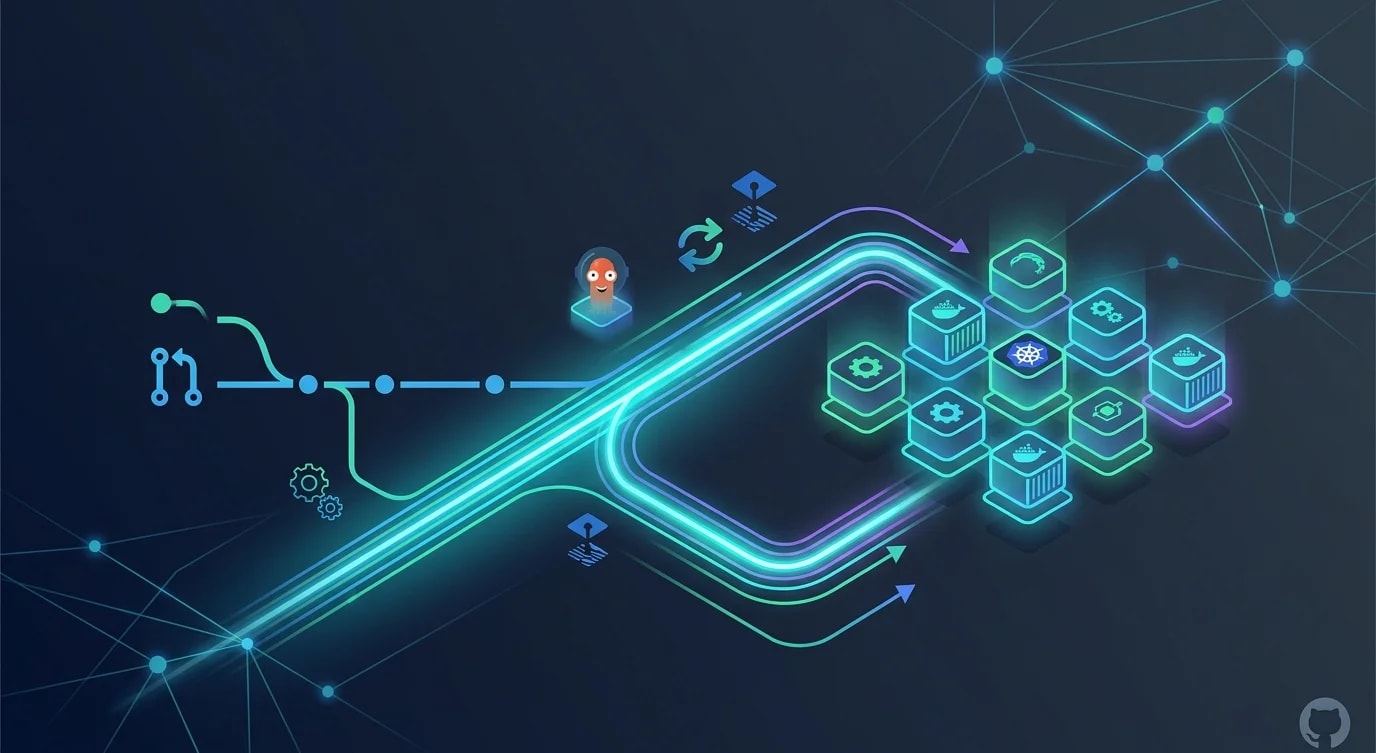
Zero-Downtime-Deployment durchbricht diesen Kreislauf. Wenn Deployments sicher und für die Nutzer unsichtbar sind, deployen Teams häufiger, mit kleineren Änderungen und mehr Zuversicht. Die hier behandelten Strategien – Blue-Green, Canary und Rolling Update – sind die Bausteine dieser Fähigkeit.
Blue-Green-Deployment-Architektur
Beim Blue-Green-Deployment werden zwei identische Produktionsumgebungen betrieben. Zu jedem Zeitpunkt bedient eine davon (blue) den Live-Traffic, während die andere (green) entweder ungenutzt bleibt oder die neue Version erhält. Ein Deployment bedeutet, den Router von blue auf green umzuschalten.
interface Environment {
  name: "blue" | "green";
  version: string;
  status: "active" | "idle" | "deploying" | "draining";
  healthCheckUrl: string;
  instances: number;
}

interface BlueGreenState {
  activeEnvironment: "blue" | "green";
  blue: Environment;
  green: Environment;
  lastSwitch: Date;
}

class BlueGreenDeployer {
  constructor(
    private state: BlueGreenState,
    private readonly loadBalancer: LoadBalancer,
    private readonly healthChecker: HealthChecker
  ) {}

  async deploy(newVersion: string): Promise<void> {
    const idle =
      this.state.activeEnvironment === "blue"
        ? this.state.green
        : this.state.blue;

    console.log(`Deploying ${newVersion} to ${idle.name} environment`);

    // Step 1: Deploy to idle environment
    idle.status = "deploying";
    await this.deployToEnvironment(idle, newVersion);

    // Step 2: Health check the new deployment
    idle.status = "idle";
    const healthy = await this.healthChecker.verify(
      idle.healthCheckUrl,
      { retries: 5, intervalMs: 3000 }
    );

    if (!healthy) {
      throw new Error(`Health check failed for ${idle.name} with ${newVersion}`);
    }

    // Step 3: Switch traffic
    console.log(`Switching traffic from ${this.state.activeEnvironment} to ${idle.name}`);
    await this.loadBalancer.route(idle.name);

    // Step 4: Update state
    const previous = this.state.activeEnvironment;
    this.state.activeEnvironment = idle.name;
    idle.status = "active";
    this.state[previous].status = "draining";
    this.state.lastSwitch = new Date();

    // Step 5: Drain old environment
    await this.waitForConnectionDrain(this.state[previous]);
    this.state[previous].status = "idle";

    console.log(`Deployment complete. ${idle.name} is now active.`);
  }

  async rollback(): Promise<void> {
    const previous =
      this.state.activeEnvironment === "blue" ? "green" : "blue";
    console.log(`Rolling back to ${previous} environment`);
    await this.loadBalancer.route(previous);
    this.state.activeEnvironment = previous;
  }

  private async deployToEnvironment(
    env: Environment,
    version: string
  ): Promise<void> {
    // Actual deployment logic (container pull, app restart, etc.)
    env.version = version;
  }

  private async waitForConnectionDrain(env: Environment): Promise<void> {
    // Wait for in-flight requests to complete
    await new Promise((resolve) => setTimeout(resolve, 30000));
  }
}
Der entscheidende Vorteil von Blue-Green ist das sofortige Rollback. Treten bei der neuen Version Probleme auf, dauert die Rückkehr zur vorherigen Umgebung nur Sekunden, da diese noch mit der letzten funktionierenden Version läuft.
Canary-Release-Umsetzung
Bei einem Canary-Release erhält ein kleiner Prozentsatz des Traffics die neue Version, während der Großteil weiterhin auf der aktuellen Version bleibt. Bleiben die Metriken unauffällig, wird der Traffic schrittweise auf die neue Version verlagert.
interface CanaryConfig {
  initialPercentage: number;
  steps: number[];
  stepDurationMs: number;
  rollbackThresholds: {
    errorRate: number;
    p99Latency: number;
    successRate: number;
  };
}

// ❌ All-or-nothing deployment — no safety net
async function riskyDeploy(version: string): Promise<void> {
  await deployToAllInstances(version);
  // If it's broken, ALL users are affected immediately
}

// ✅ Gradual canary rollout with automatic rollback
class CanaryDeployer {
  constructor(
    private readonly config: CanaryConfig,
    private readonly router: TrafficRouter,
    private readonly metrics: MetricsCollector
  ) {}

  async deploy(newVersion: string): Promise<boolean> {
    // Deploy canary instances with new version
    await this.deployCanaryInstances(newVersion);

    // Route initial traffic percentage
    await this.router.setCanaryWeight(this.config.initialPercentage);
    console.log(`Canary started at ${this.config.initialPercentage}% traffic`);

    // Gradually increase traffic
    for (const percentage of this.config.steps) {
      await this.wait(this.config.stepDurationMs);

      const healthy = await this.checkCanaryHealth();
      if (!healthy) {
        console.error(`Canary unhealthy at ${percentage}% — rolling back`);
        await this.rollback();
        return false;
      }

      await this.router.setCanaryWeight(percentage);
      console.log(`Canary promoted to ${percentage}% traffic`);
    }

    // Full promotion
    await this.promoteCanary(newVersion);
    console.log("Canary fully promoted");
    return true;
  }

  private async checkCanaryHealth(): Promise<boolean> {
    const canaryMetrics = await this.metrics.getCanaryMetrics();
    const baselineMetrics = await this.metrics.getBaselineMetrics();
    const thresholds = this.config.rollbackThresholds;

    if (canaryMetrics.errorRate > thresholds.errorRate) {
      console.error(
        `Error rate ${canaryMetrics.errorRate}% exceeds threshold ${thresholds.errorRate}%`
      );
      return false;
    }

    if (canaryMetrics.p99Latency > thresholds.p99Latency) {
      console.error(
        `P99 latency ${canaryMetrics.p99Latency}ms exceeds threshold ${thresholds.p99Latency}ms`
      );
      return false;
    }

    return true;
  }

  private async rollback(): Promise<void> {
    await this.router.setCanaryWeight(0);
    await this.destroyCanaryInstances();
  }

  private async promoteCanary(version: string): Promise<void> {
    await this.deployToAllInstances(version);
    await this.router.setCanaryWeight(0);
    await this.destroyCanaryInstances();
  }
}
Canary-Releases begrenzen den Wirkungsradius. Enthält die neue Version einen Fehler, der 1 % der Anfragen betrifft, ist während der Beobachtungsphase auch nur dieser Canary-Anteil der Nutzer betroffen.
Rolling-Update-Konfiguration in Kubernetes
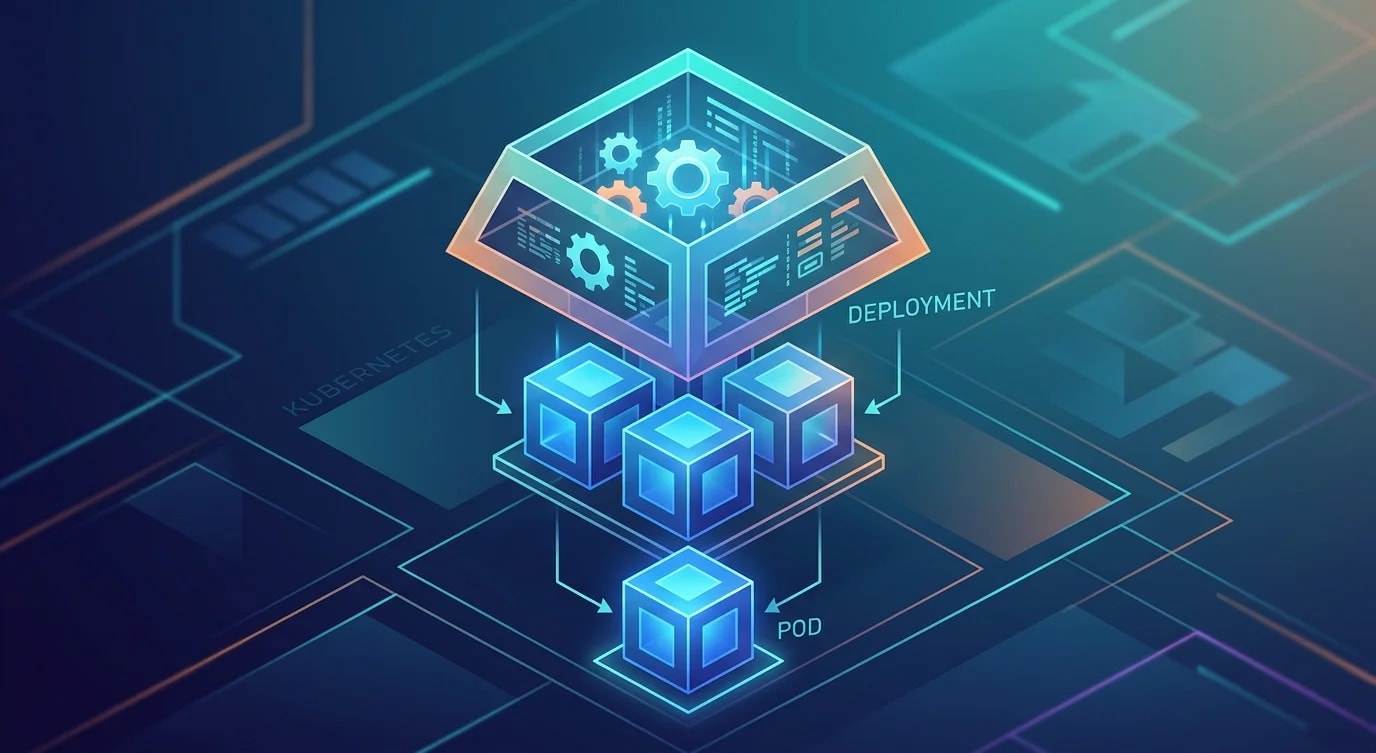
Kubernetes unterstützt Rolling Updates nativ. Die Konfiguration bestimmt, wie aggressiv neue Pods die alten ersetzen und welche Health-Checks vorher bestanden werden müssen.
# deployment.yaml
apiVersion: apps/v1
kind: Deployment
metadata:
  name: api-server
spec:
  replicas: 6
  strategy:
    type: RollingUpdate
    rollingUpdate:
      maxUnavailable: 1    # At most 1 pod down during update
      maxSurge: 2           # At most 2 extra pods during update
  template:
    spec:
      containers:
        - name: api
          image: registry.example.com/api:v2.3.0
          ports:
            - containerPort: 3000
          readinessProbe:
            httpGet:
              path: /health/ready
              port: 3000
            initialDelaySeconds: 5
            periodSeconds: 10
            failureThreshold: 3
          livenessProbe:
            httpGet:
              path: /health/live
              port: 3000
            initialDelaySeconds: 15
            periodSeconds: 20
            failureThreshold: 3
          lifecycle:
            preStop:
              exec:
command: ["/bin/sh", "-c", "sleep 15"]// Health check endpoint implementation
import express from "express";
const app = express();
let isReady = false;
let isShuttingDown = false;
// Readiness probe — am I ready to receive traffic?
app.get("/health/ready", (req, res) => {
if (isReady && !isShuttingDown) {
res.status(200).json({ status: "ready" });
} else {
res.status(503).json({ status: "not-ready" });
}
});
// Liveness probe — am I still alive?
app.get("/health/live", (req, res) => {
res.status(200).json({ status: "alive" });
});
// Graceful shutdown
process.on("SIGTERM", () => {
console.log("SIGTERM received — starting graceful shutdown");
isShuttingDown = true;
// Stop accepting new requests
isReady = false;
// Allow in-flight requests to complete
setTimeout(() => {
process.exit(0);
}, 30000);
});
// Startup initialization
async function initialize(): Promise<void> {
await connectToDatabase();
await warmCaches();
isReady = true;
console.log("Application ready to serve traffic");
}Der preStop-Hook fügt eine Verzögerung ein, bevor der Container das SIGTERM-Signal erhält, und verschafft dem Load-Balancer damit Zeit, den Traffic nicht mehr zu diesem Pod zu leiten. Ohne diese Verzögerung können Anfragen einen Pod erreichen, der sich bereits im Herunterfahren befindet.
Datenbankmigrationsstrategie für Zero-Downtime-Deployments
Code-Deployments sind unkompliziert. Datenbankmigrationen sind der Punkt, an dem Zero-Downtime-Deployments komplex werden. Die Regel lautet: Jede Migration muss abwärtskompatibel mit der vorherigen Codeversion sein.
// Migration strategy: expand-then-contract

// Step 1: EXPAND — Add new column (backward compatible)
// Deploy migration while old code is still running
const expandMigration = `
  ALTER TABLE users ADD COLUMN display_name VARCHAR(255);
  -- Old code ignores this column, new code can start using it
`;

// Step 2: MIGRATE DATA — Backfill the new column
const dataMigration = `
  UPDATE users SET display_name = name WHERE display_name IS NULL;
  -- Run in batches for large tables
`;

// Step 3: Deploy new code that reads from display_name
// Both old and new code work during rolling update

// Step 4: CONTRACT — Remove old column (after all instances run new code)
const contractMigration = `
  ALTER TABLE users DROP COLUMN name;
  -- Only safe after all old code instances are gone
`;

// Implementation pattern for dual-read during transition
interface UserRepository {
  getDisplayName(userId: string): Promise<string>;
}

class TransitionalUserRepository implements UserRepository {
  async getDisplayName(userId: string): Promise<string> {
    const row = await db.query(
      "SELECT display_name, name FROM users WHERE id = $1",
      [userId]
    );
    // Read new column first, fall back to old
    return row.display_name || row.name;
  }
}
Automatisierte Rollback-Trigger
Ein manuelles Rollback ist langsam. Ein automatisiertes, metrikbasiertes Rollback erkennt Probleme schneller als eine menschliche Beobachtung es könnte.
interface RollbackPolicy {
  metric: string;
  threshold: number;
  comparison: "gt" | "lt";
  windowSeconds: number;
  consecutive: number;
}

const rollbackPolicies: RollbackPolicy[] = [
  {
    metric: "http_error_rate_5xx",
    threshold: 5,
    comparison: "gt",
    windowSeconds: 60,
    consecutive: 3,
  },
  {
    metric: "http_latency_p99_ms",
    threshold: 2000,
    comparison: "gt",
    windowSeconds: 120,
    consecutive: 2,
  },
  {
    metric: "health_check_success_rate",
    threshold: 95,
    comparison: "lt",
    windowSeconds: 30,
    consecutive: 3,
  },
];

class AutomatedRollbackMonitor {
  private violations = new Map<string, number>();

  async evaluate(policies: RollbackPolicy[]): Promise<boolean> {
    for (const policy of policies) {
      const value = await this.getMetricValue(
        policy.metric,
        policy.windowSeconds
      );

      const violated =
        policy.comparison === "gt"
          ? value > policy.threshold
          : value < policy.threshold;

      const key = policy.metric;
      const count = violated
        ? (this.violations.get(key) ?? 0) + 1
        : 0;
      this.violations.set(key, count);

      if (count >= policy.consecutive) {
        console.error(
          `Rollback triggered: ${policy.metric} = ${value} (threshold: ${policy.threshold}) for ${count} consecutive checks`
        );
        return true;
      }
    }
    return false;
  }

  private async getMetricValue(
    metric: string,
    windowSeconds: number
  ): Promise<number> {
    // Query metrics backend (Prometheus, Datadog, etc.)
    return 0;
  }
}
Die wichtigsten Erkenntnisse
Zero-Downtime-Deployment lässt sich mit den Strategien Blue-Green, Canary und Rolling Update erreichen. Blue-Green ermöglicht durch das Umschalten der Umgebung ein sofortiges Rollback. Canary-Releases begrenzen den Wirkungsradius, indem sie den Traffic schrittweise verlagern. Rolling Updates sind Kubernetes-nativ und funktionieren mit den richtigen Health-Checks zuverlässig.
Datenbankmigrationen müssen abwärtskompatibel sein – nutzen Sie das Expand-then-Contract-Muster, um Schemaänderungen von Code-Deployments zu entkoppeln. Implementieren Sie in Ihren Anwendungen ein geordnetes Herunterfahren, damit laufende Anfragen abgeschlossen werden, bevor der Prozess beendet wird. Automatisieren Sie Rollback-Trigger auf Basis von Fehlerraten und Latenzschwellenwerten, damit Probleme in Sekunden statt Minuten erkannt werden.
Das Ziel ist, Deployments langweilig zu machen. Wenn das Deployen sicher, schnell und reversibel ist, deployen Teams häufiger und mit kleineren Änderungen – und kleinere Änderungen sind von Natur aus weniger riskant.