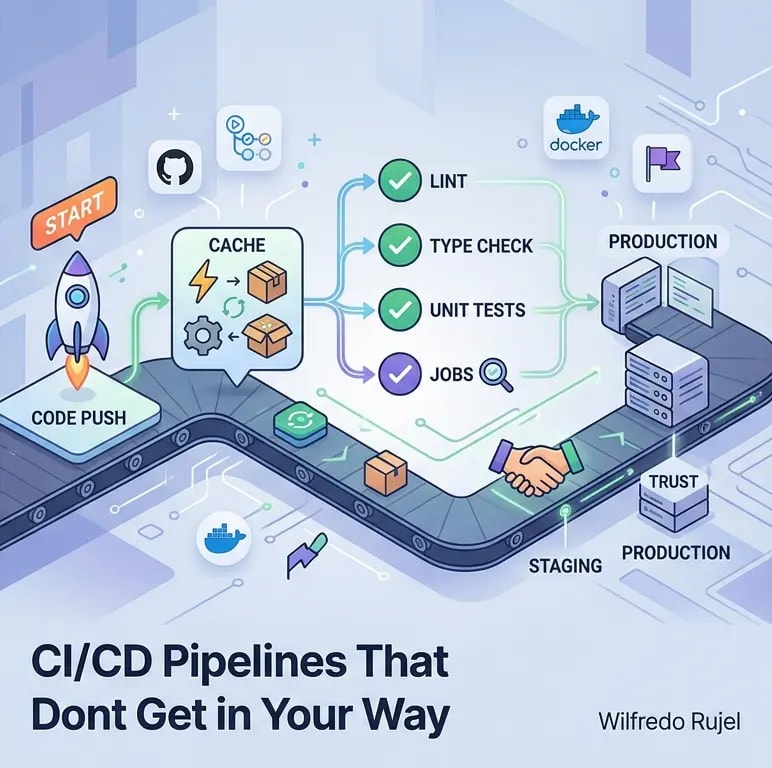
Automating Developer Workflows with GitHub Actions
Practical GitHub Actions patterns for automating CI/CD, code quality checks, dependency updates, and release workflows — with reusable workflow examples.

GitHub Actions started as a simple CI tool but has become a full workflow automation platform. Beyond running tests, teams use it to enforce code quality, automate releases, keep dependencies updated, and coordinate multi-service deployments. The key is understanding the patterns that make workflows maintainable as they grow.
Most teams start with a single workflow file that does everything. That works until it does not. This guide covers the patterns that scale.
Basic CI Pipeline
Every repository needs a CI pipeline that runs on pull requests. Start simple, then add complexity only when needed.
# .github/workflows/ci.yml
name: CI

on:
  pull_request:
    branches: [main]
  push:
    branches: [main]

jobs:
  lint:
    runs-on: ubuntu-latest
    steps:
      - uses: actions/checkout@v4
      - uses: actions/setup-node@v4
        with:
          node-version: 20
          cache: 'npm'
      - run: npm ci
      - run: npm run lint

  test:
    runs-on: ubuntu-latest
    steps:
      - uses: actions/checkout@v4
      - uses: actions/setup-node@v4
        with:
          node-version: 20
          cache: 'npm'
      - run: npm ci
      - run: npm test -- --coverage
      - uses: actions/upload-artifact@v4
        with:
          name: coverage-report
          path: coverage/
Lint and test run in parallel — if linting fails, you see it immediately without waiting for tests. Both jobs cache node_modules through the setup-node action's built-in cache.
Matrix Builds for Cross-Environment Testing
Test across multiple Node versions, operating systems, or database versions with matrix strategies.
# ❌ Separate jobs for each environment — repetitive and hard to maintain
jobs:
  test-node-18:
    runs-on: ubuntu-latest
    steps:
      - uses: actions/checkout@v4
      - uses: actions/setup-node@v4
        with:
          node-version: 18
      - run: npm ci && npm test

  test-node-20:
    runs-on: ubuntu-latest
    steps:
      - uses: actions/checkout@v4
      - uses: actions/setup-node@v4
        with:
          node-version: 20
- run: npm ci && npm test# ✅ Matrix strategy — one job definition, multiple environments
jobs:
test:
runs-on: ${{ matrix.os }}
strategy:
matrix:
node-version: [18, 20, 22]
os: [ubuntu-latest, windows-latest]
fail-fast: false # Don't cancel other jobs if one fails
steps:
- uses: actions/checkout@v4
- uses: actions/setup-node@v4
with:
node-version: ${{ matrix.node-version }}
cache: 'npm'
- run: npm ci
- run: npm testfail-fast: false is important — without it, a failure on one combination cancels all running jobs. You want to see all failures at once, not fix them one by one.
Reusable Workflows
When multiple repositories need the same CI pipeline, duplicate YAML spreads across repos and drifts. Reusable workflows solve this.
# .github/workflows/reusable-node-ci.yml (in a shared repository)
name: Reusable Node CI

on:
  workflow_call:
    inputs:
      node-version:
        required: false
        type: string
        default: '20'
      run-e2e:
        required: false
        type: boolean
        default: false
    secrets:
      NPM_TOKEN:
        required: false

jobs:
  build-and-test:
    runs-on: ubuntu-latest
    steps:
      - uses: actions/checkout@v4
      - uses: actions/setup-node@v4
        with:
          node-version: ${{ inputs.node-version }}
          cache: 'npm'
          registry-url: 'https://registry.npmjs.org'
        env:
          NODE_AUTH_TOKEN: ${{ secrets.NPM_TOKEN }}
      - run: npm ci
      - run: npm run build
      - run: npm test

  e2e:
    if: ${{ inputs.run-e2e }}
    runs-on: ubuntu-latest
    needs: build-and-test
    steps:
      - uses: actions/checkout@v4
      - uses: actions/setup-node@v4
        with:
          node-version: ${{ inputs.node-version }}
          cache: 'npm'
      - run: npm ci
      - run: npx playwright install --with-deps
- run: npm run test:e2e# .github/workflows/ci.yml (in consuming repositories)
name: CI
on:
pull_request:
branches: [main]
jobs:
ci:
uses: my-org/shared-workflows/.github/workflows/reusable-node-ci.yml@main
with:
node-version: '20'
run-e2e: true
secrets:
NPM_TOKEN: ${{ secrets.NPM_TOKEN }}Changes to the shared workflow propagate to all repositories that reference it. Pin to a specific SHA or tag for stability in production repos.
Automated Release Workflow
Automate version bumping and changelog generation based on conventional commits.
# .github/workflows/release.yml
name: Release

on:
  push:
    branches: [main]

permissions:
  contents: write
  pull-requests: write

jobs:
  release:
    runs-on: ubuntu-latest
    steps:
      - uses: actions/checkout@v4
        with:
          fetch-depth: 0  # Need full history for changelog

      - uses: actions/setup-node@v4
        with:
          node-version: 20
          cache: 'npm'
          registry-url: 'https://registry.npmjs.org'

      - run: npm ci
      - run: npm run build
      - run: npm test

      - name: Determine version bump
        id: version
        run: |
          # Check commit messages since last tag
          LAST_TAG=$(git describe --tags --abbrev=0 2>/dev/null || echo "v0.0.0")
          COMMITS=$(git log ${LAST_TAG}..HEAD --pretty=format:"%s")

          if echo "$COMMITS" | grep -q "^feat!:\|^BREAKING CHANGE:"; then
            echo "bump=major" >> "$GITHUB_OUTPUT"
          elif echo "$COMMITS" | grep -q "^feat:"; then
            echo "bump=minor" >> "$GITHUB_OUTPUT"
          else
            echo "bump=patch" >> "$GITHUB_OUTPUT"
          fi

      - name: Bump version and create tag
        run: |
          git config user.name "github-actions[bot]"
          git config user.email "github-actions[bot]@users.noreply.github.com"
          npm version ${{ steps.version.outputs.bump }} -m "chore: release v%s"
          git push --follow-tags

      - name: Publish to npm
        run: npm publish
        env:
          NODE_AUTH_TOKEN: ${{ secrets.NPM_TOKEN }}
Conditional Workflows with Path Filters
Large monorepos should not run all checks for every change. Path filters ensure only relevant workflows trigger.
# ❌ Every PR runs the full pipeline regardless of what changed
on:
  pull_request:
branches: [main]# ✅ Only run when relevant files change
on:
pull_request:
branches: [main]
paths:
- 'src/**'
- 'package.json'
- 'package-lock.json'
- '.github/workflows/ci.yml'
# Also useful: ignore paths
on:
pull_request:
branches: [main]
paths-ignore:
- 'docs/**'
- '*.md'
- '.vscode/**'For monorepo services, use separate workflow files with path filters per service. A change to services/auth/** only triggers the auth service pipeline.
Caching and Performance
CI speed directly affects developer productivity. Cache aggressively and parallelize everything possible.
jobs:
  install:
    runs-on: ubuntu-latest
    steps:
      - uses: actions/checkout@v4
      - uses: actions/setup-node@v4
        with:
          node-version: 20
          cache: 'npm'
      - run: npm ci

      # Cache the entire node_modules for downstream jobs
      - uses: actions/cache/save@v4
        with:
          path: node_modules
          key: modules-${{ hashFiles('package-lock.json') }}

  lint:
    needs: install
    runs-on: ubuntu-latest
    steps:
      - uses: actions/checkout@v4
      - uses: actions/cache/restore@v4
        with:
          path: node_modules
          key: modules-${{ hashFiles('package-lock.json') }}
      - run: npm run lint

  test-unit:
    needs: install
    runs-on: ubuntu-latest
    steps:
      - uses: actions/checkout@v4
      - uses: actions/cache/restore@v4
        with:
          path: node_modules
          key: modules-${{ hashFiles('package-lock.json') }}
      - run: npm run test:unit

  test-integration:
    needs: install
    runs-on: ubuntu-latest
    steps:
      - uses: actions/checkout@v4
      - uses: actions/cache/restore@v4
        with:
          path: node_modules
          key: modules-${{ hashFiles('package-lock.json') }}
      - run: npm run test:integration
Install once, then fan out to lint, unit tests, and integration tests in parallel. The cache/save and cache/restore split avoids downloading dependencies three times.
Key Takeaways
- Separate concerns into parallel jobs — lint, test, and build should run concurrently, not sequentially
- Use matrix builds for cross-environment testing and set
fail-fast: falseto see all failures - Extract reusable workflows when multiple repos share the same pipeline logic
- Use path filters to avoid running irrelevant workflows in monorepos
- Cache aggressively — install dependencies once, share via cache across parallel jobs
- Automate releases with conventional commits and version bumping workflows