Writing Resilient Integration Tests That Actually Catch Bugs
Patterns for integration tests that are reliable, fast, and catch real bugs — covering database setup, API testing, and avoiding flaky test syndrome.
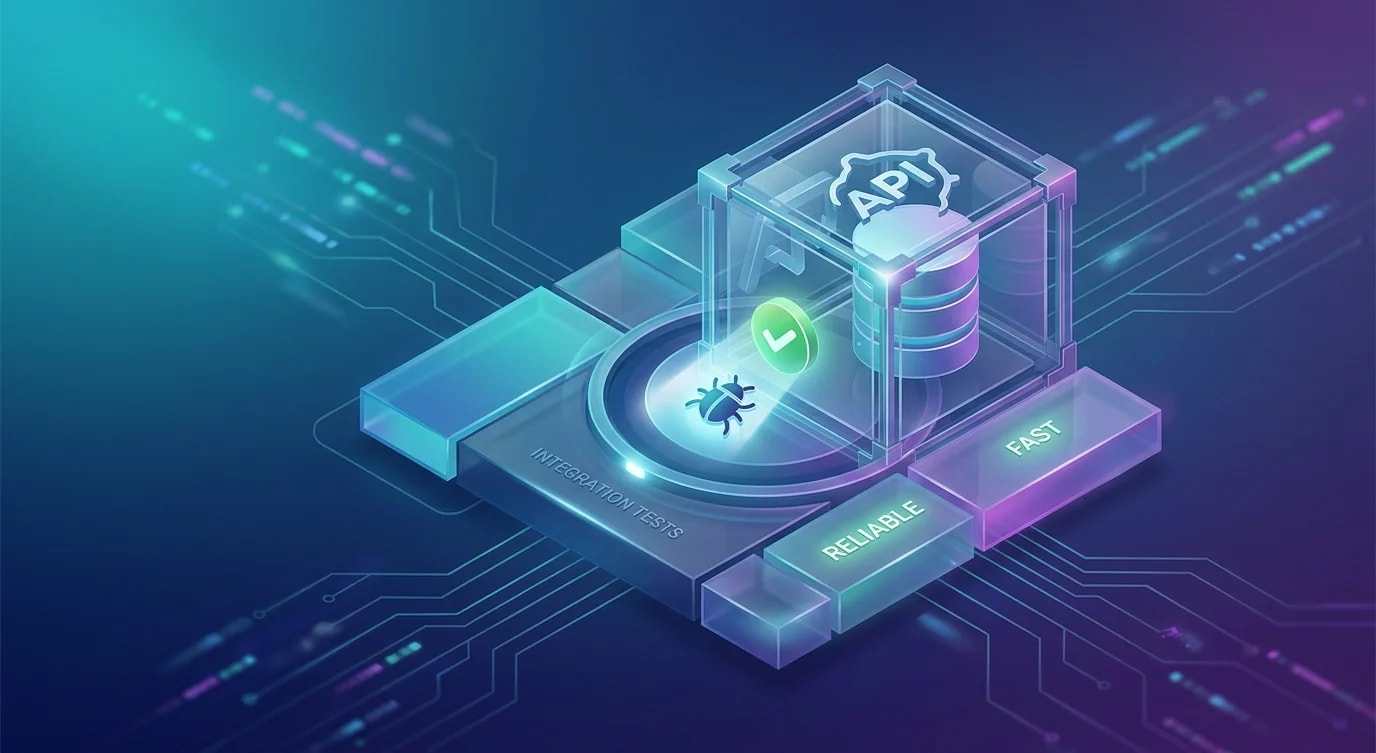
Unit tests verify isolated logic. End-to-end tests verify complete user flows. Integration tests occupy the middle ground — they verify that components work together correctly. A function that passes unit tests can still fail when connected to a real database, a real HTTP client, or a real message queue. Integration tests catch those failures.
The challenge is keeping integration tests fast and deterministic. Flaky tests erode trust faster than no tests at all. These patterns produce integration tests that run reliably in CI and on developer machines.
Database Test Setup
Every integration test needs a predictable database state. There are two strategies: reset the database before each test, or use transactions that roll back after each test.
// ❌ Shared mutable state — tests depend on execution order
describe('UserService', () => {
  it('creates a user', async () => {
    const user = await userService.create({ name: 'Alice' });
    expect(user.id).toBeDefined();
  });

  it('lists all users', async () => {
    // Fails if 'creates a user' didn't run first
    // Fails if another test added extra users
    const users = await userService.findAll();
    expect(users).toHaveLength(1);
  });
});// ✅ Transaction rollback — each test starts with a clean slate
import { dataSource } from '../src/database';
let queryRunner: QueryRunner;
beforeEach(async () => {
queryRunner = dataSource.createQueryRunner();
await queryRunner.startTransaction();
// Override the default connection to use this transaction
jest.spyOn(dataSource, 'createQueryRunner').mockReturnValue(queryRunner);
});
afterEach(async () => {
await queryRunner.rollbackTransaction();
await queryRunner.release();
jest.restoreAllMocks();
});
describe('UserService', () => {
it('creates a user', async () => {
const user = await userService.create({ name: 'Alice' });
expect(user.id).toBeDefined();
// Transaction rolls back — database unchanged for next test
});
it('lists all users after creation', async () => {
await userService.create({ name: 'Bob' });
const users = await userService.findAll();
expect(users).toHaveLength(1); // Only Bob — Alice was rolled back
});
});Transaction rollback is fast because it avoids truncating and re-seeding tables. Each test runs in isolation without filesystem or network cleanup.
Test Database Lifecycle
Integration tests need a real database, not an in-memory substitute. SQLite behaves differently from PostgreSQL. Mocking the database eliminates the integration you are trying to test.
// test/setup.ts — shared database lifecycle
import { DataSource } from 'typeorm';
import { execSync } from 'child_process';

let testDataSource: DataSource;

export async function setupTestDatabase(): Promise<DataSource> {
  // Use a dedicated test database
  const dbName = `test_${process.env.JEST_WORKER_ID || '1'}`;

  testDataSource = new DataSource({
    type: 'postgres',
    host: process.env.DB_HOST || 'localhost',
    port: 5432,
    username: 'test_user',
    password: 'test_password',
    database: dbName,
    entities: ['src/entities/**/*.ts'],
    synchronize: true,
    logging: false,
  });

  await testDataSource.initialize();
  return testDataSource;
}

export async function teardownTestDatabase(): Promise<void> {
  if (testDataSource?.isInitialized) {
    await testDataSource.destroy();
  }
}

export function getTestDataSource(): DataSource {
  return testDataSource;
}# docker-compose.test.yml — test database container
services:
test-db:
image: postgres:15-alpine
environment:
POSTGRES_USER: test_user
POSTGRES_PASSWORD: test_password
POSTGRES_DB: test_1
ports:
- "5433:5432"
tmpfs:
- /var/lib/postgresql/data # RAM disk — fast and disposableUsing tmpfs for the database data directory keeps tests fast — writes go to memory, not disk. The database container is disposable, rebuilt from scratch on each CI run.
API Integration Tests
Testing HTTP endpoints requires sending real requests to a running server. Use supertest or a similar library to make requests without managing a separate server process.
import request from 'supertest';
import { app } from '../src/app';
import { setupTestDatabase, teardownTestDatabase } from './setup';

beforeAll(async () => {
  await setupTestDatabase();
});

afterAll(async () => {
  await teardownTestDatabase();
});

describe('POST /api/users', () => {
  it('creates a user and returns 201', async () => {
    const response = await request(app)
      .post('/api/users')
      .send({ name: 'Alice', email: 'alice@example.com' })
      .expect(201);

    expect(response.body).toMatchObject({
      id: expect.any(String),
      name: 'Alice',
      email: 'alice@example.com',
    });
  });

  it('returns 400 for invalid email', async () => {
    const response = await request(app)
      .post('/api/users')
      .send({ name: 'Alice', email: 'not-an-email' })
      .expect(400);

    expect(response.body.errors).toContainEqual(
      expect.objectContaining({ field: 'email' })
    );
  });

  it('returns 409 for duplicate email', async () => {
    await request(app)
      .post('/api/users')
      .send({ name: 'Alice', email: 'alice@example.com' });

    await request(app)
      .post('/api/users')
      .send({ name: 'Bob', email: 'alice@example.com' })
      .expect(409);
  });
});
Testing the full request-response cycle catches serialization bugs, middleware issues, and validation logic that unit tests miss. A handler that works perfectly in isolation can fail when authentication middleware modifies the request object.
Avoiding Flaky Tests
Flaky tests have three primary causes: timing dependencies, shared state, and non-deterministic data. Each has a specific fix.
// ❌ Timing dependency — passes locally, fails in slow CI
it('processes the job within 100ms', async () => {
  await jobQueue.enqueue({ type: 'email', to: 'alice@example.com' });
  await new Promise((resolve) => setTimeout(resolve, 100));
  const job = await jobQueue.getLatestCompleted();
  expect(job.status).toBe('completed');
});

// ✅ Poll with timeout — works regardless of machine speed
it('processes the job', async () => {
  await jobQueue.enqueue({ type: 'email', to: 'alice@example.com' });

  const job = await waitFor(
    () => jobQueue.getLatestCompleted(),
    {
      timeout: 5000,
      interval: 100,
      predicate: (j) => j?.status === 'completed',
    }
  );

  expect(job.status).toBe('completed');
});// Helper: poll until a condition is met or timeout
async function waitFor<T>(
fn: () => Promise<T>,
options: {
timeout: number;
interval: number;
predicate: (result: T) => boolean;
}
): Promise<T> {
const start = Date.now();
while (Date.now() - start < options.timeout) {
const result = await fn();
if (options.predicate(result)) {
return result;
}
await new Promise((r) => setTimeout(r, options.interval));
}
throw new Error(`waitFor timed out after ${options.timeout}ms`);
}// ❌ Non-deterministic data — test depends on current time
it('creates an event with correct date', async () => {
const event = await eventService.create({ title: 'Standup' });
expect(event.createdAt).toEqual(new Date()); // Milliseconds can differ
});
// ✅ Deterministic time — freeze or approximate
it('creates an event with correct date', async () => {
jest.useFakeTimers();
jest.setSystemTime(new Date('2021-03-15T10:00:00Z'));
const event = await eventService.create({ title: 'Standup' });
expect(event.createdAt).toEqual(new Date('2021-03-15T10:00:00Z'));
jest.useRealTimers();
});Testing External Service Boundaries
When your code calls external APIs (payment providers, email services, third-party data), use contract testing or recorded responses instead of hitting real services.
import nock from 'nock';

describe('PaymentService', () => {
  afterEach(() => {
    nock.cleanAll();
  });

  it('processes a successful payment', async () => {
    nock('https://api.stripe.test')
      .post('/v1/charges')
      .reply(200, {
        id: 'ch_test_123',
        status: 'succeeded',
        amount: 2000,
        currency: 'usd',
      });

    const result = await paymentService.charge({
      amount: 2000,
      currency: 'usd',
      source: 'tok_test',
    });

    expect(result.status).toBe('succeeded');
    expect(result.chargeId).toBe('ch_test_123');
  });

  it('handles payment failure gracefully', async () => {
    nock('https://api.stripe.test')
      .post('/v1/charges')
      .reply(402, {
        error: { type: 'card_error', message: 'Card declined' },
      });

    const result = await paymentService.charge({
      amount: 2000,
      currency: 'usd',
      source: 'tok_declined',
    });

    expect(result.status).toBe('failed');
    expect(result.error).toContain('Card declined');
  });
});
nock intercepts HTTP requests at the network level, so the code under test uses its real HTTP client. This catches issues that would be hidden by mocking the service layer directly — URL construction errors, header formatting, response parsing.
Structuring Test Files
Group integration tests by the system boundary they exercise, not by the source file they test.
tests/
  integration/
    api/
      users.test.ts        # POST/GET/PUT/DELETE /api/users
      orders.test.ts       # POST/GET /api/orders
      auth.test.ts         # Login, logout, token refresh
    database/
      user-repository.test.ts
      order-repository.test.ts
    external/
      payment-service.test.ts
      email-service.test.ts
    setup.ts               # Shared database lifecycle
    helpers.ts             # Test utilities (waitFor, factories)
  unit/
    services/
    utils/
// jest.config.js — separate configs for unit and integration tests
{
  "projects": [
    {
      "displayName": "unit",
      "testMatch": ["<rootDir>/tests/unit/**/*.test.ts"]
    },
    {
      "displayName": "integration",
      "testMatch": ["<rootDir>/tests/integration/**/*.test.ts"],
      "globalSetup": "<rootDir>/tests/integration/global-setup.ts",
      "globalTeardown": "<rootDir>/tests/integration/global-teardown.ts"
    }
  ]
}
Separating unit and integration tests lets you run jest --selectProjects unit for fast feedback during development and the full suite in CI.
Key Takeaways
- Use transaction rollback for database isolation — faster than truncation, guarantees clean state per test
- Run against a real database, not SQLite — the integration you skip testing is the one that breaks in production
- Replace fixed delays with polling —
waitForwith a timeout eliminates timing-dependent flakiness - Use
nockfor external APIs — intercepts at the HTTP level, catches real serialization and URL bugs - Freeze time in tests — non-deterministic dates are the second most common source of flakiness
- Separate unit and integration test configs — fast feedback locally, full coverage in CI