Strangler Fig: Migrating Monoliths Without a Rewrite
A practical guide to replacing legacy monoliths incrementally with the strangler fig pattern: routing strategies, data synchronization and rollback nets.

Why Big Rewrites Fail
Every engineering team eventually faces the same temptation: the legacy system is painful, the codebase is tangled, and someone proposes rewriting it from scratch. The reasoning sounds logical. In practice, big rewrites fail more often than they succeed.
The new system has to reach feature parity with a moving target. The old system continues evolving while the new one is being built. Business stakeholders lose patience when the rewrite takes twice as long as estimated—because it always does. Meanwhile, both systems need maintenance, and the team is split between them.
The strangler fig pattern offers an alternative. Named after the fig vine that slowly envelops a host tree, the pattern replaces a legacy system incrementally—one capability at a time—until the old system can be removed entirely. At every step, the system works. At every step, you can stop and still have delivered value.
How the Pattern Works
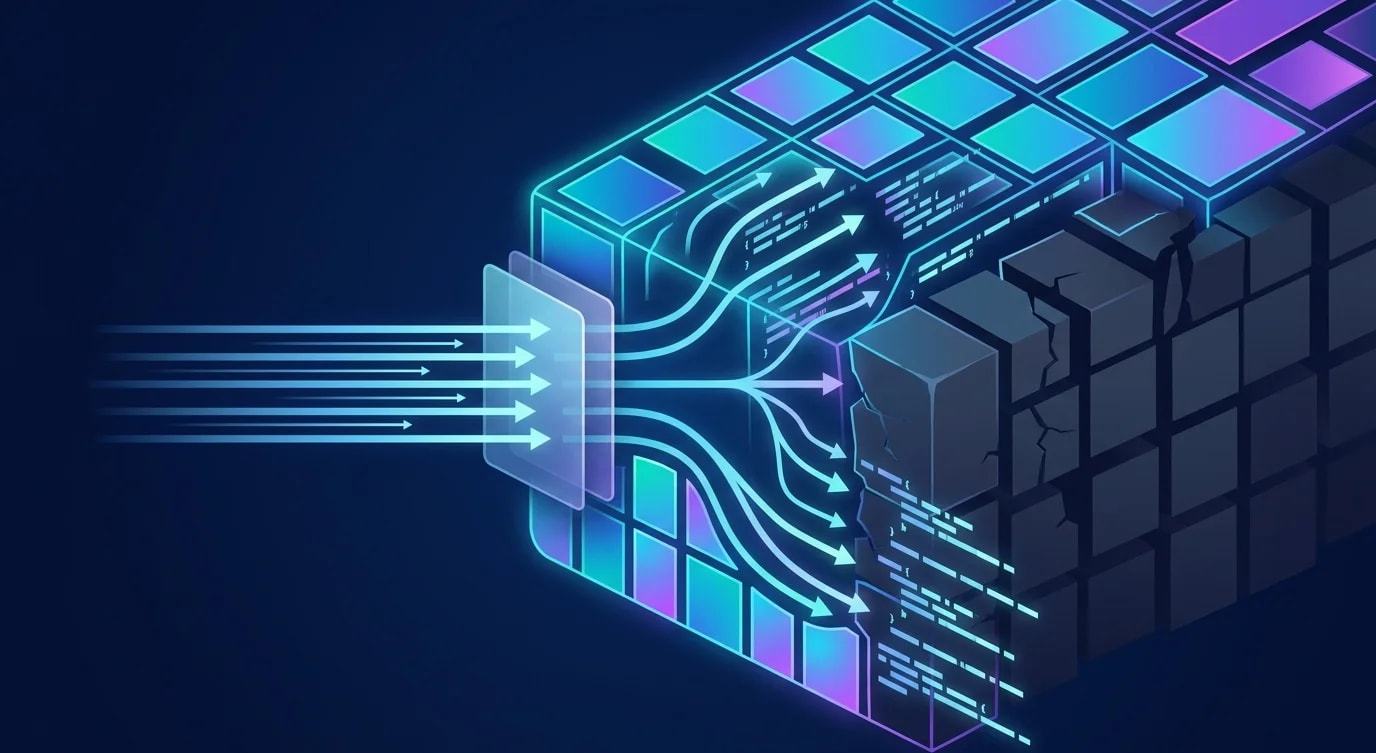
The strangler fig operates through three mechanisms: intercept, route, and replace. A routing layer sits in front of both the old and new systems. Requests enter through this layer, which decides whether to send them to the legacy system or the new service.
// API Gateway / Routing Layer
import { NextRequest, NextResponse } from "next/server";

interface RouteConfig {
  pattern: RegExp;
  target: "legacy" | "new";
  fallback?: "legacy" | "new";
  shadowMode?: boolean;
}

const routeTable: RouteConfig[] = [
  // Already migrated — all traffic to new service
  { pattern: /^\/api\/users/, target: "new" },
  // In progress — shadow mode for validation
  { pattern: /^\/api\/orders/, target: "legacy", shadowMode: true },
  // Not yet migrated — legacy handles it
  { pattern: /^\/api\/inventory/, target: "legacy" },
  // Partially migrated — new service with legacy fallback
  { pattern: /^\/api\/payments/, target: "new", fallback: "legacy" },
];

const SERVICE_URLS: Record<string, string> = {
  legacy: process.env.LEGACY_URL!,
  new: process.env.NEW_SERVICE_URL!,
};

async function routeRequest(req: NextRequest): Promise<NextResponse> {
  const path = req.nextUrl.pathname;
  const route = routeTable.find((r) => r.pattern.test(path));

  if (!route) {
    return proxyTo(req, "legacy");
  }

  if (route.shadowMode) {
    return handleShadowMode(req, route);
  }

  try {
    return await proxyTo(req, route.target);
  } catch (error) {
    if (route.fallback) {
      console.error(`Primary target failed, falling back:`, error);
      return proxyTo(req, route.fallback);
    }
    throw error;
  }
}
The route table is the control plane for your migration. Each endpoint can be independently switched between legacy and new. The fallback mechanism means a failing new service automatically degrades to the legacy system instead of causing an outage.
Shadow Mode: Validating Without Risk
Before switching production traffic to a new service, you need confidence that it produces correct results. Shadow mode sends requests to both systems simultaneously, compares the responses, and always returns the legacy response to the user.
async function handleShadowMode(
  req: NextRequest,
  route: RouteConfig
): Promise<NextResponse> {
  const legacyPromise = proxyTo(req, "legacy");

  // Fire-and-forget to new service — don't block the response
  compareShadowResponse(req, route).catch((err) =>
    console.error("Shadow comparison failed:", err)
  );

  return legacyPromise;
}

async function compareShadowResponse(
  req: NextRequest,
  route: RouteConfig
): Promise<void> {
  const clonedReq = req.clone();

  try {
    const [legacyRes, newRes] = await Promise.all([
      proxyTo(req, "legacy"),
      proxyTo(clonedReq, "new"),
    ]);

    const legacyBody = await legacyRes.json();
    const newBody = await newRes.json();

    const differences = findDifferences(legacyBody, newBody);

    if (differences.length > 0) {
      await logDiscrepancy({
        path: req.nextUrl.pathname,
        method: req.method,
        differences,
        timestamp: new Date().toISOString(),
      });
    }
  } catch (error) {
    await logDiscrepancy({
      path: req.nextUrl.pathname,
      method: req.method,
      error: (error as Error).message,
      timestamp: new Date().toISOString(),
    });
  }
}

function findDifferences(legacy: unknown, current: unknown): string[] {
  const diffs: string[] = [];

  function compare(a: unknown, b: unknown, path: string): void {
    if (typeof a !== typeof b) {
      diffs.push(`${path}: type mismatch (${typeof a} vs ${typeof b})`);
      return;
    }

    if (a === null || b === null) {
      if (a !== b) diffs.push(`${path}: null mismatch`);
      return;
    }

    if (typeof a === "object" && typeof b === "object") {
      const aObj = a as Record<string, unknown>;
      const bObj = b as Record<string, unknown>;
      const keys = new Set([...Object.keys(aObj), ...Object.keys(bObj)]);

      for (const key of keys) {
        compare(aObj[key], bObj[key], `${path}.${key}`);
      }
      return;
    }

    if (a !== b) {
      diffs.push(`${path}: value mismatch (${String(a)} vs ${String(b)})`);
    }
  }

  compare(legacy, current, "root");
  return diffs;
}
Shadow mode is your safety net. Run it for days or weeks. Analyze the discrepancy logs. When the new service consistently matches the legacy system's behavior, you can switch traffic with confidence.
Data Synchronization During Migration
The hardest part of strangler fig migrations is data. The legacy system and new services often need access to the same data, potentially in different schemas. You have three options: shared database, data synchronization, or dual writes.
// Change Data Capture (CDC) for real-time synchronization
import { Kafka, Consumer } from "kafkajs";

interface ChangeEvent {
  table: string;
  operation: "INSERT" | "UPDATE" | "DELETE";
  before: Record<string, unknown> | null;
  after: Record<string, unknown> | null;
  timestamp: string;
}

async function setupCDCConsumer(): Promise<Consumer> {
  const kafka = new Kafka({ brokers: [process.env.KAFKA_BROKER!] });
  const consumer = kafka.consumer({ groupId: "migration-sync" });

  await consumer.connect();
  await consumer.subscribe({
    topic: "legacy-db.public.orders",
    fromBeginning: false,
  });

  await consumer.run({
    eachMessage: async ({ message }) => {
      const event: ChangeEvent = JSON.parse(
        message.value?.toString() || "{}"
      );

      await syncToNewSchema(event);
    },
  });

  return consumer;
}

async function syncToNewSchema(event: ChangeEvent): Promise<void> {
  if (event.table !== "orders" || !event.after) return;

  const legacyOrder = event.after;

  // Transform legacy schema to new schema
  const newOrder = {
    id: legacyOrder.order_id,
    customerId: legacyOrder.customer_id,
    items: JSON.parse(legacyOrder.items_json as string),
    total: {
      amount: legacyOrder.total_cents,
      currency: legacyOrder.currency || "USD",
    },
    status: mapLegacyStatus(legacyOrder.status as string),
    createdAt: legacyOrder.created_at,
    updatedAt: new Date().toISOString(),
  };

  await newOrdersDb.upsert(newOrder);
}

function mapLegacyStatus(status: string): string {
  const statusMap: Record<string, string> = {
    "0": "pending",
    "1": "confirmed",
    "2": "shipped",
    "3": "delivered",
    "-1": "cancelled",
  };
  return statusMap[status] || "unknown";
}
Change Data Capture using Debezium and Kafka is the most robust synchronization approach. It captures every database change from the legacy system's transaction log and pushes it to consumers. The new service transforms and stores the data in its own schema.
Feature Flags for Gradual Rollout
Combining the strangler fig with feature flags gives you fine-grained control over the migration. Instead of switching entire endpoints, you can migrate by user segment, percentage, or geography.
interface MigrationFlag {
  name: string;
  enabled: boolean;
  rolloutPercentage: number;
  allowList: string[];
  blockList: string[];
}

const migrationFlags: Map<string, MigrationFlag> = new Map([
  [
    "orders-v2",
    {
      name: "orders-v2",
      enabled: true,
      rolloutPercentage: 25,
      allowList: ["internal-team", "beta-users"],
      blockList: ["enterprise-customer-a"],
    },
  ],
]);

function shouldUseNewService(
  flagName: string,
  userId: string,
  userGroups: string[]
): boolean {
  const flag = migrationFlags.get(flagName);
  if (!flag || !flag.enabled) return false;

  // Block list takes priority
  if (flag.blockList.some((g) => userGroups.includes(g))) return false;

  // Allow list gets immediate access
  if (flag.allowList.some((g) => userGroups.includes(g))) return true;

  // Percentage-based rollout using consistent hashing
  const hash = simpleHash(`${flagName}:${userId}`);
  return (hash % 100) < flag.rolloutPercentage;
}

function simpleHash(input: string): number {
  let hash = 0;
  for (let i = 0; i < input.length; i++) {
    const char = input.charCodeAt(i);
    hash = ((hash << 5) - hash) + char;
    hash = hash & hash; // Convert to 32-bit integer
  }
  return Math.abs(hash);
}
Consistent hashing based on user ID ensures the same user always gets the same experience within a given rollout percentage. This prevents users from bouncing between old and new systems across requests.
Measuring Migration Progress
A migration without metrics is a migration without accountability. Track both technical progress and business impact at every stage.
interface MigrationMetrics {
  endpoint: string;
  totalRequests: number;
  legacyRequests: number;
  newServiceRequests: number;
  fallbacksTriggered: number;
  shadowDiscrepancies: number;
  p99LatencyLegacy: number;
  p99LatencyNew: number;
  errorRateLegacy: number;
  errorRateNew: number;
}

function generateMigrationReport(
  metrics: MigrationMetrics[]
): string {
  let report = "# Migration Progress Report\n\n";
  report += "| Endpoint | Migration % | Fallbacks | Discrepancies | P99 New vs Legacy |\n";
  report += "|----------|------------|-----------|---------------|-------------------|\n";

  for (const m of metrics) {
    const migrationPct = (
      (m.newServiceRequests / m.totalRequests) * 100
    ).toFixed(1);

    const latencyComparison =
      m.p99LatencyNew < m.p99LatencyLegacy ? "faster" : "slower";

    report += `| ${m.endpoint} | ${migrationPct}% | ${m.fallbacksTriggered} | ${m.shadowDiscrepancies} | ${latencyComparison} |\n`;
  }

  return report;
}
The fallback count is your reliability signal. If the new service triggers fallbacks frequently, it is not ready for full traffic. The shadow discrepancy count tells you whether the new service is behaviorally correct. Both should trend toward zero before you decommission the legacy endpoint.
Decommissioning: The Final Step
The migration is not complete until the legacy system is off. This step gets delayed indefinitely if you do not plan for it explicitly.
Once an endpoint has zero legacy traffic for a sustained period (typically 2-4 weeks), remove the routing rule, archive the legacy code for that feature, and drop the synchronization pipeline for that data domain. Each decommissioned endpoint simplifies the system and reduces operational burden.
Key Takeaways
The strangler fig pattern transforms a risky big-bang rewrite into a series of small, reversible migrations. Every step delivers value. Every step can be paused or rolled back. The legacy system continues serving users while the new system proves itself.
The pattern demands investment in three capabilities: a routing layer that can direct traffic precisely, a data synchronization pipeline that keeps both systems consistent, and monitoring that quantifies migration progress. Without all three, you are not migrating incrementally—you are maintaining two systems indefinitely.
Migrations end not when the new system is built, but when the old system is decommissioned. Plan for both from the beginning.