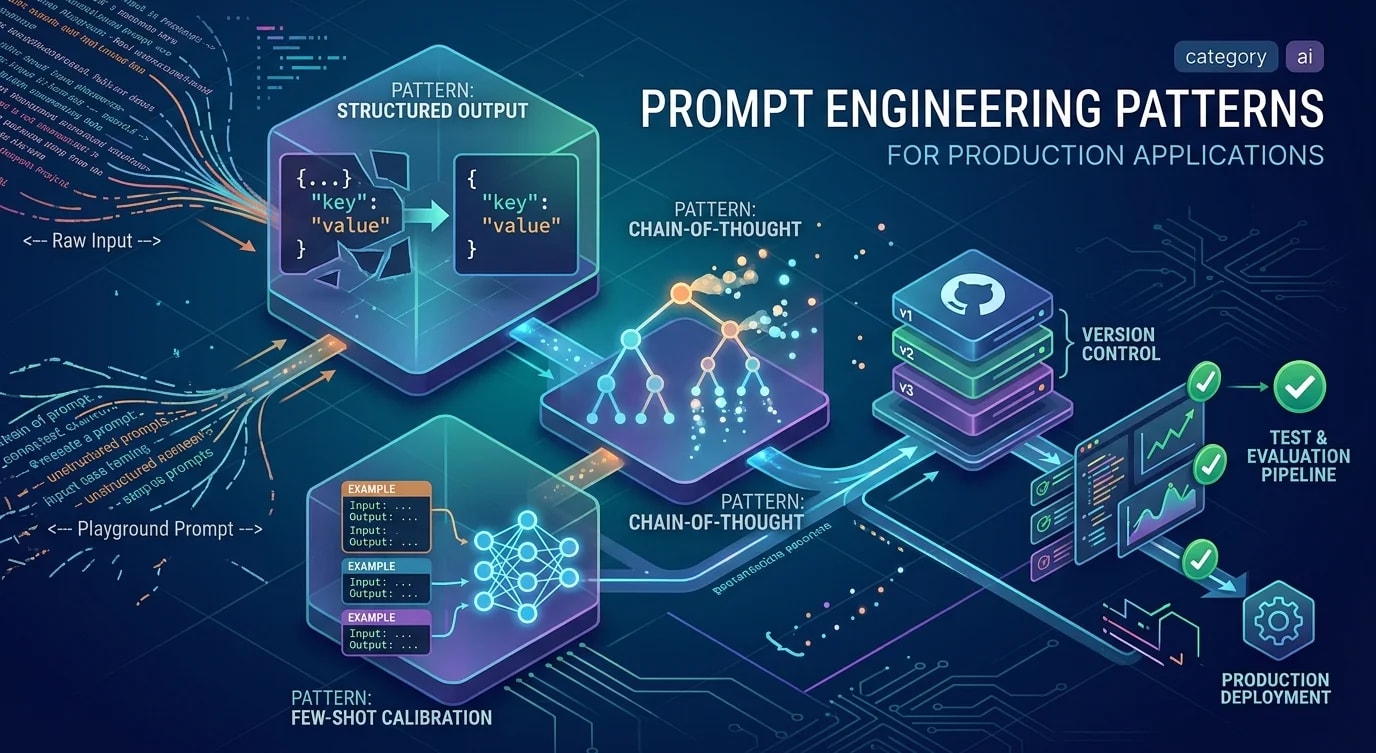
Integrating LLMs: Patterns That Hold Up in Production
Practical patterns for reliable, cost-efficient LLM features: prompt engineering, streaming, structured outputs, fallbacks and cost management.

LLMs Are Infrastructure Now
In 2024, AI features were differentiators. In 2026, they're table stakes. The question is no longer whether to integrate LLMs, but how to do it in a way that's reliable, maintainable, and economical.
This guide is about production patterns — not demos.
Pattern 1: Streaming First
LLMs can take 5-30 seconds to generate a full response. Without streaming, users stare at a blank screen. With streaming, they see content appear immediately.
// app/api/chat/route.ts
import Anthropic from "@anthropic-ai/sdk";

const client = new Anthropic();

export async function POST(req: Request) {
  const { messages } = await req.json();

  const stream = client.messages.stream({
    model: "claude-sonnet-4-6",
    max_tokens: 1024,
    messages,
  });

  // Return a ReadableStream that the client can consume incrementally
  const readable = new ReadableStream({
    async start(controller) {
      for await (const chunk of stream) {
        if (
          chunk.type === "content_block_delta" &&
          chunk.delta.type === "text_delta"
        ) {
          controller.enqueue(new TextEncoder().encode(chunk.delta.text));
        }
      }
      controller.close();
    },
  });

  return new Response(readable, {
    headers: {
      "Content-Type": "text/plain; charset=utf-8",
      "Transfer-Encoding": "chunked",
    },
  });
}// Client-side — render as the stream arrives
async function streamResponse(prompt: string) {
const response = await fetch("/api/chat", {
method: "POST",
body: JSON.stringify({ messages: [{ role: "user", content: prompt }] }),
});
const reader = response.body!.getReader();
const decoder = new TextDecoder();
let result = "";
while (true) {
const { done, value } = await reader.read();
if (done) break;
result += decoder.decode(value, { stream: true });
setOutput(result); // Update UI incrementally
}
}Pattern 2: Structured Outputs for Reliable Parsing
Free-form text from an LLM is unreliable as structured data. Use tools/function calling to get typed responses.
import Anthropic from "@anthropic-ai/sdk";
import { z } from "zod";

const client = new Anthropic();

const ProductExtractionSchema = z.object({
  name: z.string(),
  price: z.number(),
  currency: z.string(),
  availability: z.enum(["in_stock", "out_of_stock", "limited"]),
  features: z.array(z.string()),
});

type ProductExtraction = z.infer<typeof ProductExtractionSchema>;

async function extractProductInfo(rawText: string): Promise<ProductExtraction> {
  const response = await client.messages.create({
    model: "claude-sonnet-4-6",
    max_tokens: 1024,
    tools: [
      {
        name: "extract_product",
        description: "Extract structured product information from text",
        input_schema: {
          type: "object",
          properties: {
            name: { type: "string" },
            price: { type: "number" },
            currency: { type: "string" },
            availability: {
              type: "string",
              enum: ["in_stock", "out_of_stock", "limited"],
            },
            features: { type: "array", items: { type: "string" } },
          },
          required: ["name", "price", "currency", "availability", "features"],
        },
      },
    ],
    tool_choice: { type: "tool", name: "extract_product" },
    messages: [{ role: "user", content: rawText }],
  });

  const toolUse = response.content.find((c) => c.type === "tool_use");
  if (!toolUse || toolUse.type !== "tool_use") {
    throw new Error("LLM did not use the extraction tool");
  }

  return ProductExtractionSchema.parse(toolUse.input);
}
This gives you type-safe outputs validated at runtime — no more fragile regex parsing of LLM responses.
Pattern 3: Prompt Management
Prompts are code. Treat them like code.
// prompts/summarize.ts — versioned, testable prompts
export const SUMMARIZE_PROMPT = {
  version: "v3",
  system: `You are a technical content summarizer.
Your summaries are:
- Concise: 3-5 bullet points maximum
- Technical: preserve exact technical terms
- Actionable: focus on what the reader should know or do
Never include filler phrases like "In this article..." or "To summarize..."`,

  user: (content: string, maxBullets: number = 5) =>
    `Summarize the following technical content in ${maxBullets} bullet points:\n\n${content}`,
};

// Use the prompt
const response = await client.messages.create({
  model: "claude-sonnet-4-6",
  system: SUMMARIZE_PROMPT.system,
  messages: [{ role: "user", content: SUMMARIZE_PROMPT.user(articleText) }],
  max_tokens: 512,
});
Keep prompts in dedicated files, version them, and write tests against golden outputs for critical prompts.
Pattern 4: Cost Management
LLM costs scale with usage. Uncached, unthrottled LLM calls can be surprisingly expensive at scale.
// 1. Cache responses for identical inputs
import { createHash } from "crypto";

async function cachedLLMCall(prompt: string, options: LLMOptions) {
  const cacheKey = createHash("sha256")
    .update(`${options.model}:${options.system}:${prompt}`)
    .digest("hex");

  const cached = await redis.get(`llm:${cacheKey}`);
  if (cached) return JSON.parse(cached);

  const response = await callLLM(prompt, options);

  // Cache for 24 hours — same input → same output
  await redis.setEx(`llm:${cacheKey}`, 86400, JSON.stringify(response));
  return response;
}

// 2. Use the right model for the task
const MODEL_TIERS = {
  classification: "claude-haiku-4-5-20251001", // Fast, cheap, good for routing
  summarization: "claude-sonnet-4-6", // Balanced capability and cost
  complex_reasoning: "claude-opus-4-6", // Use sparingly for hard problems
};

// 3. Track costs per feature
async function trackLLMCost(
  feature: string,
  inputTokens: number,
  outputTokens: number,
  model: string,
) {
  const cost = calculateCost(model, inputTokens, outputTokens);
  await metrics.increment("llm.cost", cost, { feature, model });
  await metrics.increment("llm.tokens.input", inputTokens, { feature });
  await metrics.increment("llm.tokens.output", outputTokens, { feature });
}
Pattern 5: Graceful Degradation
LLM APIs have latency, rate limits, and occasional downtime. Your feature should degrade gracefully.
async function getAISuggestions(content: string): Promise<Suggestion[]> {
  const controller = new AbortController();
  const timeout = setTimeout(() => controller.abort(), 5000); // 5s timeout

  try {
    const suggestions = await callLLM(content, { signal: controller.signal });
    clearTimeout(timeout);
    return suggestions;
  } catch (error) {
    clearTimeout(timeout);

    if (error.name === "AbortError") {
      console.warn("LLM timeout — using rule-based fallback");
    } else {
      console.error("LLM error:", error);
    }

    // Fall back to deterministic, rule-based suggestions
    return getRuleBasedSuggestions(content);
  }
}
Always have a fallback. LLM-powered features should enhance the experience, not be a dependency that breaks it.
The Production Checklist
Before shipping any LLM feature:
- Streaming for any response over 1 second
- Structured outputs for any data that will be parsed
- Input validation and sanitization (prompt injection is real)
- Response caching for repeated inputs
- Cost tracking per feature
- Timeout and fallback behavior
- Rate limiting per user/IP
- Logging of inputs and outputs (carefully — consider privacy)
- Evaluation suite: 20+ test cases with expected outputs
LLMs are powerful tools. The engineering around them is what determines whether your AI feature is a competitive advantage or a liability.