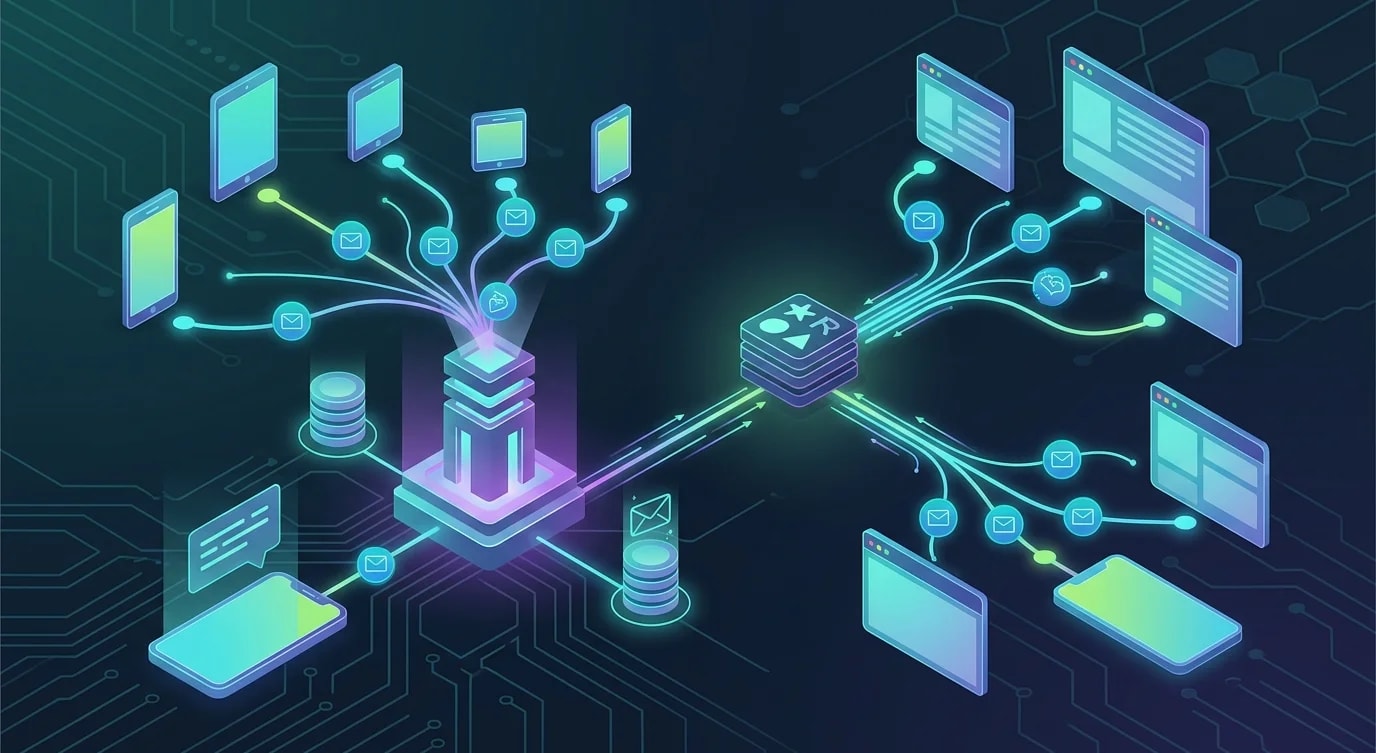
Einen kollaborativen Echtzeit-Editor mit CRDTs bauen
Schritt-für-Schritt zum kollaborativen Texteditor mit CRDTs: die Yjs-Bibliothek, WebSocket-Synchronisation, Awareness-Protokoll und Offline-First.
Operational Transformation (OT)—der Ansatz von Google Docs—erfordert einen zentralen Server zur Konfliktauflösung. CRDTs drehen dieses Modell komplett um. Conflict-free Replicated Data Types sind Datenstrukturen, die ohne Koordination zusammengeführt werden können, sodass jeder Client unabhängig editieren kann und Konvergenz mathematisch garantiert ist. Keine zentrale Instanz nötig.
Das macht CRDTs ideal für kollaborative Editoren, die über unzuverlässige Netzwerke hinweg funktionieren, Offline-Bearbeitung unterstützen und ohne einen zentralen Koordinationspunkt skalieren müssen.
Das CRDT-Dokument einrichten
Yjs ist die am härtesten im Einsatz erprobte CRDT-Bibliothek für JavaScript. Sie stellt gemeinsame Datentypen bereit, die sich automatisch über Clients hinweg synchronisieren.
import * as Y from "yjs";

// Create a Yjs document — this is the CRDT container
const ydoc = new Y.Doc();

// Get a shared text type — edits to this are automatically
// conflict-free across all connected peers
const ytext = ydoc.getText("editor");

// Observe changes to the shared text
ytext.observe((event) => {
  event.delta.forEach((op) => {
    if (op.insert) {
      console.log(`Inserted: "${op.insert}"`);
    }
    if (op.delete) {
      console.log(`Deleted ${op.delete} characters`);
    }
    if (op.retain) {
      console.log(`Retained ${op.retain} characters`);
    }
  });
});

// Edits from any connected client automatically merge
ytext.insert(0, "Hello, ");
ytext.insert(7, "world!");
console.log(ytext.toString()); // "Hello, world!"
Die zentrale Erkenntnis: Es gibt keine „Konfliktauflösung", die man implementieren müsste. Yjs behandelt die Merge-Semantik intern mit einer Variante des YATA-Algorithmus. Zwei Nutzer, die an derselben Position tippen, sehen beide Einfügungen in einer deterministischen Reihenfolge.
WebSocket-Provider für Echtzeit-Sync
Das CRDT-Dokument braucht eine Transportschicht, um Updates zwischen Clients auszutauschen. Hier ein WebSocket-Server, der CRDT-Updates weiterleitet.
// ❌ Naive approach: sending full document state on every change
ws.on("message", (data) => {
  const fullState = JSON.parse(data);
  // Broadcasting entire document — wastes bandwidth,
  // doesn't handle concurrent edits
  broadcast(fullState);
});// ✅ CRDT-aware sync: exchange only incremental updates
import { WebSocketServer } from "ws";
import * as Y from "yjs";
import {
encodeStateAsUpdate,
applyUpdate,
encodeStateVector,
} from "yjs";
interface Room {
doc: Y.Doc;
clients: Set<WebSocket>;
}
const rooms: Map<string, Room> = new Map();
function getOrCreateRoom(roomId: string): Room {
let room = rooms.get(roomId);
if (!room) {
room = { doc: new Y.Doc(), clients: new Set() };
rooms.set(roomId, room);
}
return room;
}
const wss = new WebSocketServer({ port: 4000 });
wss.on("connection", (ws, req) => {
const roomId = new URL(
req.url ?? "/",
"http://localhost"
).searchParams.get("room");
if (!roomId) {
ws.close(1008, "Room ID required");
return;
}
const room = getOrCreateRoom(roomId);
room.clients.add(ws);
// Send current document state to new client
const stateVector = encodeStateVector(room.doc);
const update = encodeStateAsUpdate(room.doc);
ws.send(
JSON.stringify({ type: "sync-step-1", update: toBase64(update) })
);
ws.on("message", (data) => {
const msg = JSON.parse(data.toString());
if (msg.type === "update") {
const updateBytes = fromBase64(msg.update);
// Apply update to server document
applyUpdate(room.doc, updateBytes);
// Broadcast to all other clients in the room
for (const client of room.clients) {
if (client !== ws && client.readyState === 1) {
client.send(data.toString());
}
}
}
});
ws.on("close", () => {
room.clients.delete(ws);
if (room.clients.size === 0) {
// Persist document before cleanup
persistDocument(roomId, room.doc);
}
});
});
function toBase64(bytes: Uint8Array): string {
return Buffer.from(bytes).toString("base64");
}
function fromBase64(str: string): Uint8Array {
return new Uint8Array(Buffer.from(str, "base64"));
}
async function persistDocument(
roomId: string,
doc: Y.Doc
): Promise<void> {
const state = encodeStateAsUpdate(doc);
// Store in database for later retrieval
console.log(
`Persisting room ${roomId}: ${state.byteLength} bytes`
);
}Der Server leitet CRDT-Updates nur weiter—er interpretiert oder transformiert sie nicht. Das bedeutet, der Server ist einfach und zustandslos in Bezug auf die Bearbeitungslogik. Die gesamte Merge-Intelligenz steckt in der CRDT-Bibliothek auf jedem Client.
Client-seitige Integration mit einem Texteditor
Um Yjs mit einem echten Editor zu verbinden, muss das CRDT-Dokument an das interne Modell des Editors gebunden werden. Hier eine Integration mit einem einfachen contenteditable-Element.
import * as Y from "yjs";

class EditorBinding {
  private ytext: Y.Text;
  private element: HTMLElement;
  private isLocalChange = false;

  constructor(ydoc: Y.Doc, element: HTMLElement) {
    this.ytext = ydoc.getText("editor");
    this.element = element;

    // Initialize editor with current CRDT state
    this.element.textContent = this.ytext.toString();

    // Listen for CRDT changes (from remote peers)
    this.ytext.observe(this.onRemoteChange.bind(this));

    // Listen for local edits
    this.element.addEventListener(
      "input",
      this.onLocalChange.bind(this)
    );
  }

  private onRemoteChange(event: Y.YTextEvent): void {
    if (this.isLocalChange) return;

    // Save cursor position
    const selection = window.getSelection();
    const cursorOffset = selection?.focusOffset ?? 0;

    // Apply remote changes to the DOM
    this.element.textContent = this.ytext.toString();

    // Restore cursor position (simplified)
    this.restoreCursor(cursorOffset);
  }

  private onLocalChange(): void {
    this.isLocalChange = true;

    const newText = this.element.textContent ?? "";
    const currentText = this.ytext.toString();

    // Compute diff and apply as CRDT operations
    const { index, remove, insert } = this.computeDiff(
      currentText,
      newText
    );

    this.ytext.doc?.transact(() => {
      if (remove > 0) this.ytext.delete(index, remove);
      if (insert) this.ytext.insert(index, insert);
    });

    this.isLocalChange = false;
  }

  private computeDiff(
    oldText: string,
    newText: string
  ): { index: number; remove: number; insert: string } {
    let start = 0;
    while (
      start < oldText.length &&
      start < newText.length &&
      oldText[start] === newText[start]
    ) {
      start++;
    }

    let oldEnd = oldText.length;
    let newEnd = newText.length;
    while (
      oldEnd > start &&
      newEnd > start &&
      oldText[oldEnd - 1] === newText[newEnd - 1]
    ) {
      oldEnd--;
      newEnd--;
    }

    return {
      index: start,
      remove: oldEnd - start,
      insert: newText.slice(start, newEnd),
    };
  }

  private restoreCursor(offset: number): void {
    const range = document.createRange();
    const textNode = this.element.firstChild;
    if (textNode) {
      const safeOffset = Math.min(
        offset,
        textNode.textContent?.length ?? 0
      );
      range.setStart(textNode, safeOffset);
      range.collapse(true);
      const selection = window.getSelection();
      selection?.removeAllRanges();
      selection?.addRange(range);
    }
  }
}
Awareness-Protokoll für geteilte Cursor
Die Cursor und Selektionen anderer Nutzer anzuzeigen macht Zusammenarbeit greifbar. Yjs stellt ein Awareness-Protokoll für flüchtigen Zustand bereit, der keine Konfliktauflösung braucht.
import { Awareness } from "y-protocols/awareness";
import * as Y from "yjs";

interface UserAwareness {
  name: string;
  color: string;
  cursor: { index: number; length: number } | null;
}

class CursorManager {
  private awareness: Awareness;
  private cursorElements: Map<number, HTMLElement> = new Map();

  constructor(ydoc: Y.Doc, user: { name: string; color: string }) {
    this.awareness = new Awareness(ydoc);

    // Set local user state
    this.awareness.setLocalState({
      name: user.name,
      color: user.color,
      cursor: null,
    });

    // Listen for remote awareness changes
    this.awareness.on(
      "change",
      ({ added, updated, removed }: {
        added: number[];
        updated: number[];
        removed: number[];
      }) => {
        for (const id of added.concat(updated)) {
          this.renderRemoteCursor(id);
        }
        for (const id of removed) {
          this.removeRemoteCursor(id);
        }
      }
    );
  }

  updateLocalCursor(index: number, length: number = 0): void {
    this.awareness.setLocalStateField("cursor", {
      index,
      length,
    });
  }

  private renderRemoteCursor(clientId: number): void {
    if (clientId === this.awareness.clientID) return;

    const state = this.awareness.getStates().get(clientId) as
      | UserAwareness
      | undefined;
    if (!state?.cursor) return;

    let el = this.cursorElements.get(clientId);
    if (!el) {
      el = document.createElement("span");
      el.className = "remote-cursor";
      document.querySelector(".editor")?.appendChild(el);
      this.cursorElements.set(clientId, el);
    }

    el.style.borderLeftColor = state.color;
    el.setAttribute("data-name", state.name);
    // Position based on cursor index (simplified)
  }

  private removeRemoteCursor(clientId: number): void {
    const el = this.cursorElements.get(clientId);
    el?.remove();
    this.cursorElements.delete(clientId);
  }
}
Offline-Support und State-Merging
CRDTs zeigen ihre Stärke, wenn Clients offline gehen. Änderungen sammeln sich lokal an und werden bei Rückkehr der Verbindung nahtlos zusammengeführt.
class OfflineManager {
  private dbName: string;
  private ydoc: Y.Doc;

  constructor(ydoc: Y.Doc, documentId: string) {
    this.dbName = `crdt-${documentId}`;
    this.ydoc = ydoc;

    // Persist every update to IndexedDB
    this.ydoc.on("update", (update: Uint8Array) => {
      this.storeUpdate(update);
    });
  }

  private async storeUpdate(update: Uint8Array): Promise<void> {
    const db = await this.openDB();
    const tx = db.transaction("updates", "readwrite");
    const store = tx.objectStore("updates");
    await store.add({
      update: update,
      timestamp: Date.now(),
    });
  }

  async loadPersistedState(): Promise<void> {
    const db = await this.openDB();
    const tx = db.transaction("updates", "readonly");
    const store = tx.objectStore("updates");
    const allUpdates = await store.getAll();

    // Apply all stored updates to the document
    for (const record of allUpdates) {
      Y.applyUpdate(this.ydoc, record.update);
    }
  }

  private openDB(): Promise<IDBDatabase> {
    return new Promise((resolve, reject) => {
      const request = indexedDB.open(this.dbName, 1);
      request.onupgradeneeded = () => {
        const db = request.result;
        if (!db.objectStoreNames.contains("updates")) {
          db.createObjectStore("updates", {
            autoIncrement: true,
          });
        }
      };
      request.onsuccess = () => resolve(request.result);
      request.onerror = () => reject(request.error);
    });
  }
}
Wenn sich der Client neu verbindet, tauscht das CRDT-Sync-Protokoll State-Vektoren aus—kompakte Zusammenfassungen dessen, was jeder Peer gesehen hat—und sendet dann nur die fehlenden Updates. Keine vollständige Dokumentübertragung nötig, keine Konfliktauflösung erforderlich. Die Mathematik garantiert Konvergenz unabhängig von der Reihenfolge der Änderungen.
Wichtigste Erkenntnisse
CRDTs eliminieren Konfliktauflösung vollständig, indem sie Datenstrukturen verwenden, die unabhängig von der Operationsreihenfolge deterministisch zusammengeführt werden. Yjs stellt produktionsreife CRDT-Primitive bereit—geteilte Texte, Arrays und Maps—die die algorithmische Komplexität übernehmen, sodass du dich auf die Editor-Erfahrung konzentrieren kannst. Der WebSocket-Server in einer CRDT-Architektur ist ein einfacher Relay, der Updates ohne Interpretation weitergibt und damit zustandslos und leicht skalierbar ist. Binde das CRDT-Dokument an deinen Editor, indem du minimale Diffs aus lokalen Eingabeereignissen berechnest und als CRDT-Operationen anwendest. Nutze das Awareness-Protokoll für flüchtigen Zustand wie Cursorpositionen und Nutzerpräsenz—diese brauchen keine CRDT-Garantien, da sie transient sind. Persistiere CRDT-Updates in IndexedDB für Offline-Support und verlasse dich auf den Austausch von State-Vektoren für effiziente Reconnect-Synchronisation. Das Ergebnis ist ein kollaborativer Editor, der offline funktioniert, Netzwerkpartitionen souverän behandelt und ohne zentralen Koordinationsserver skaliert.