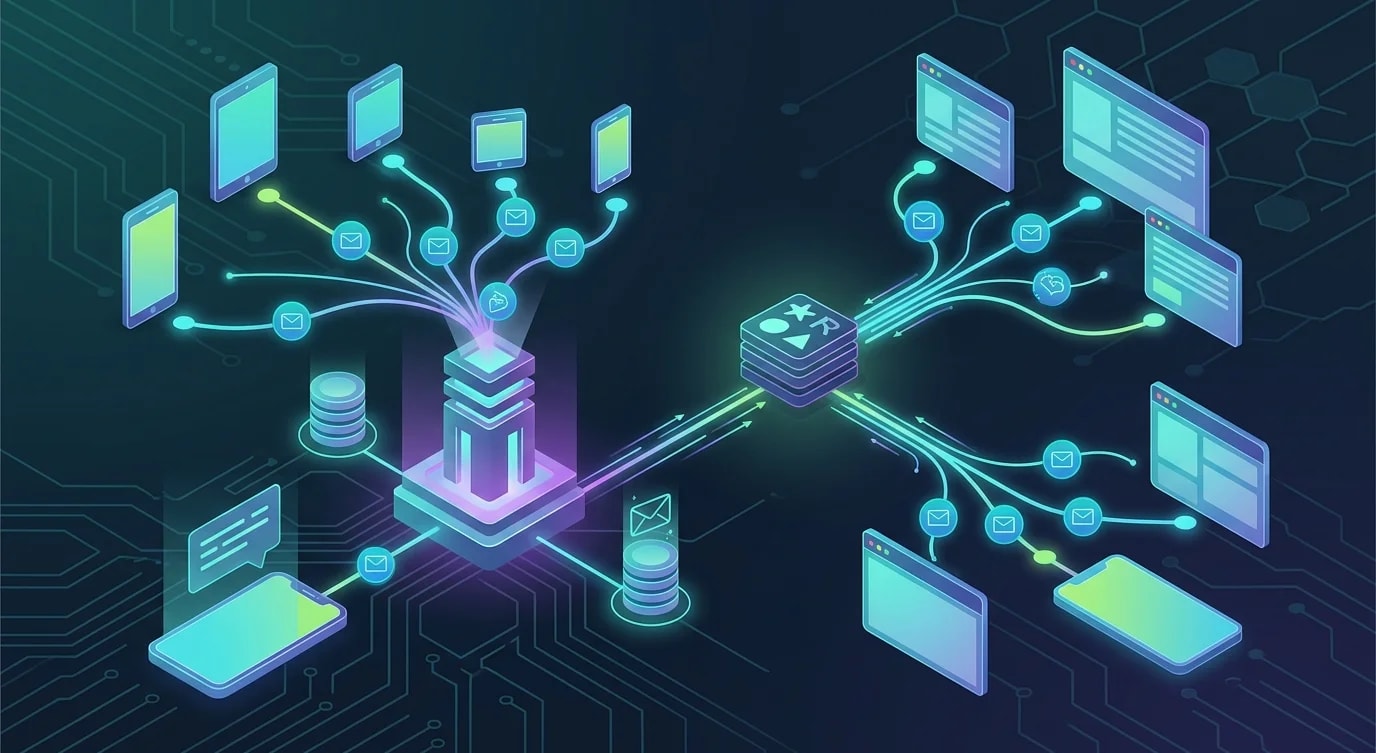
Construir un editor colaborativo en tiempo real con CRDTs
Implementación paso a paso de un editor colaborativo con CRDTs: la librería Yjs, sincronización por WebSocket, el protocolo awareness y edición offline.
Operational Transformation (OT)—el enfoque de Google Docs—requiere un servidor central para resolver conflictos. Los CRDTs invierten este modelo por completo. Los Conflict-free Replicated Data Types son estructuras de datos que se pueden fusionar sin coordinación, lo que significa que cada cliente puede editar de forma independiente y la convergencia está garantizada matemáticamente. No se necesita ninguna autoridad central.
Esto hace que los CRDTs sean ideales para editores colaborativos que deben funcionar sobre redes poco fiables, admitir edición offline y escalar sin un punto único de coordinación.
Configurar el documento CRDT
Yjs es la librería CRDT más probada en producción para JavaScript. Proporciona tipos de datos compartidos que se sincronizan automáticamente entre clientes.
import * as Y from "yjs";

// Create a Yjs document — this is the CRDT container
const ydoc = new Y.Doc();

// Get a shared text type — edits to this are automatically
// conflict-free across all connected peers
const ytext = ydoc.getText("editor");

// Observe changes to the shared text
ytext.observe((event) => {
  event.delta.forEach((op) => {
    if (op.insert) {
      console.log(`Inserted: "${op.insert}"`);
    }
    if (op.delete) {
      console.log(`Deleted ${op.delete} characters`);
    }
    if (op.retain) {
      console.log(`Retained ${op.retain} characters`);
    }
  });
});

// Edits from any connected client automatically merge
ytext.insert(0, "Hello, ");
ytext.insert(7, "world!");
console.log(ytext.toString()); // "Hello, world!"
La clave: no hay ninguna "resolución de conflictos" que implementar. Yjs maneja la semántica de fusión internamente usando una variante del algoritmo YATA. Dos usuarios escribiendo en la misma posición verán ambas inserciones aparecer en un orden determinista.
Proveedor WebSocket para sincronización en tiempo real
El documento CRDT necesita una capa de transporte para intercambiar actualizaciones entre clientes. Aquí hay un servidor WebSocket que retransmite actualizaciones CRDT.
// ❌ Naive approach: sending full document state on every change
ws.on("message", (data) => {
  const fullState = JSON.parse(data);
  // Broadcasting entire document — wastes bandwidth,
  // doesn't handle concurrent edits
  broadcast(fullState);
});// ✅ CRDT-aware sync: exchange only incremental updates
import { WebSocketServer } from "ws";
import * as Y from "yjs";
import {
encodeStateAsUpdate,
applyUpdate,
encodeStateVector,
} from "yjs";
interface Room {
doc: Y.Doc;
clients: Set<WebSocket>;
}
const rooms: Map<string, Room> = new Map();
function getOrCreateRoom(roomId: string): Room {
let room = rooms.get(roomId);
if (!room) {
room = { doc: new Y.Doc(), clients: new Set() };
rooms.set(roomId, room);
}
return room;
}
const wss = new WebSocketServer({ port: 4000 });
wss.on("connection", (ws, req) => {
const roomId = new URL(
req.url ?? "/",
"http://localhost"
).searchParams.get("room");
if (!roomId) {
ws.close(1008, "Room ID required");
return;
}
const room = getOrCreateRoom(roomId);
room.clients.add(ws);
// Send current document state to new client
const stateVector = encodeStateVector(room.doc);
const update = encodeStateAsUpdate(room.doc);
ws.send(
JSON.stringify({ type: "sync-step-1", update: toBase64(update) })
);
ws.on("message", (data) => {
const msg = JSON.parse(data.toString());
if (msg.type === "update") {
const updateBytes = fromBase64(msg.update);
// Apply update to server document
applyUpdate(room.doc, updateBytes);
// Broadcast to all other clients in the room
for (const client of room.clients) {
if (client !== ws && client.readyState === 1) {
client.send(data.toString());
}
}
}
});
ws.on("close", () => {
room.clients.delete(ws);
if (room.clients.size === 0) {
// Persist document before cleanup
persistDocument(roomId, room.doc);
}
});
});
function toBase64(bytes: Uint8Array): string {
return Buffer.from(bytes).toString("base64");
}
function fromBase64(str: string): Uint8Array {
return new Uint8Array(Buffer.from(str, "base64"));
}
async function persistDocument(
roomId: string,
doc: Y.Doc
): Promise<void> {
const state = encodeStateAsUpdate(doc);
// Store in database for later retrieval
console.log(
`Persisting room ${roomId}: ${state.byteLength} bytes`
);
}El servidor solo retransmite actualizaciones CRDT—no las interpreta ni las transforma. Esto significa que el servidor es simple y sin estado en lo que respecta a la lógica de edición. Toda la inteligencia de fusión vive en la librería CRDT de cada cliente.
Integración del lado del cliente con un editor de texto
Conectar Yjs a un editor real requiere vincular el documento CRDT al modelo interno del editor. Aquí hay una integración con un elemento contenteditable básico.
import * as Y from "yjs";

class EditorBinding {
  private ytext: Y.Text;
  private element: HTMLElement;
  private isLocalChange = false;

  constructor(ydoc: Y.Doc, element: HTMLElement) {
    this.ytext = ydoc.getText("editor");
    this.element = element;

    // Initialize editor with current CRDT state
    this.element.textContent = this.ytext.toString();

    // Listen for CRDT changes (from remote peers)
    this.ytext.observe(this.onRemoteChange.bind(this));

    // Listen for local edits
    this.element.addEventListener(
      "input",
      this.onLocalChange.bind(this)
    );
  }

  private onRemoteChange(event: Y.YTextEvent): void {
    if (this.isLocalChange) return;

    // Save cursor position
    const selection = window.getSelection();
    const cursorOffset = selection?.focusOffset ?? 0;

    // Apply remote changes to the DOM
    this.element.textContent = this.ytext.toString();

    // Restore cursor position (simplified)
    this.restoreCursor(cursorOffset);
  }

  private onLocalChange(): void {
    this.isLocalChange = true;

    const newText = this.element.textContent ?? "";
    const currentText = this.ytext.toString();

    // Compute diff and apply as CRDT operations
    const { index, remove, insert } = this.computeDiff(
      currentText,
      newText
    );

    this.ytext.doc?.transact(() => {
      if (remove > 0) this.ytext.delete(index, remove);
      if (insert) this.ytext.insert(index, insert);
    });

    this.isLocalChange = false;
  }

  private computeDiff(
    oldText: string,
    newText: string
  ): { index: number; remove: number; insert: string } {
    let start = 0;
    while (
      start < oldText.length &&
      start < newText.length &&
      oldText[start] === newText[start]
    ) {
      start++;
    }

    let oldEnd = oldText.length;
    let newEnd = newText.length;
    while (
      oldEnd > start &&
      newEnd > start &&
      oldText[oldEnd - 1] === newText[newEnd - 1]
    ) {
      oldEnd--;
      newEnd--;
    }

    return {
      index: start,
      remove: oldEnd - start,
      insert: newText.slice(start, newEnd),
    };
  }

  private restoreCursor(offset: number): void {
    const range = document.createRange();
    const textNode = this.element.firstChild;
    if (textNode) {
      const safeOffset = Math.min(
        offset,
        textNode.textContent?.length ?? 0
      );
      range.setStart(textNode, safeOffset);
      range.collapse(true);
      const selection = window.getSelection();
      selection?.removeAllRanges();
      selection?.addRange(range);
    }
  }
}
Protocolo awareness para compartir cursores
Mostrar los cursores y selecciones de otros usuarios hace que la colaboración se sienta tangible. Yjs proporciona un protocolo awareness para estado efímero que no necesita resolución de conflictos.
import { Awareness } from "y-protocols/awareness";
import * as Y from "yjs";

interface UserAwareness {
  name: string;
  color: string;
  cursor: { index: number; length: number } | null;
}

class CursorManager {
  private awareness: Awareness;
  private cursorElements: Map<number, HTMLElement> = new Map();

  constructor(ydoc: Y.Doc, user: { name: string; color: string }) {
    this.awareness = new Awareness(ydoc);

    // Set local user state
    this.awareness.setLocalState({
      name: user.name,
      color: user.color,
      cursor: null,
    });

    // Listen for remote awareness changes
    this.awareness.on(
      "change",
      ({ added, updated, removed }: {
        added: number[];
        updated: number[];
        removed: number[];
      }) => {
        for (const id of added.concat(updated)) {
          this.renderRemoteCursor(id);
        }
        for (const id of removed) {
          this.removeRemoteCursor(id);
        }
      }
    );
  }

  updateLocalCursor(index: number, length: number = 0): void {
    this.awareness.setLocalStateField("cursor", {
      index,
      length,
    });
  }

  private renderRemoteCursor(clientId: number): void {
    if (clientId === this.awareness.clientID) return;

    const state = this.awareness.getStates().get(clientId) as
      | UserAwareness
      | undefined;
    if (!state?.cursor) return;

    let el = this.cursorElements.get(clientId);
    if (!el) {
      el = document.createElement("span");
      el.className = "remote-cursor";
      document.querySelector(".editor")?.appendChild(el);
      this.cursorElements.set(clientId, el);
    }

    el.style.borderLeftColor = state.color;
    el.setAttribute("data-name", state.name);
    // Position based on cursor index (simplified)
  }

  private removeRemoteCursor(clientId: number): void {
    const el = this.cursorElements.get(clientId);
    el?.remove();
    this.cursorElements.delete(clientId);
  }
}
Soporte offline y fusión de estado
Los CRDTs brillan cuando los clientes se quedan sin conexión. Las ediciones se acumulan localmente y se fusionan sin fricciones cuando vuelve la conectividad.
class OfflineManager {
  private dbName: string;
  private ydoc: Y.Doc;

  constructor(ydoc: Y.Doc, documentId: string) {
    this.dbName = `crdt-${documentId}`;
    this.ydoc = ydoc;

    // Persist every update to IndexedDB
    this.ydoc.on("update", (update: Uint8Array) => {
      this.storeUpdate(update);
    });
  }

  private async storeUpdate(update: Uint8Array): Promise<void> {
    const db = await this.openDB();
    const tx = db.transaction("updates", "readwrite");
    const store = tx.objectStore("updates");
    await store.add({
      update: update,
      timestamp: Date.now(),
    });
  }

  async loadPersistedState(): Promise<void> {
    const db = await this.openDB();
    const tx = db.transaction("updates", "readonly");
    const store = tx.objectStore("updates");
    const allUpdates = await store.getAll();

    // Apply all stored updates to the document
    for (const record of allUpdates) {
      Y.applyUpdate(this.ydoc, record.update);
    }
  }

  private openDB(): Promise<IDBDatabase> {
    return new Promise((resolve, reject) => {
      const request = indexedDB.open(this.dbName, 1);
      request.onupgradeneeded = () => {
        const db = request.result;
        if (!db.objectStoreNames.contains("updates")) {
          db.createObjectStore("updates", {
            autoIncrement: true,
          });
        }
      };
      request.onsuccess = () => resolve(request.result);
      request.onerror = () => reject(request.error);
    });
  }
}
Cuando el cliente se reconecta, el protocolo de sincronización CRDT intercambia vectores de estado—resúmenes compactos de lo que ha visto cada par—y luego envía solo las actualizaciones faltantes. Sin transferencia del documento completo, sin resolución de conflictos. Las matemáticas garantizan la convergencia sin importar el orden de las ediciones.
Conclusiones clave
Los CRDTs eliminan por completo la resolución de conflictos al usar estructuras de datos que se fusionan de forma determinista sin importar el orden de las operaciones. Yjs proporciona primitivas CRDT de nivel producción—texto, arrays y mapas compartidos—que manejan la complejidad algorítmica para que te concentres en la experiencia del editor. El servidor WebSocket en una arquitectura CRDT es un simple relé que difunde actualizaciones sin interpretarlas, lo que lo hace sin estado y fácil de escalar. Vincula el documento CRDT a tu editor calculando diffs mínimos a partir de los eventos de entrada locales y aplicándolos como operaciones CRDT. Usa el protocolo awareness para estado efímero como posiciones de cursor y presencia de usuarios—estos no necesitan garantías CRDT porque son transitorios. Persiste las actualizaciones CRDT en IndexedDB para soporte offline, y confía en el intercambio de vectores de estado para una sincronización eficiente al reconectar. El resultado es un editor colaborativo que funciona offline, maneja particiones de red con elegancia y escala sin un servidor de coordinación central.